Caption Appearance
Restyle the on-screen captions: font, size, color, alignment, background, and per-speaker colors.
How to customize captions
Caption styling lives in the Appearance settings. During a live session the Appearance tab opens directly, so you can restyle captions on the fly.
- Open Settings → Appearance.
- Adjust the text, alignment, background, and speaker options.
- Watch the Preview update live; your settings are saved automatically.
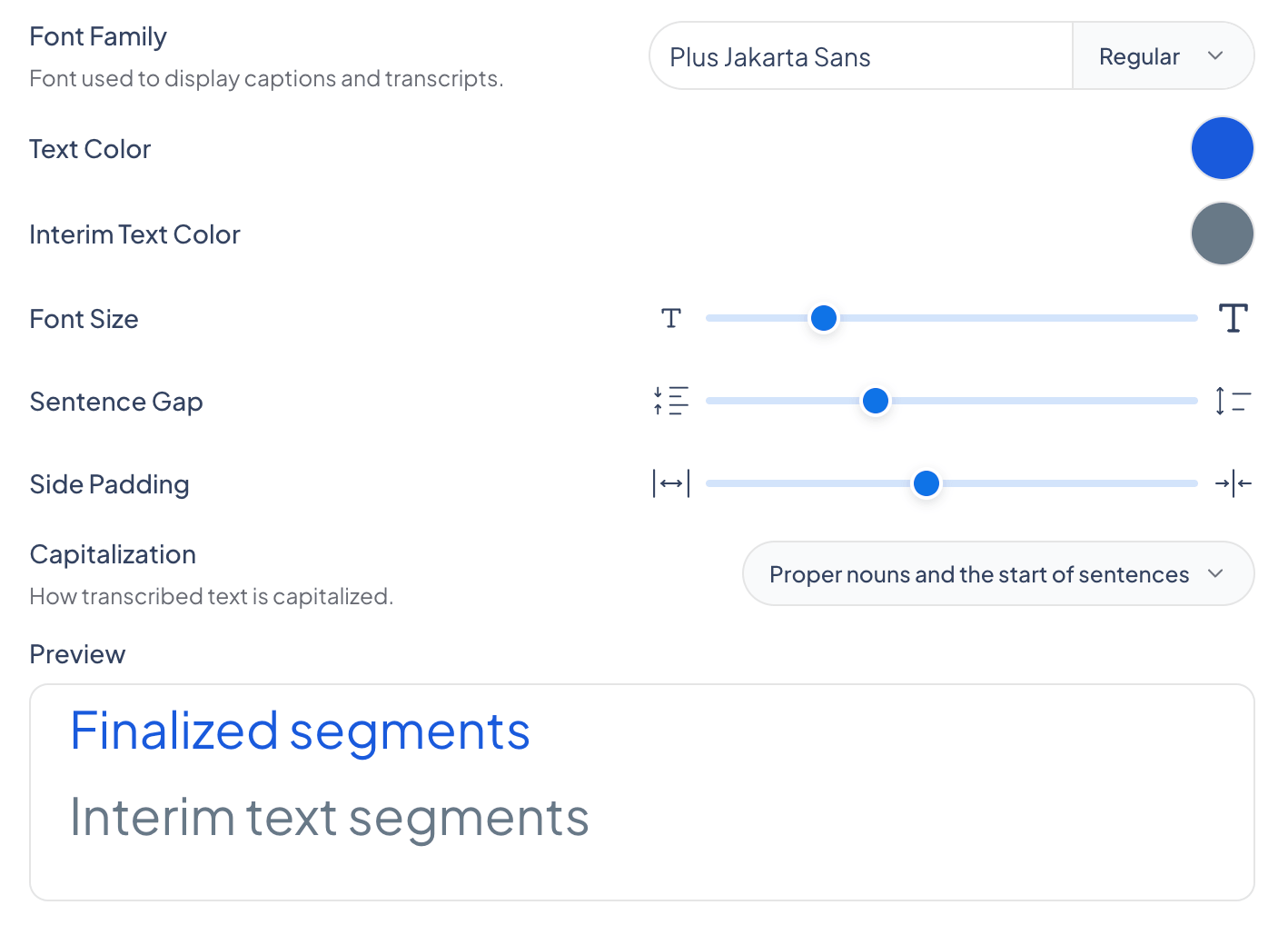
The Preview pane shows exactly how your captions will look as you change each setting.
What you can change
The Appearance panel groups the styling controls into text, alignment, background, and speaker options.
Interface Theme
Set the app’s interface to Light, Dark, or System. This controls the look of the app itself, separate from how the captions are styled.
Text
Show interim text
Show or hide interim text. When off, captions appear only once they are finalized.
Font Family
The typeface used to display captions and transcripts. You can also select the font weight.
Text Color
The color of finalized caption text.
Interim Text Color
The color of interim text: speech that has been recognized but not yet finalized, so it may still change.
Font Size
How large the caption text appears.
Sentence Gap
The spacing between sentences.
Side Padding
Horizontal padding so captions don’t run to the screen edges.
Capitalization
How transcribed text is capitalized: UPPERCASE, First Letter Of Each Word, or proper nouns and the start of sentences.
Use Reset to Defaults to undo your changes and return to the default caption styling.
Alignment
Horizontal Alignment
Position captions Full, Left, Middle, or Right.
Vertical Alignment
Position captions Full, Top, Middle, Bottom, or Lower Third.
Background
Background Color
The color shown behind the captions.
Background Opacity
How opaque the caption background is, from transparent to solid.
Speaker
Speaker Colors
Assign a color to each detected speaker so it’s easy to tell who is talking. Applies when speaker detection is on.
Line Thickness
The width of the colored line shown next to captions to mark the speaker.
Tag Font Size
The size of the speaker name tag, which appears only in shareable sessions with guest speakers.
Frequently asked questions
What is interim text?
Interim text is speech that has been recognized but not yet finalized, so it may still change. You can give it its own color so it stands apart from finalized text.