
Product launches and keynotes
One announcement, understood in every market at the same moment.
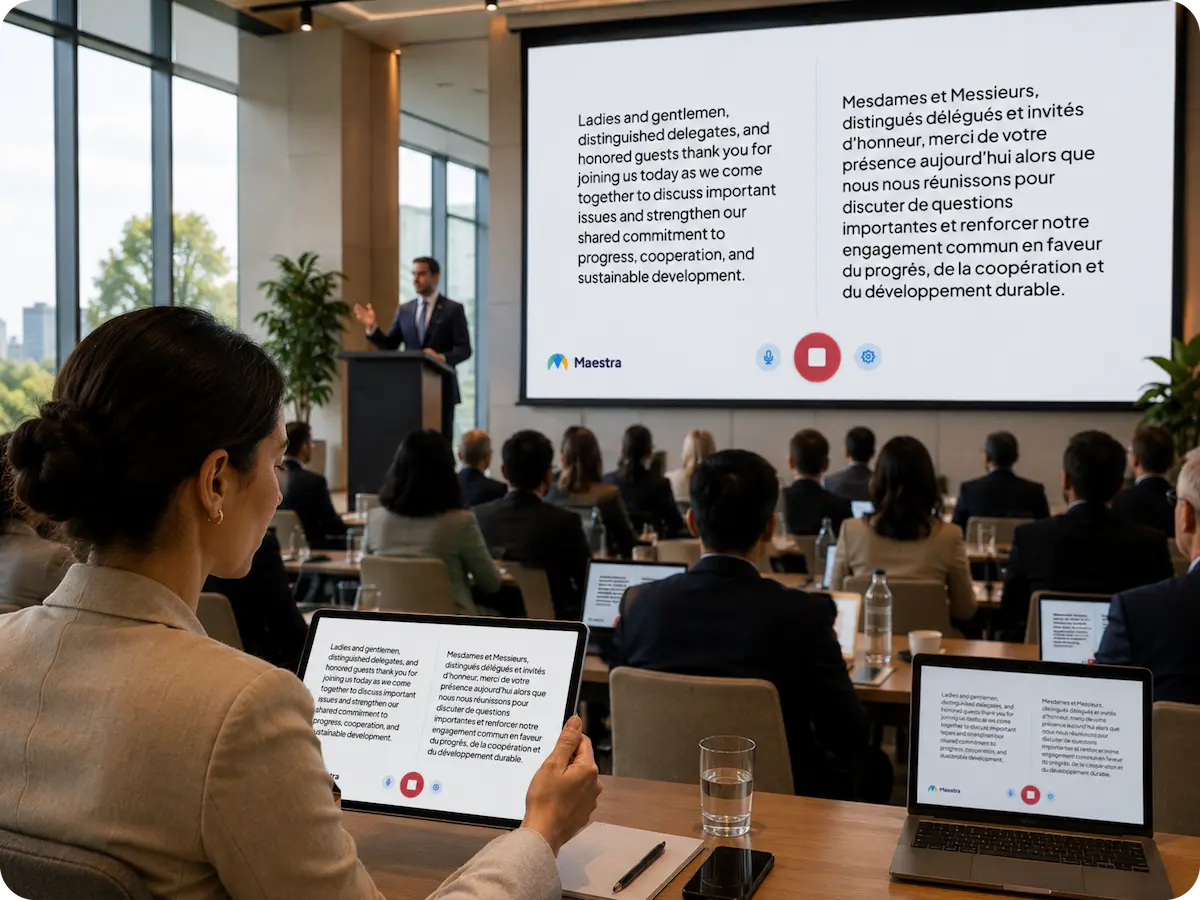
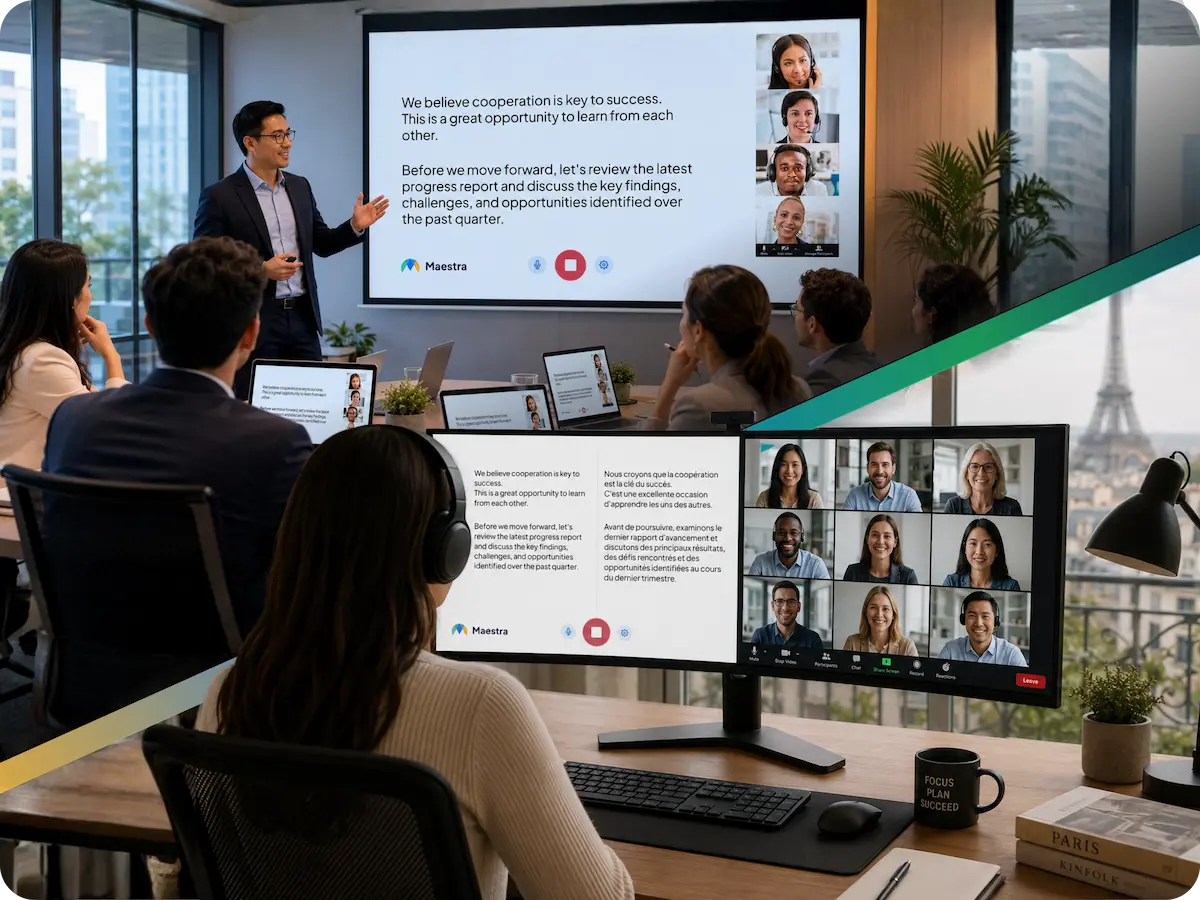
Maestra Live translates your event as it happens: spoken AI voice and live captions in 100+ languages, on each attendee's own phone. Works for in-person, hybrid and online events, with no booths, no receivers and no app to install.
A 30-minute walkthrough for event teams and enterprise. The free tool needs no form and no sales call.
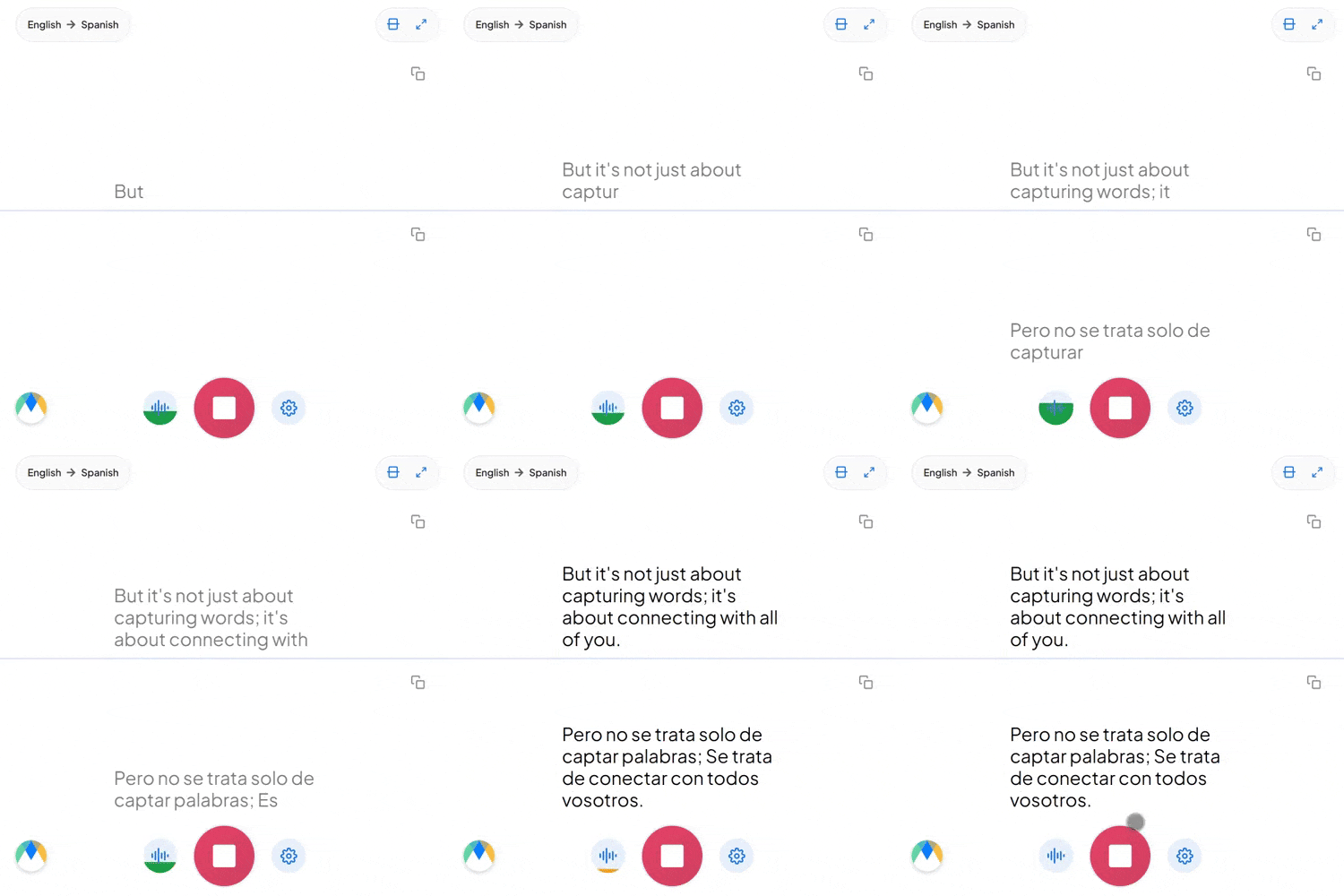
Live event translation converts a speaker's words into other languages in real time, delivered as translated audio, live captions, or both. Attendees follow the event in their own language while it happens, without waiting for a recording or a post-event transcript.
One audio feed produces both outputs. Some attendees prefer to listen to a translated voice; others prefer to read. Each person chooses on their own device, so the room does not have to pick one format for everyone.
Traditional event interpretation needs a booth per language, an interpreter console, a transmitter and a receiver for every listener. Software replaces that chain: attendees open a link on the phone already in their pocket.
Events have a stage, a sound desk, multiple speakers and an audience that arrives at different moments. Maestra Live takes the feed from your AV mixer, a microphone or your meeting platform, and keeps running through panels, Q&A and speaker changes.
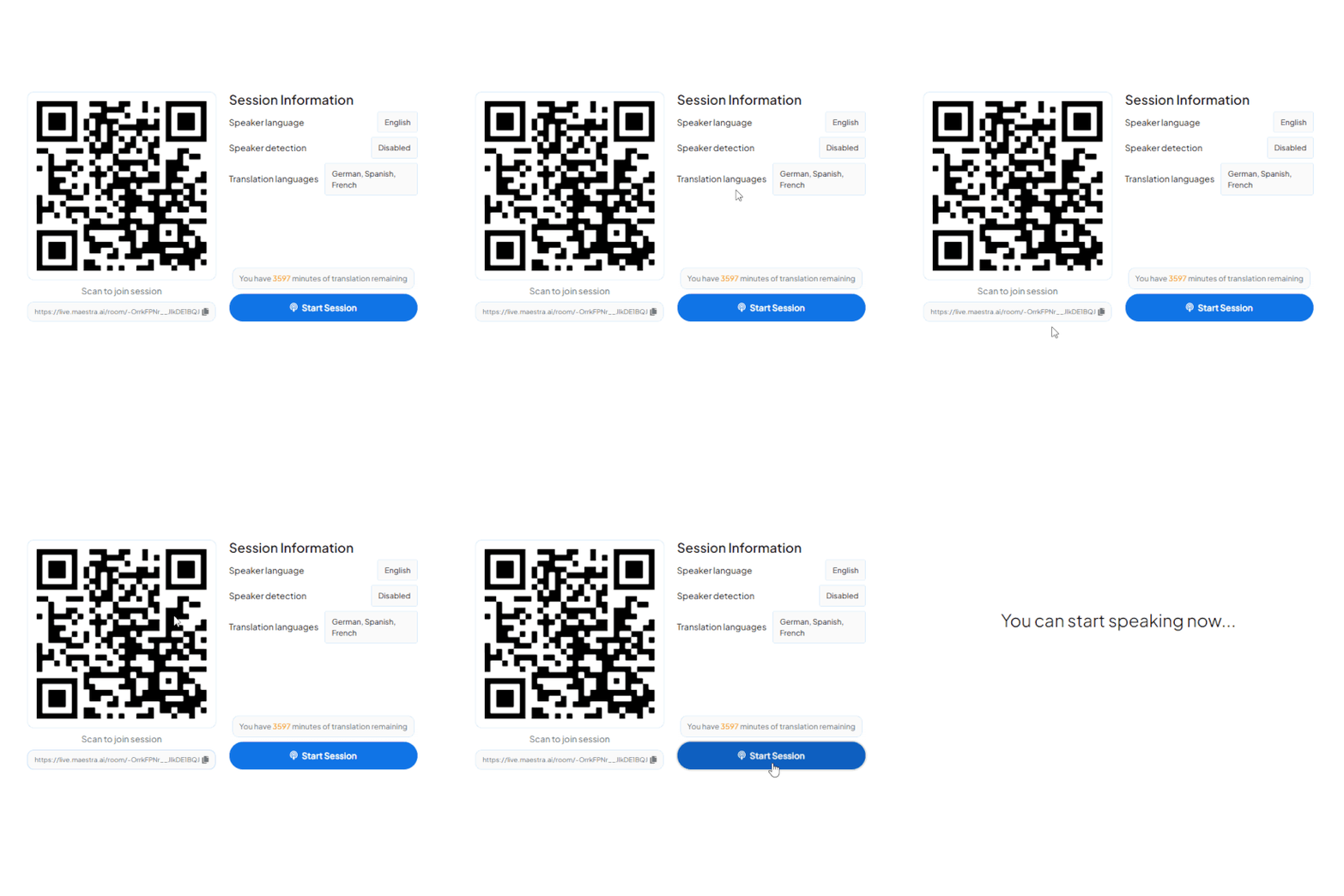
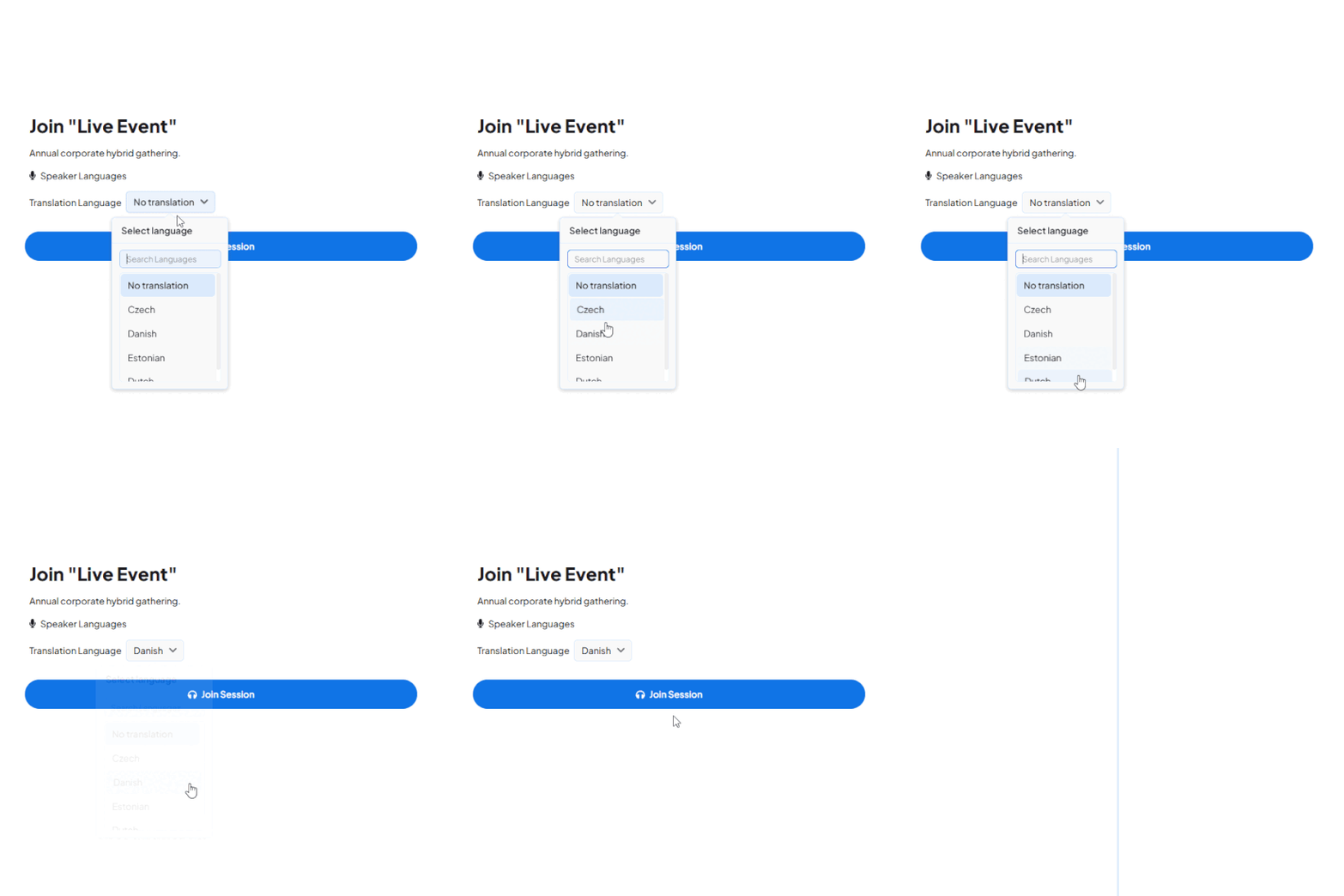
Start a live session in your browser and listen to the translation, or walk through a multi-language event setup with our team.
Organizers usually choose between no translation, a staffed interpretation team, or AI. This is how they differ on the points that decide the budget.
| No translation | Human interpreters | AI event translation | |
|---|---|---|---|
| Lead time | None | Weeks, and longer for rare language pairs | Minutes |
| Languages at once | One — everyone works in the host language | Limited by budget and by which interpreters are available | 100+ running simultaneously |
| Hardware | None | Booths, consoles, transmitters and receivers | None — attendees use their own phones |
| Last-minute sessions | Not applicable | Rarely possible | Add a session the same day |
| Specialist terminology | Only for fluent attendees | Yes, with a well-briefed interpreter | Yes, with a custom dictionary loaded in advance |
| Best fit | Single-language audiences | Diplomatic, legal and regulated proceedings | Conferences, product launches, town halls, community and recurring events |
Costs and lead times vary by market, language pair and event length. Ask us for a quote for your languages and headcount.
The same session works whether your audience is in the room, across the world, or both. Attendees get the same language options and the same live captions in every format.
The speaker presents on stage and every seat follows in its own language on a personal phone. There are no earpieces to hand out at the door and none to collect afterwards.
Some attendees sit in the venue while others join from home offices on other continents. Both groups use the same QR code or link and see the same language list, so the remote audience is not a second-class experience.
For a virtual event, translation runs alongside the platform you already host on. Attendees keep watching the stream and open the translation session next to it.
Run live event translation next to the meeting, livestream and broadcast tools you already use to host events.
Add live translation and captions to Zoom events and webinars.
Learn More
Translate Teams live events for multilingual audiences.
Learn More
Send translated captions and audio into your OBS livestream.
Learn More.webp)
Mix live translated audio and captions into vMix production.
Learn MoreThe features that decide whether an event runs smoothly or generates support tickets.
Attendees can listen with an AI voice or a cloned version of the speaker's own voice, instead of reading subtitles for the whole day.
Every language runs simultaneously on its own channel, with no extra cost per language to set up in advance.
Sponsor names, product terms and speaker names are what generic engines get wrong. Load them before the event.
Panels and Q&A are handled in one session, with automatic speaker and language detection.
A QR code or link opens on any phone, tablet or laptop. Attendees are live in under ten seconds.
Save the session and reuse it as subtitles, notes or on-demand content in every language it was delivered in.
Built for live, multilingual events
Trusted by teams and individuals at:







Live event translation converts a speaker's words into another language in real time, delivered as captions, translated audio, or both. Attendees follow the event in their preferred language while it happens, without waiting for a recorded translation or a post-event transcript.
No. Attendees scan a QR code or open a link in any browser on a phone, tablet or desktop. No app install and no account are required.
Yes. Maestra captures the event audio from a microphone, an AV mixer or a meeting platform and streams the translation to attendee devices, so the same setup covers all three formats.
Accuracy depends on audio quality, speaker clarity and terminology. A clean microphone feed and a custom dictionary loaded in advance make the largest difference, while overlapping speech and noisy rooms reduce accuracy.
Yes. The live feed can be projected on venue screens or shared to personal devices, or both at once.
Secure access options and enterprise configurations are available for internal and sensitive events. Contact us with your requirements for a tailored setup.
Maestra Live supports 100+ languages for live captions and spoken AI voice. Sessions can be saved and translated into 125+ languages afterwards, so a recording can reach even more audiences.
Yes. Each attendee picks a language when they join and can switch to another at any time while the event is running.
AI removes the need to schedule interpreters, rent booths or hand out receivers. It scales to many languages on demand and works for last-minute sessions and tight budgets. For diplomatic, legal or regulated proceedings, a qualified human interpreter remains the right choice.
Yes. The system handles continuous speech from several speakers and detects speaker changes and the language being spoken, provided the audio is clear.
Yes. Sessions can be saved so you can review and edit the transcript, then reuse it as subtitles, notes or translated content.
Book a walkthrough for your event, or start a free session right now and hear the live translation for yourself.