
Sunday services
Include hearing-impaired members and members who speak other languages.
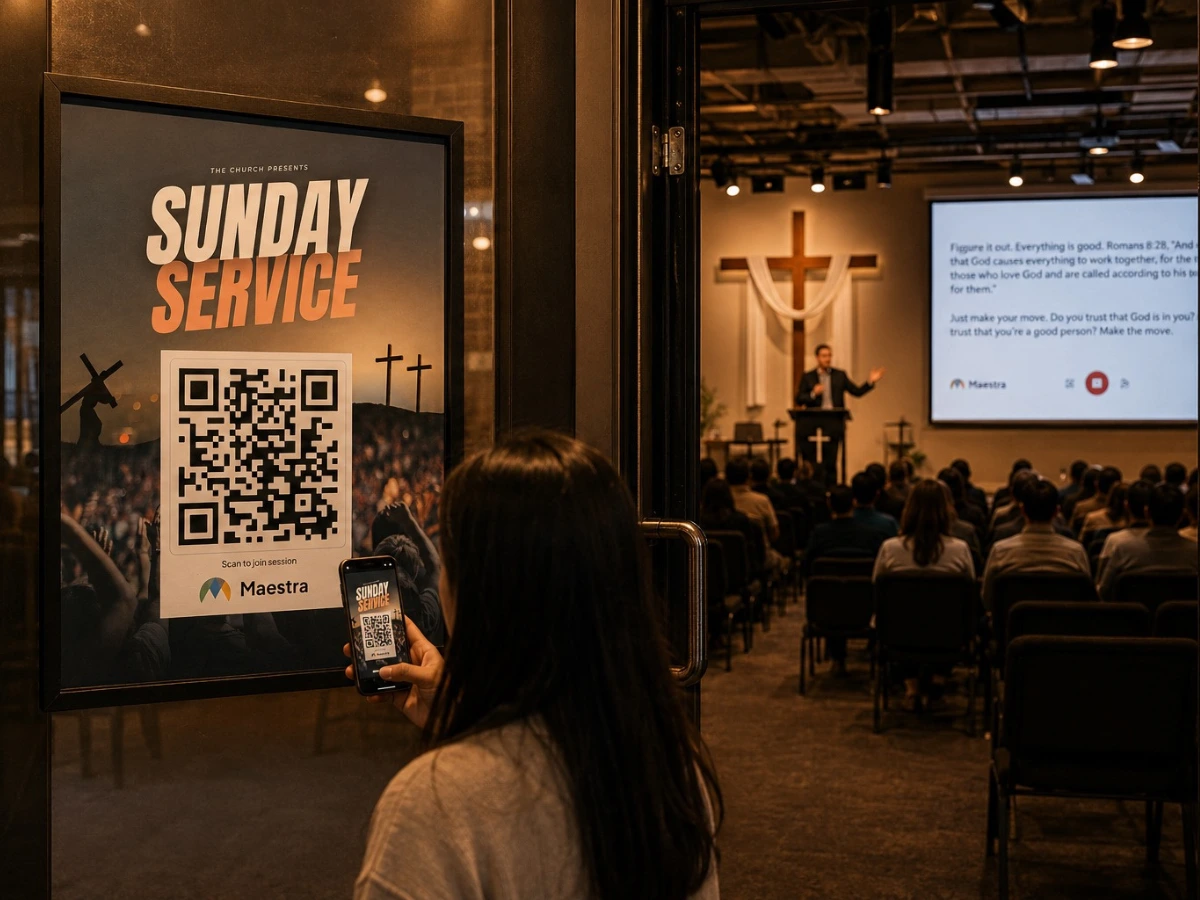
Translate sermons and worship services as they are preached. Members scan a QR code and follow on their own phones in 100+ languages, listening to the translation or reading live captions. No transmitters, no headsets, no equipment to buy.
A 30-minute walkthrough for churches and ministries. The free tool needs no form and no sales call.
A church translation system delivers a sermon or service in other languages while it is being preached. Members follow on their own phones, listening to a translated voice or reading live captions in the language they are most comfortable with.
Conventional church interpretation needs transmitters, receivers and headsets to buy and maintain, plus an interpreter or an equipment channel for every language. Coverage is limited to the interpreters you have and the channels you can afford.
With a device microphone or your sound desk feed and an internet connection, Maestra translates services in a browser. Its AI is designed to cope with background noise, so setup stays simple week after week.
Members choose. Some prefer to listen to a translated voice, including a cloned version of the pastor's own voice. Others, including members who are hard of hearing, prefer to read live captions.
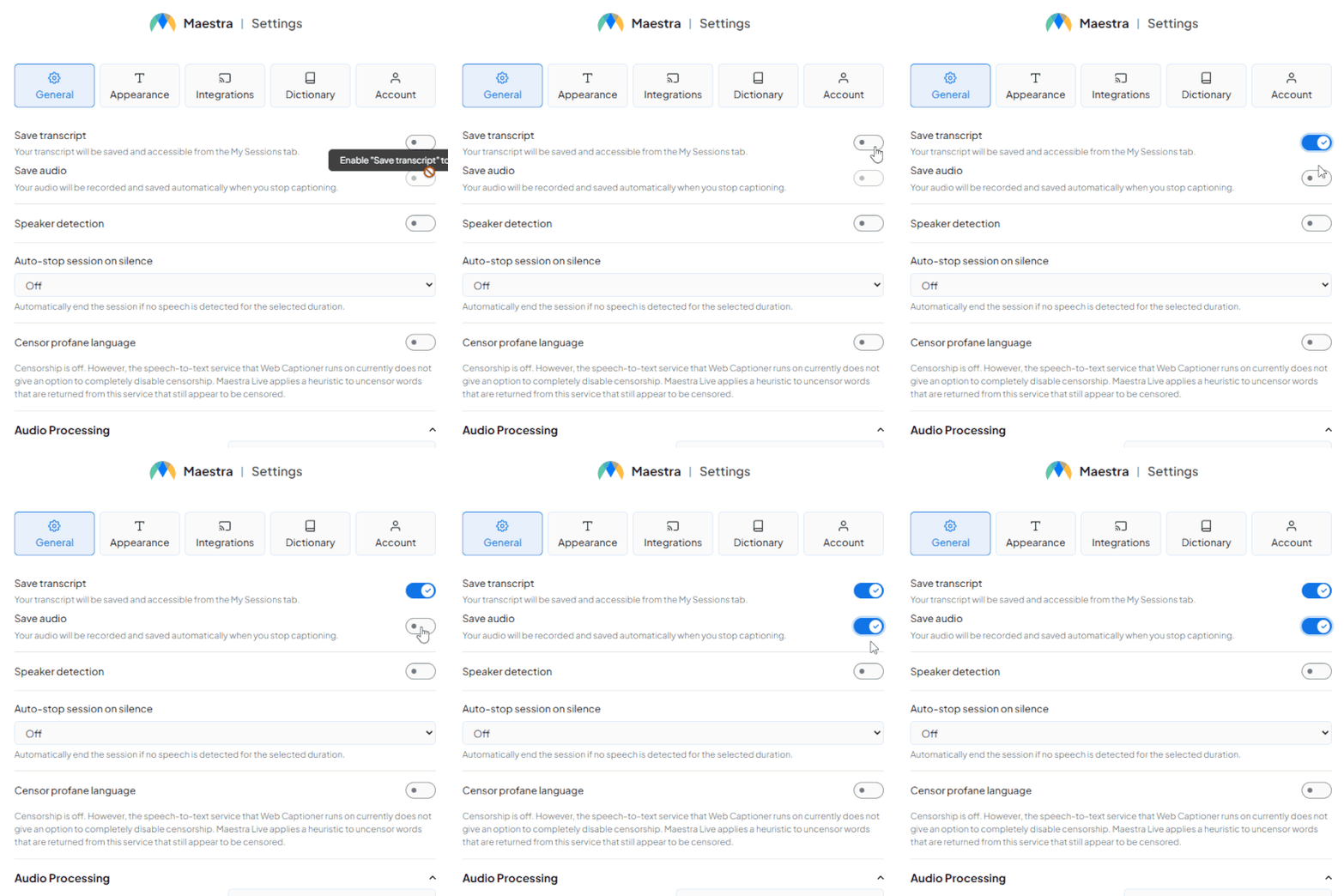
Start a free session in your browser and listen to the translation, or book a walkthrough for your church's setup.
Most churches compare headset systems, volunteer or hired interpreters, and software. This is how they differ.
| Maestra Live | Interpreters and equipment | |
|---|---|---|
| Equipment | No hardware. Works on mobile and desktop devices | Transmitters, receivers and headsets to buy and maintain |
| Cost to the congregation | Attendees do not pay; subscription plans for every use | Per-event interpreter fees or equipment for each listener |
| Languages | 100+ languages in one multilingual session | Limited to the interpreters booked or headset channels available |
| Setup | A browser, a microphone and an internet connection | Booths or channels, trained volunteers, equipment storage |
| Online members | Join the same session from a link | Usually a separate arrangement |
| After the service | Saved captions and audio to edit and translate again | Rarely recorded |
Human interpreters can bring nuance and a personal touch. Many churches use AI for the long tail of languages and interpreters for their largest one.
One service, every language your congregation speaks. The same session serves members in the pews and members watching from home.
The pastor preaches from the stage. Members follow on their own phone, listening to the translated sermon or reading live captions in their language, seat by seat.
Members who cannot attend in person open the same session from a link, pick a language and follow the service live. Your stream keeps running as it always does.
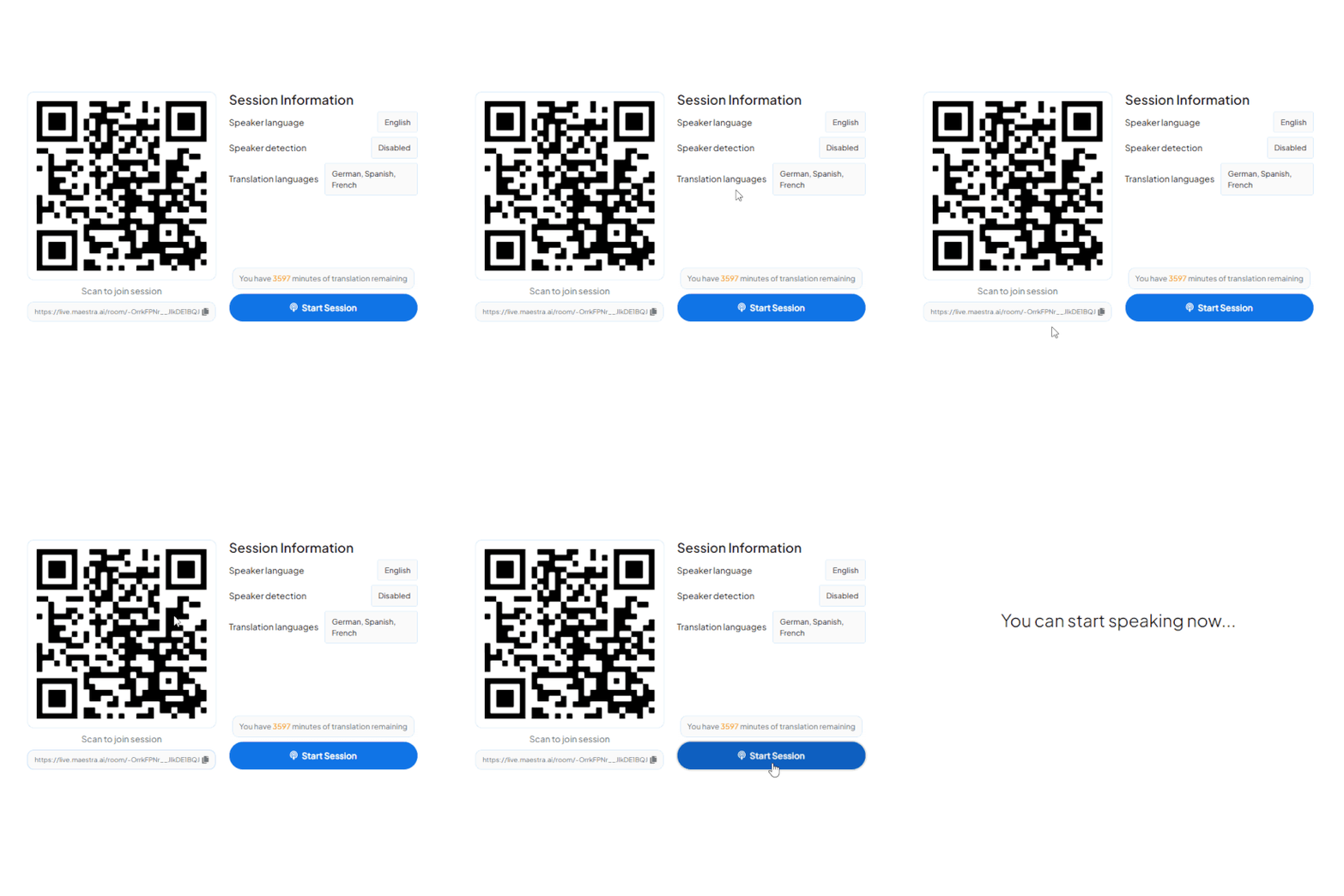
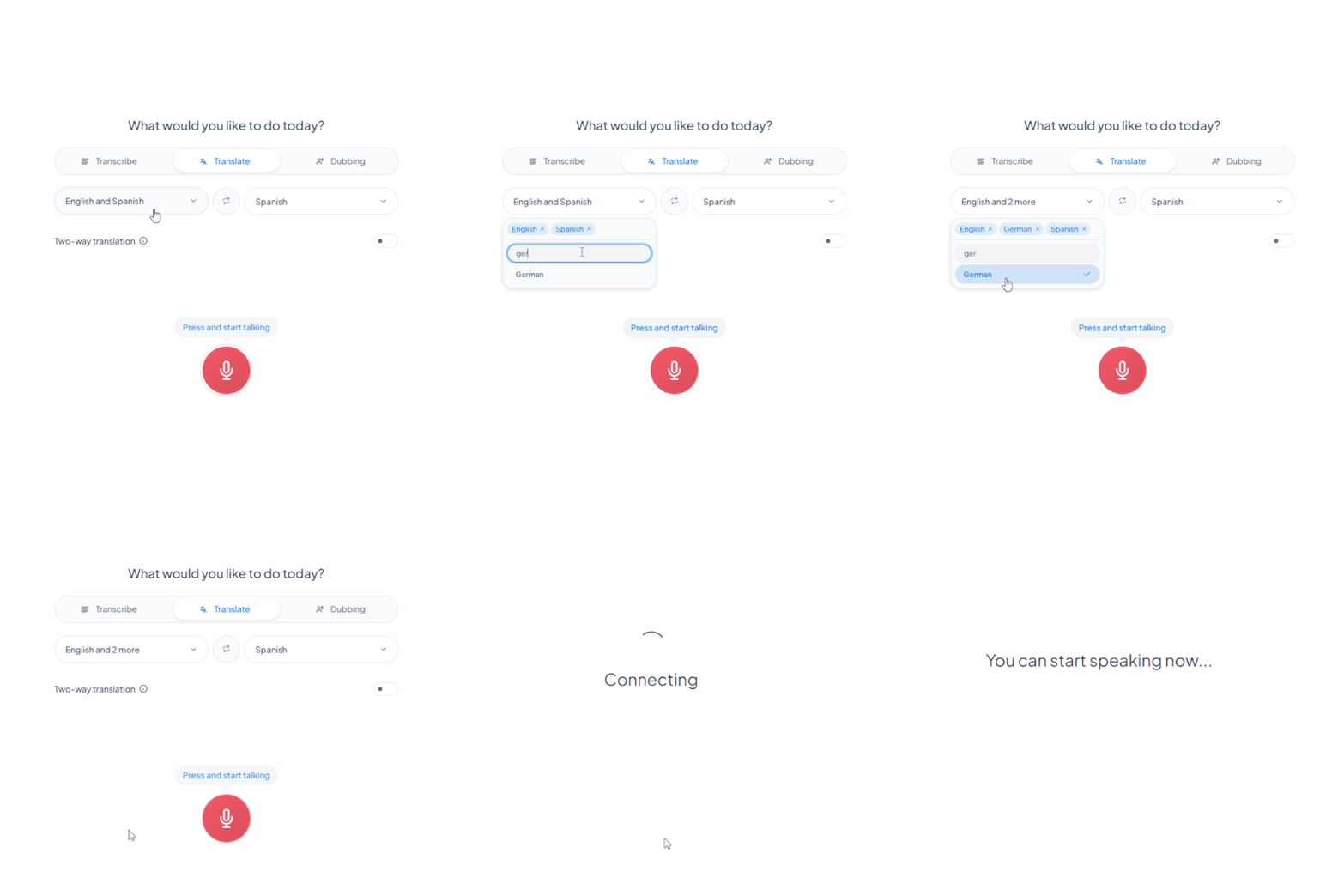
Choose the Setup Meeting Room option, enter the event name, date, time and description, then choose the speaker's language and one or more target languages. Share the session instantly by QR code or link.
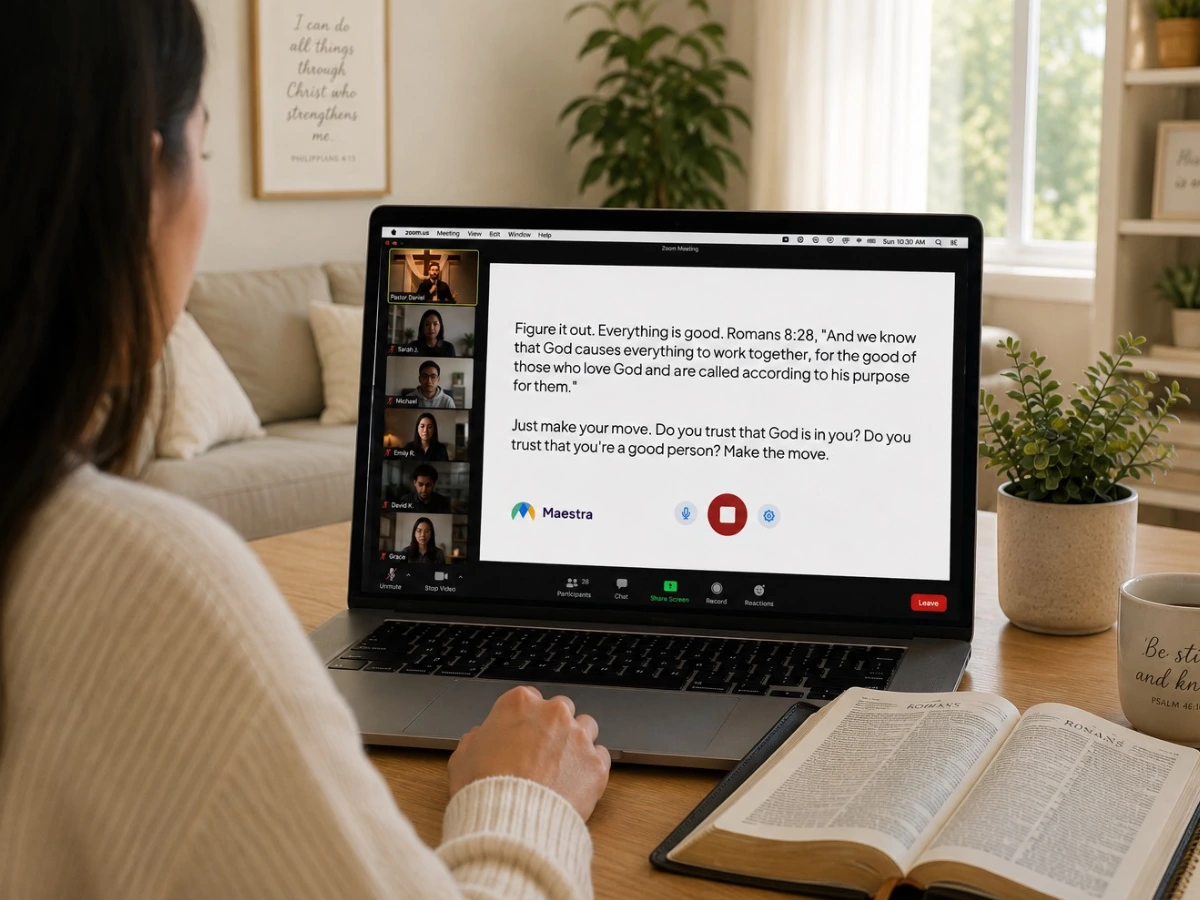
Streaming your sermons or hosting online meetings? Add live church translation to the tools you already use.

Send translated audio and captions into your OBS stream so viewers follow in their own language.
Learn More.webp)
Run live translation inside your vMix broadcast without interrupting the service.
Learn More
Translate prayer meetings, small groups and Bible studies for members joining remotely.
Learn More
Give bilingual volunteers and staff live translation in meetings and planning sessions.
Learn MoreMaestra's sermon translation includes what you need to widen the reach and accessibility of your services.
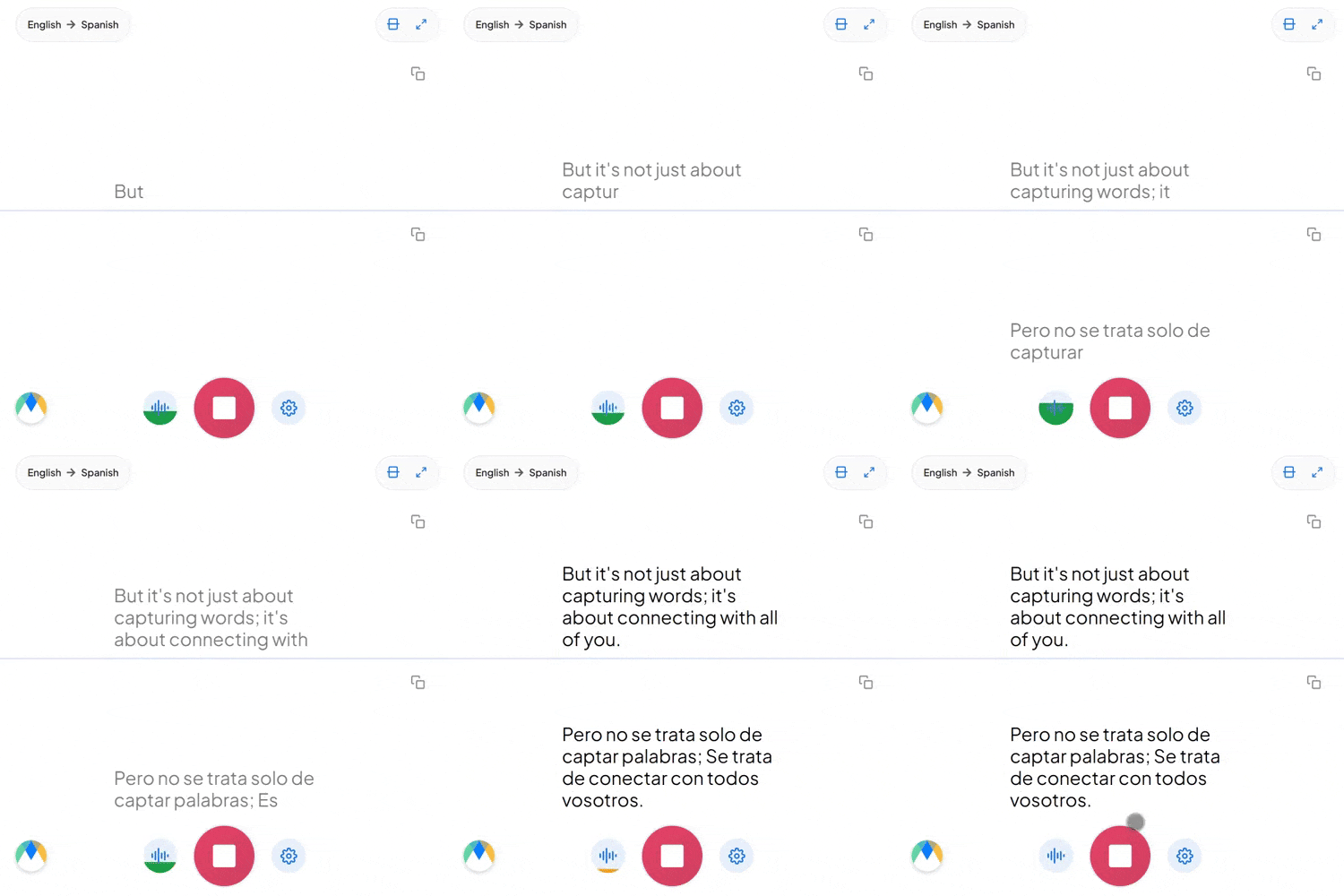
Turn the sermon into live text in the original language, in real time.
Translate the transcript and display translated captions simultaneously.
Give members live speech translation using AI voices or live voice cloning of your pastor.
Members join from a bulletin, a screen or a link. Nothing to install and no account.
Works with OBS, vMix, Zoom and Teams, so online worship keeps its current setup.
Keep the captions and audio to edit, archive and translate again after the service.
Built for multilingual congregations
Trusted by teams and individuals at:







Maestra's live church translation supports 100+ languages. After saving a session you can translate it into 125+ languages, which is more than most interpreter or headset setups can offer.
Members scan a QR code or open a shared link on their own phone, then choose their language. No app install and no hardware to hand out.
No. With a device microphone and an internet connection you can start translating services in a browser. For a larger sanctuary you can connect the sound desk feed. The AI is designed to handle background noise.
Yes. Pastors and church leaders can deliver translated messages in their own cloned voice in multiple languages, so the voice stays familiar across languages.
Human interpreters can add nuance and a personal touch. Maestra gives consistent, real-time translation across 100+ languages with minimal setup, which suits weekly services and smaller teams. Many churches combine the two.
Maestra uses AI to capture speech and deliver live translation through both voice and captions. Members scan a QR code or open a link on their own phone and choose their language. There is no transmitter, receiver or headset involved.
Choose the Setup Meeting Room option, enter the event name, date, time and description, then choose the speaker's language and one or more target languages. Share the session by QR code or link.
Yes. It provides live voice translation and captions that can be shared by link or QR code. Online members do not need to download anything and can join from any device.
Yes. When a multilingual session is enabled, members choose from the available languages after opening the link or scanning the QR code.
No. Churches choose a subscription plan, and attendees join for free.
Book a walkthrough for your church, or start a free session this week and hear the live translation yourself.