
Corporate conferences and summits
Multi-track agendas where every session needs translation and the schedule cannot slip.
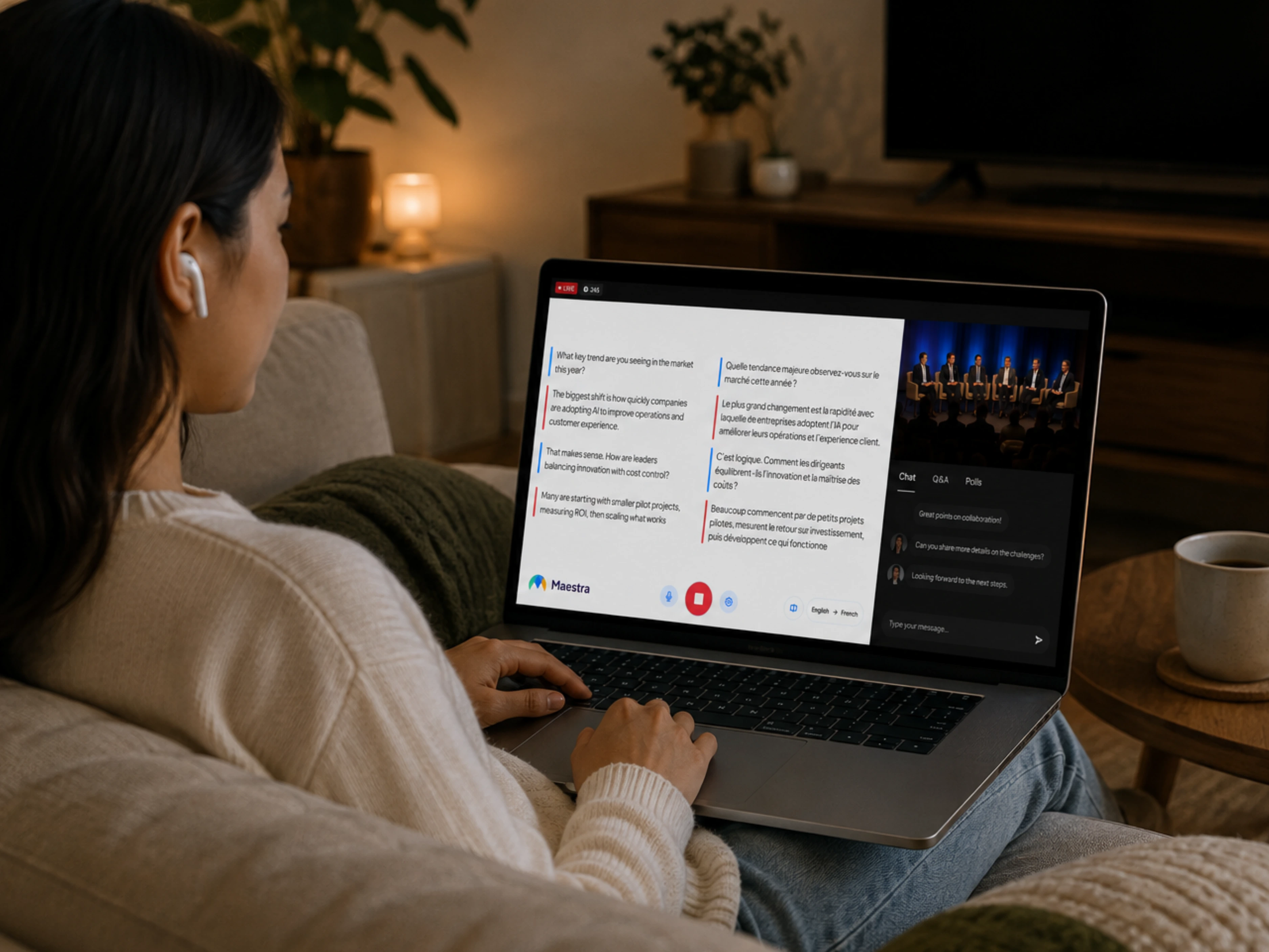
Translate keynotes, panels and breakout sessions as they happen. Maestra Live gives each attendee spoken AI interpretation and live captions in 100+ languages on their own phone, with no booths, no headsets and no app to install.
A 30-minute walkthrough for conference organizers. The free tool needs no form and no sales call.
Live conference translation converts a speaker's words into other languages in real time, delivered as live captions, translated audio, or both. Attendees follow keynotes, panels and Q&A in the language they choose, on their own device.
Strictly, translation refers to written text and interpretation to spoken language. AI conference translation tools cover both from one source: live captions for attendees who prefer to read, and translated speech for those who prefer to listen.
Conventional conference interpretation needs a soundproof booth per language, two interpreters sharing it, a console, a transmitter and a receiver with headphones for every listener. It works, but cost and lead time grow with every language you add.
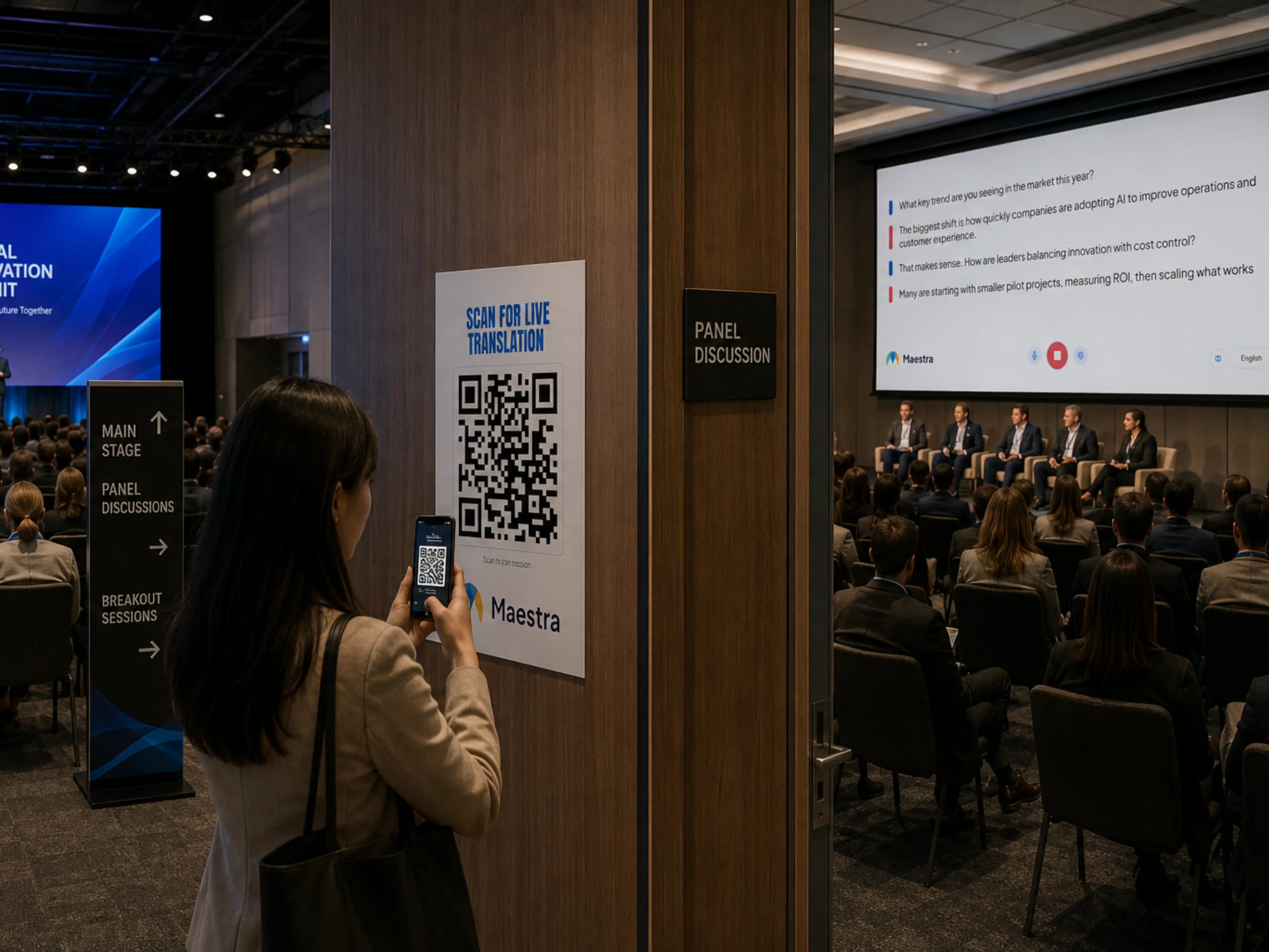
Maestra Live takes the same audio source professional interpreters use, such as an AV mixer, a stage microphone or the meeting platform. The translation reaches attendees through a link or QR code instead of rented hardware.
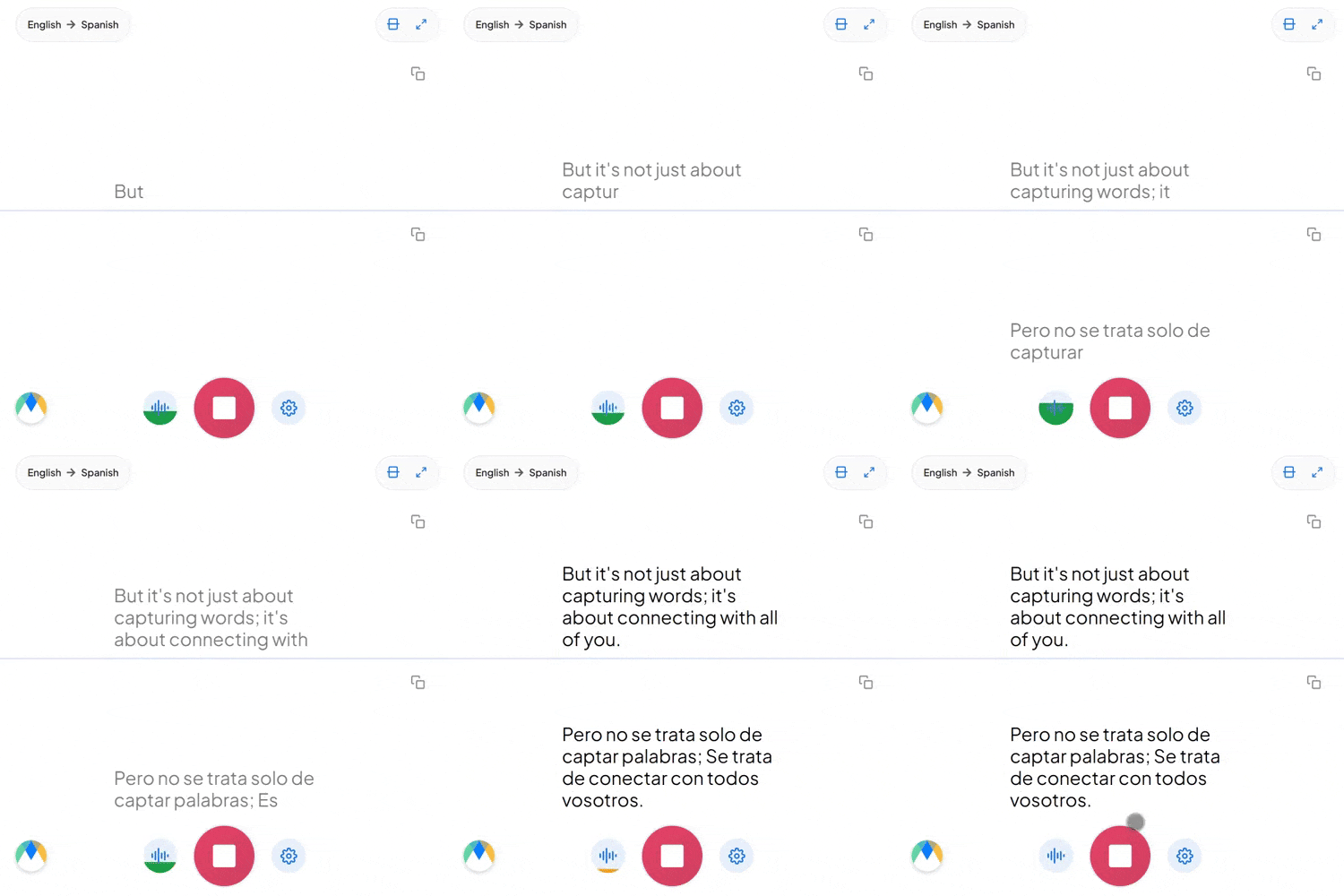
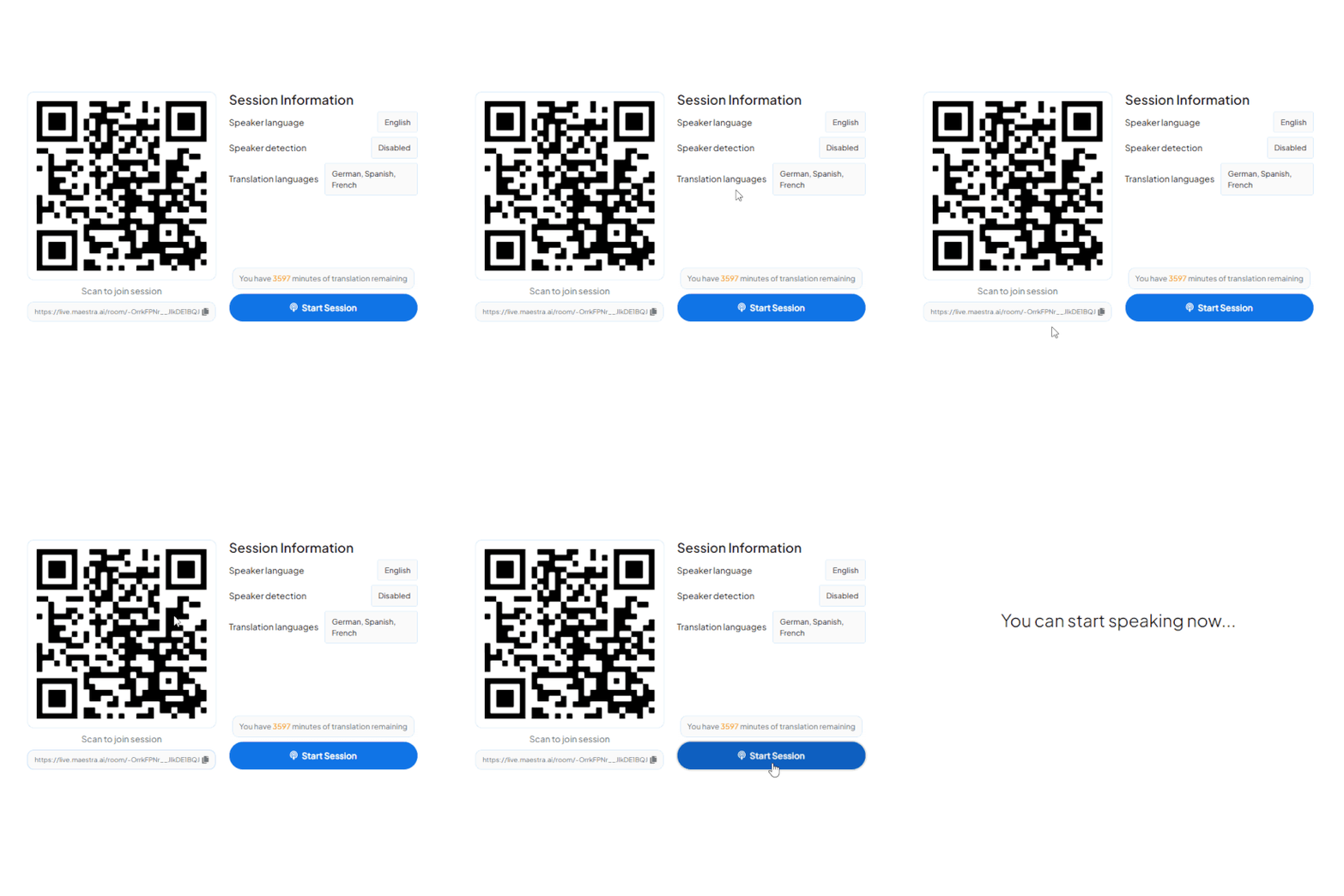
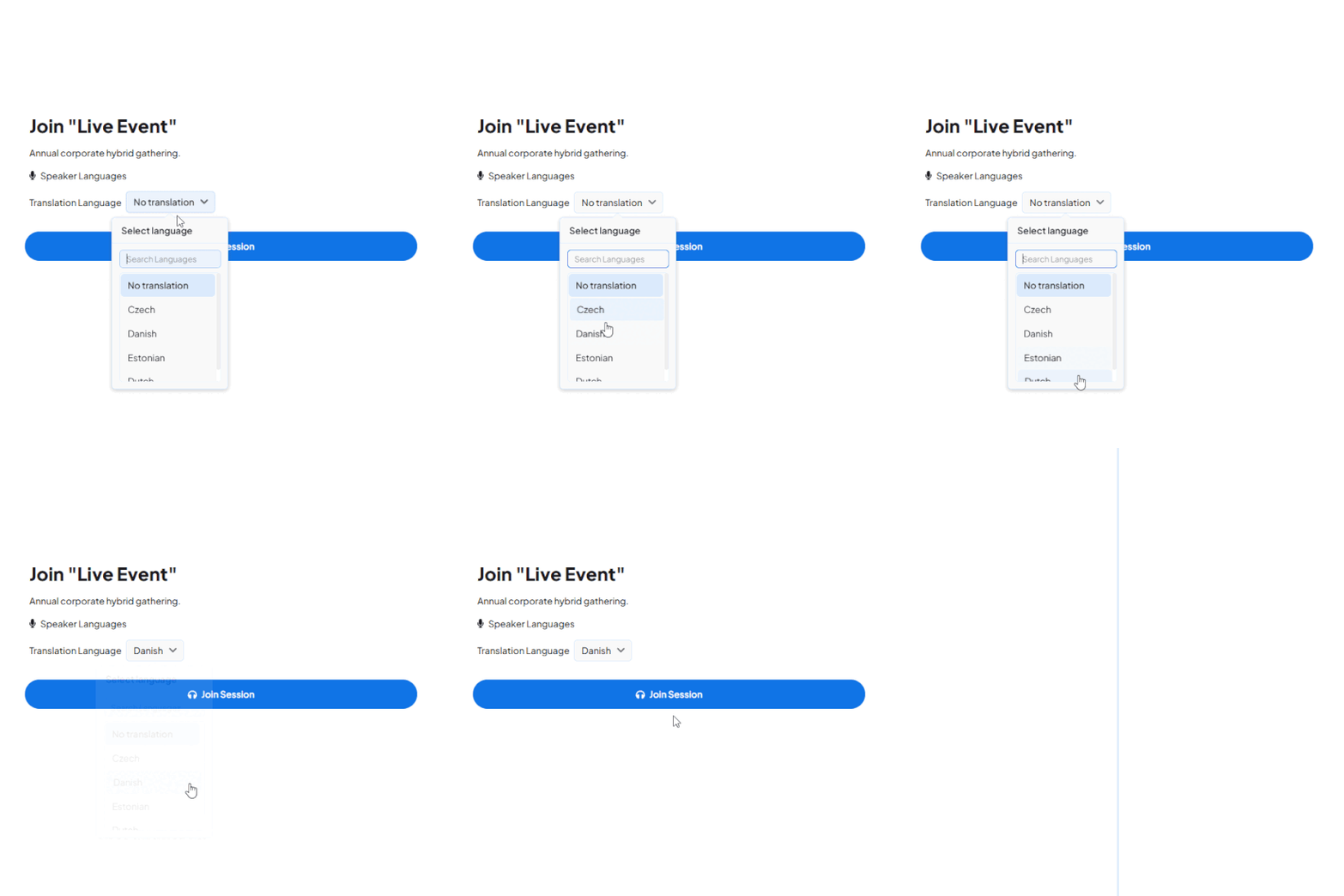
Start a live session in your browser and listen to the translation, or book a walkthrough for a multi-room setup.
Most organizers weigh a staffed interpretation team against AI, or combine the two. This is how they differ on the points that decide the budget.
| Human interpreter team | AI conference translation | Hybrid | |
|---|---|---|---|
| Typical cost | Two interpreters per language, per day, plus equipment and travel | A software subscription that does not grow with every extra language | Humans on the critical languages, AI on the rest |
| Lead time | Weeks, and longer for rare pairs | Minutes | Weeks for booked languages, minutes for the rest |
| Languages at once | Limited by budget and by available interpreters | 100+ | As many as you can fund, plus the long tail on AI |
| Equipment | Booths, consoles, receivers and headsets | None — attendees use their own phones | Booth only for the staffed languages |
| Parallel sessions | Another team and booth for each room | Another session link for each room | Mixed |
| Best fit | Diplomatic, legal and regulated proceedings | Corporate conferences, summits, training days and association events | Large events with a few high-stakes languages |
Interpreter rates and equipment costs vary by market, language pair and event length.
Whether your program fills one hall or five parallel sessions, each one can be translated live into your attendees' languages.
Keynotes on the main stage, panels and breakouts down the hall. Attendees scan the QR code for the session they are in and follow in their own language, listening or reading as they prefer. There are no headsets to collect at the door.
Some delegates are in the venue while others watch from another continent. Everyone joins the same session, picks a language and listens or reads the live captions. The transcript is available afterwards for recaps and repurposing.
Presenters and attendees each participate in their own language. Maestra detects the spoken language and switches translation automatically, so questions from the floor are translated too.
Connect Maestra to the meeting, livestream and broadcast tools you already use to run conferences.
Run live conference translation alongside Zoom meetings and webinars.
Learn More
Add captions and voice translation to Teams events.
Learn More
Send translated captions and audio into your livestream.
Learn More.webp)
Mix translated audio and captions into broadcast production.
Learn MoreSkip booths, headsets and two-interpreter-per-language teams. Maestra handles each step in software.
Connect to the AV mixer, a stage microphone or your meeting platform. No booth setup is required.
Live captions for readers and AI simultaneous interpretation for listeners, from the same feed.
Attendees scan or open a link to join in their language from their own phone. No headsets to rent, hand out or collect.
Hosts and attendees join from mobile, desktop or tablet with no app and no account.
Load speaker names, sponsor brands and technical terms ahead of the conference so they are rendered consistently.
Download full transcripts and translations as SRT, VTT or TXT for recaps, on-demand subtitles and session summaries.
Built for multilingual conferences
Trusted by teams and individuals at:







Translation traditionally refers to written text and interpretation to spoken language. AI conference translation tools cover both at once, producing live captions (text) and translated speech (audio) from the same source, so attendees can read or listen as they prefer.
Yes. Attendees scan a QR code or open a link in any browser on a phone, tablet or desktop. No app install and no account are required.
Yes. Each session has its own link and QR code, so attendees join the room they are in and choose their language there.
Yes. Capture the room audio from a mixer or microphone and stream the translation to attendee devices. Remote delegates join the same session by link.
Yes. Sessions can be saved so you can review, edit and repurpose the translated content, and download transcripts as SRT, VTT or TXT.
Maestra Live supports 100+ languages for live captions and spoken AI voice. Saved sessions can be translated into 125+ languages afterwards.
AI removes the need to book interpreters, rent booths or distribute headsets. It scales to dozens of languages on demand and suits recurring corporate conferences, last-minute sessions and tight budgets. For diplomatic or regulated proceedings, qualified human interpreters remain the right choice.
Yes. Continuous speech from multiple presenters is handled in real time, covering keynotes, panel discussions and Q&A, and the spoken language is detected automatically.
Accuracy is highest when the audio is captured cleanly and speakers do not talk over each other. Loading speaker names and technical terms into a custom dictionary before the event improves results further.
Yes. Maestra provides secure access controls and enterprise configuration options for large or sensitive events. Contact us with your requirements.
Book a walkthrough for your program, or start a free session now and hear the live translation yourself.