
Sales calls and customer reviews
Talk to prospects and customers in the language they buy in.
Translate live meetings so distributed teams, customers and partners collaborate in their own language. Maestra Live adds AI voice and captions in 100+ languages next to Zoom, Microsoft Teams and Google Meet, with nothing new to install.
A 30-minute walkthrough for teams. The free tool needs no form and no sales call.
Live meeting translation converts spoken conversation into other languages in real time, delivered as live captions, translated audio, or both. Distributed teams, customers and partners join the same meeting in their preferred language without waiting for a recording.
Maestra detects the spoken language and switches translation automatically. A participant can speak Spanish while a colleague follows in Japanese and a client reads captions in German, in the same call.
Nothing changes about how you meet. The call stays on Zoom, Microsoft Teams, Google Meet or whatever your team already uses. Participants open the translation session from a link, pick a language and read or listen while the call continues.
Booking interpreters for a recurring meeting means scheduling a person for each language. AI translation runs on demand in 100+ languages, which makes multilingual meetings practical for sales calls, customer reviews and team stand-ups.
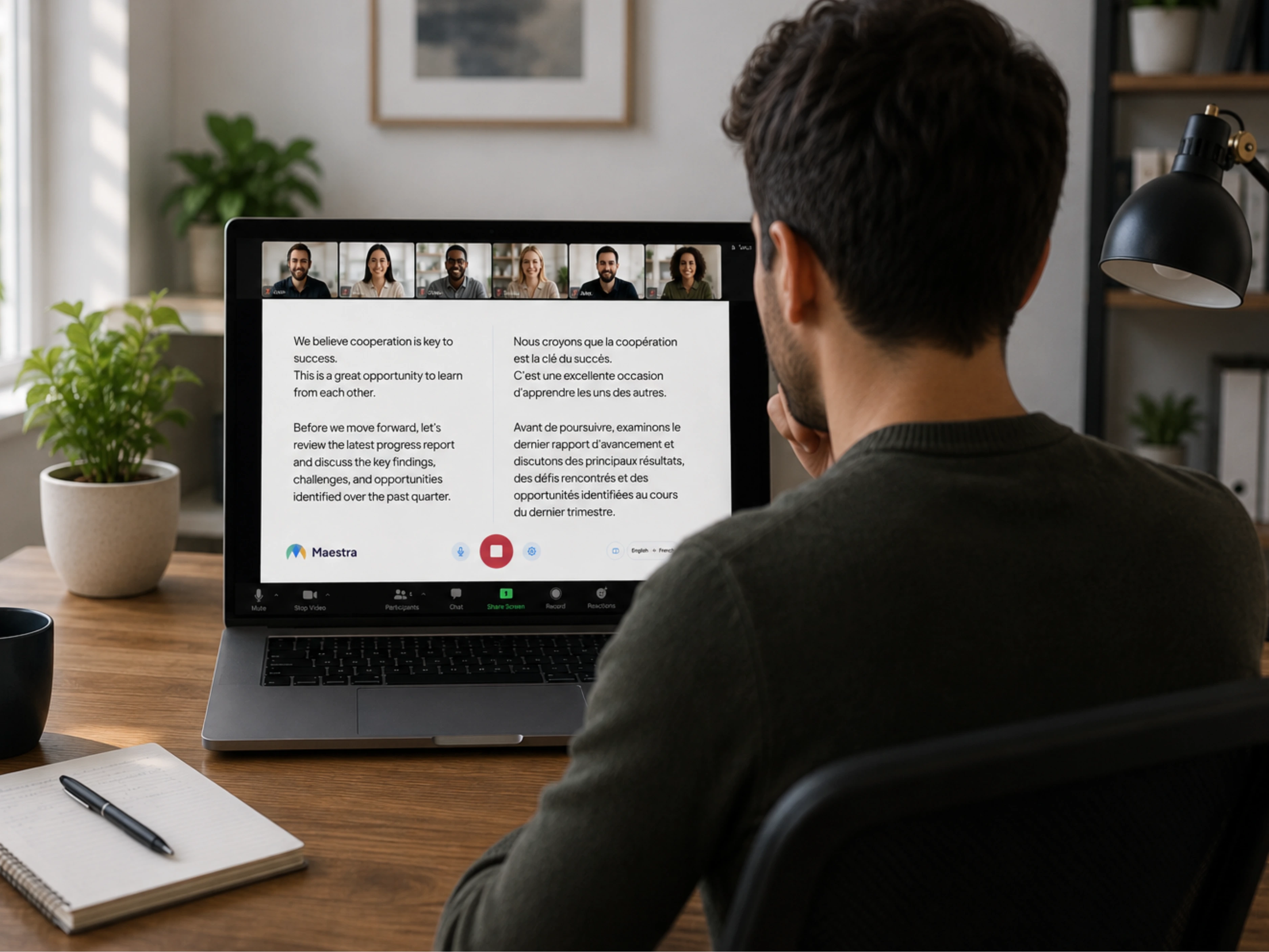
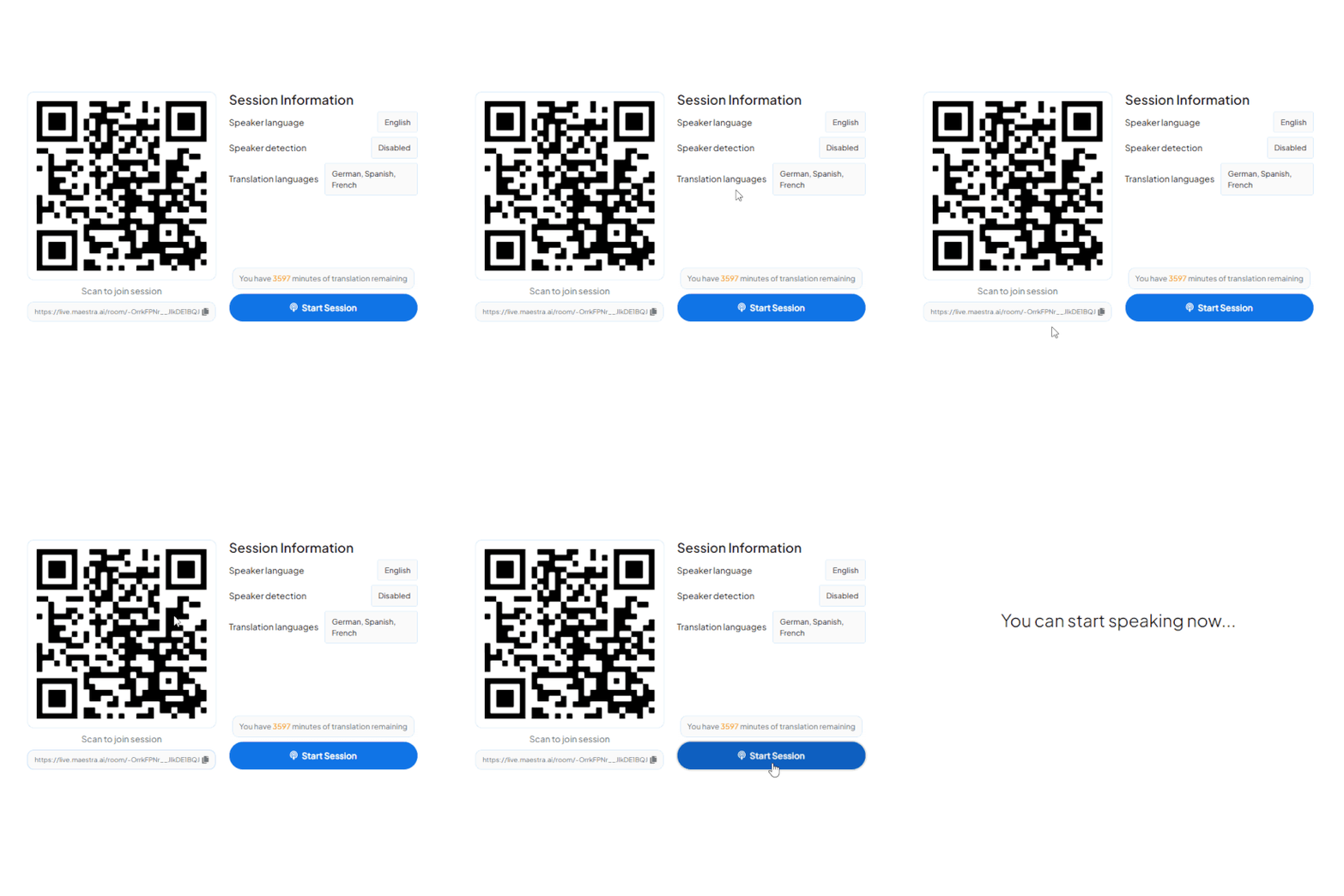
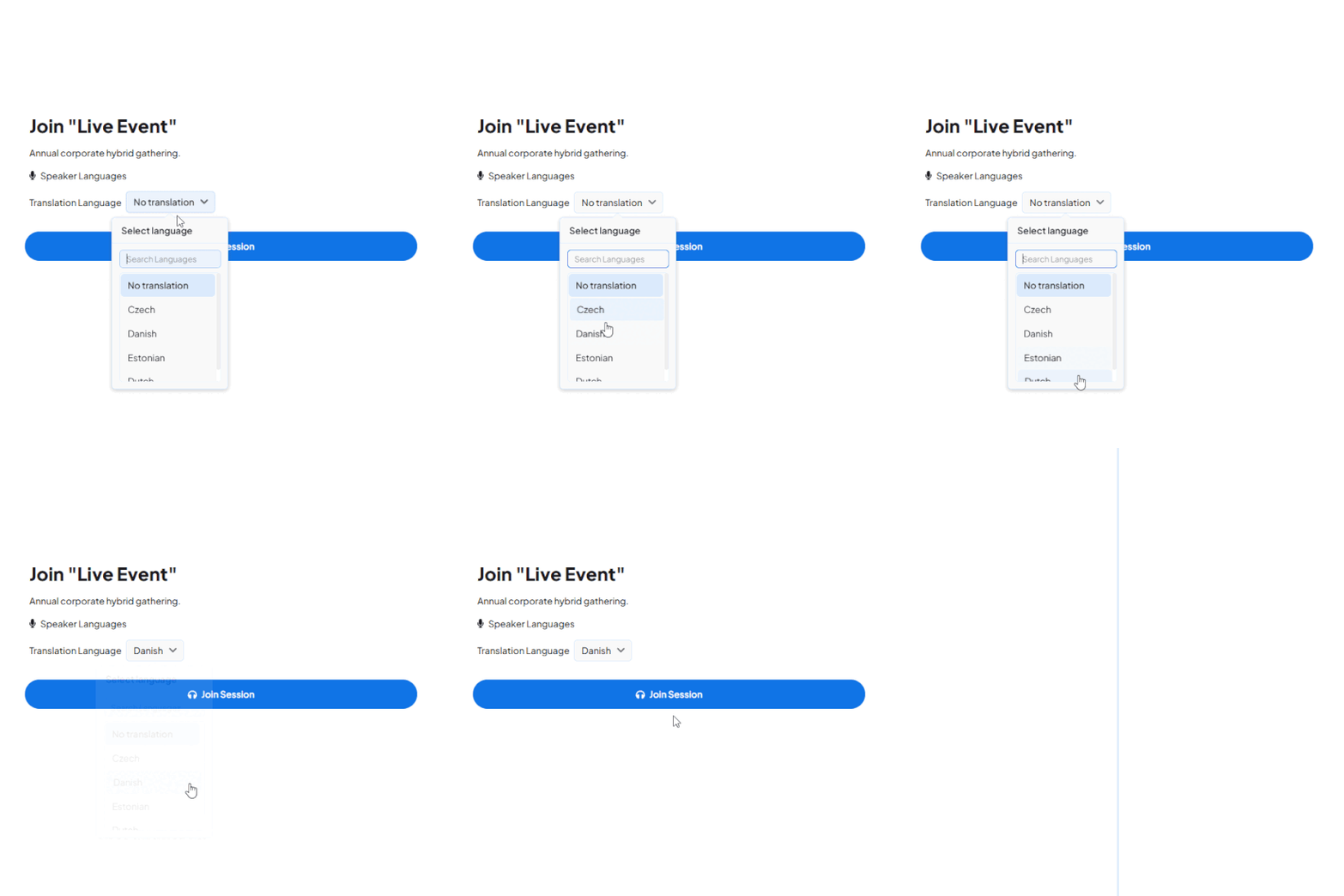
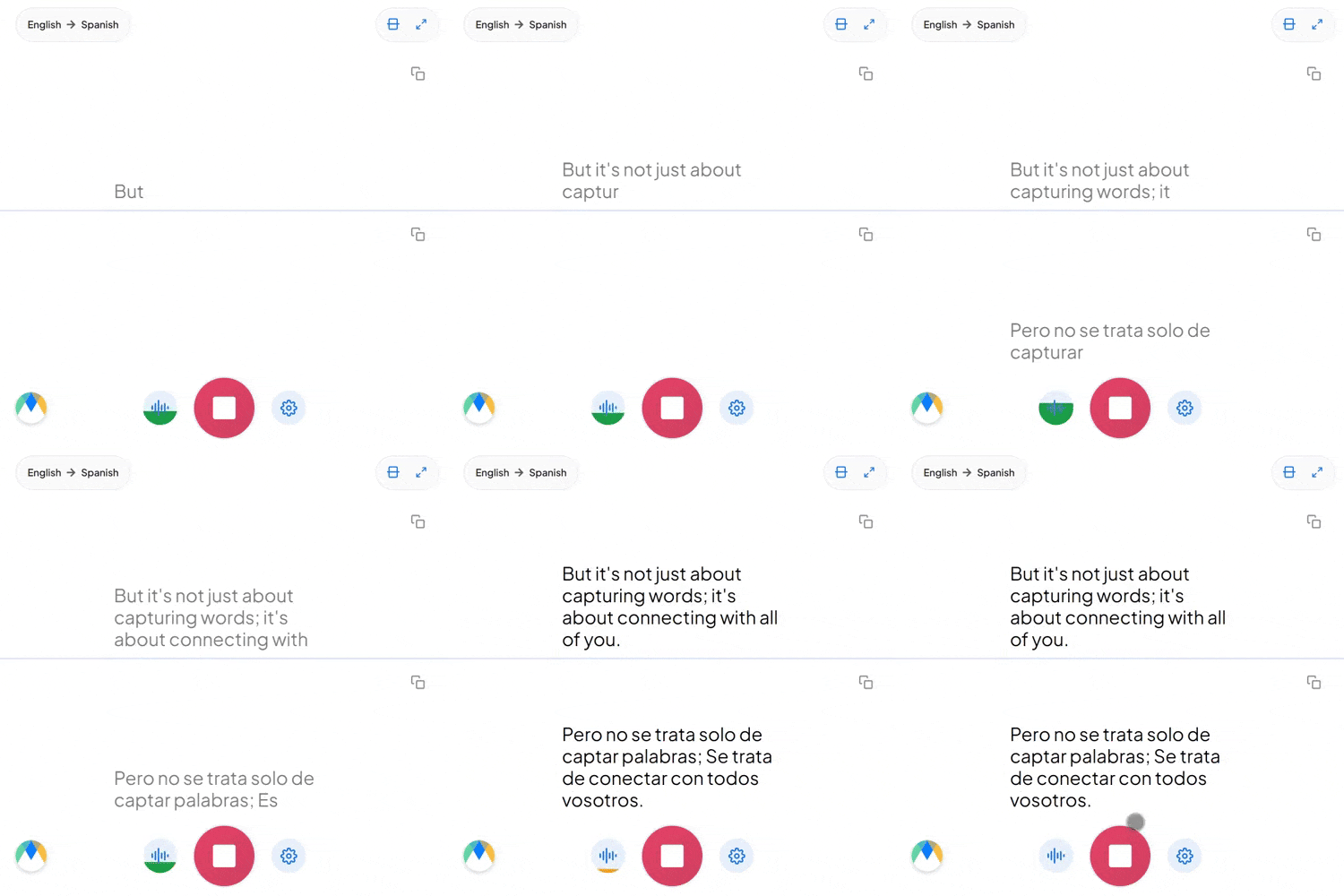
Start a live session in your browser and try the translation, or book a walkthrough for your team's setup.
Teams usually handle language gaps with a shared second language, a human interpreter, or AI translation. These are the trade-offs.
| Everyone uses one shared language | Human interpreter | AI meeting translation | |
|---|---|---|---|
| Setup | None | Book a person for every language, for every meeting | Share a link; start in minutes |
| Who has to adapt | Non-native speakers, who lose nuance and speed | Nobody, once the interpreter is booked | Nobody — each person speaks and listens in their own language |
| Languages at once | One | One or two per interpreter team | 100+ |
| Recurring meetings | Free, but quality suffers | Expensive to repeat weekly | Practical to run on every call |
| Record of the meeting | Whatever someone writes down | Rarely transcribed | Transcript and translated audio can be saved |
| Best fit | Teams that are genuinely fluent in one language | Legal, medical and regulated conversations | Sales calls, customer reviews, partner meetings and distributed team collaboration |
Human interpretation remains the right choice for legally or medically sensitive conversations.
A two-person check-in or twenty people across four countries: everyone speaks and listens in their own language.
Your meeting runs on Zoom, Teams or whatever platform your team already uses. Participants open the translation session from a link, choose a language and listen or read while the call continues as usual.
A client visit, a partner review or a team offsite. Participants scan a QR code from their seat and follow in their own language. Everyone can speak in theirs too, so the conversation stays two-way.
Use it for team stand-ups and for customer calls. The same session handles an internal all-hands and a call with a partner in another country.
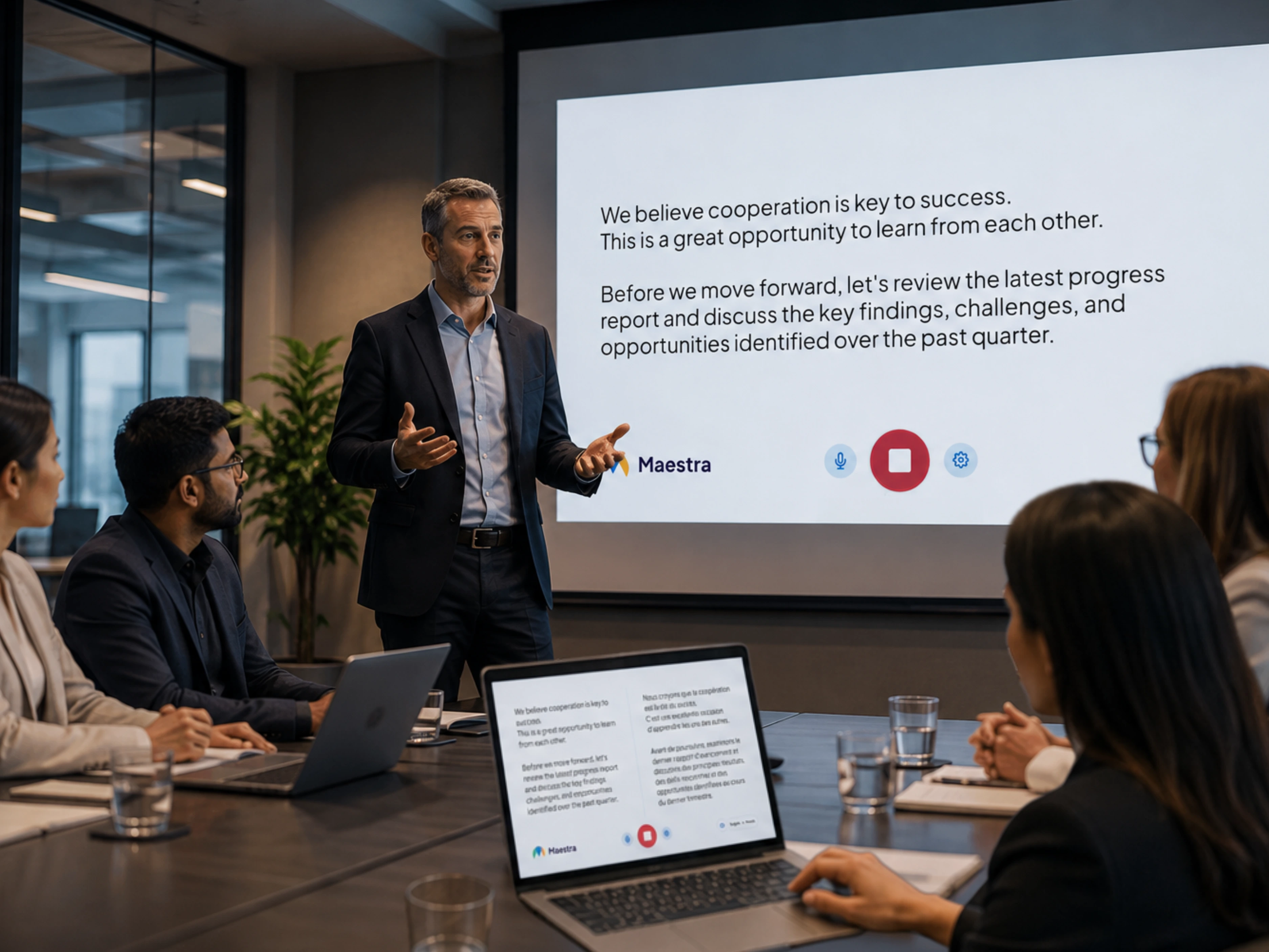
Translate live meetings on Zoom, Microsoft Teams and the other tools your team uses to collaborate every day.

Add live translation and captions to Zoom meetings, sales calls and customer reviews.
Learn More
Run live translation for stand-ups, distributed team meetings and global collaboration.
Learn More
Stream meetings with translated captions and audio inside an OBS broadcast.
Learn More.webp)
Mix translated audio and captions into vMix for hybrid meetings or broadcasts.
Learn MoreTranslate meetings of any size, in 100+ languages, on any device.
Translate customer calls, partner reviews and team meetings with one AI meeting interpreter instead of per-language sessions.
Maestra detects the spoken language and switches automatically, so every participant joins and speaks in their own language.
Product names, client names and internal acronyms are loaded in advance and rendered consistently.
Participants join with a QR code or link. No headsets, no accounts, no extra steps.
Works alongside Zoom, Microsoft Teams and Google Meet, with no separate app for participants.
Download meeting transcripts and save translated audio when enabled, then reuse them for follow-ups and recaps.
Built for multilingual meetings
Trusted by teams and individuals at:







Live meeting translation converts spoken conversation into other languages in real time, delivered as live captions, translated audio, or both. Distributed teams, customers and partners join the same meeting in their preferred language without waiting for a recording.
Run Maestra alongside your Teams meeting to add live captions and AI voice translation. Participants join the translation session through a link or QR code while attending the Teams call as usual.
Yes. Maestra detects the spoken language and switches translation automatically, so each participant can speak and follow in their own language.
You can start a live meeting translation session in your browser before subscribing to a paid plan. Premium features and longer sessions are available on paid plans.
AI removes the need to schedule interpreters or coordinate per-language sessions. It scales to many languages on demand, which makes multilingual meetings practical for recurring sales calls, customer reviews and team collaboration. For legal, medical or other regulated conversations, use a qualified human interpreter.
Connect Maestra to your meeting platform or audio source, choose the spoken language and the languages to translate into, then start the session. Participants join with a QR code or link and choose a language to read captions or listen to translated audio.
Yes. Maestra's Zoom integration runs alongside your Zoom call, and participants do not need a separate app. Open the translation session from a link and choose a language.
Yes. Participants scan a QR code or open a link in any browser on a phone, tablet or desktop. No app install and no account are required.
Yes. Both can be saved when the relevant options are enabled in your session settings before the meeting starts.
Maestra Live supports 100+ languages for live captions and spoken AI voice, and saved sessions can be translated into 125+ languages.
Book a walkthrough for your team, or start a free session now and hear the live translation yourself.