
Product and marketing webinars
Launches and demos for customers and prospects in every market.
Run one webinar and let every attendee follow in their own language. Maestra Live adds AI voice and live captions in 100+ languages to the webinar platform you already use, and attendees join by QR code or link with nothing to download.
A 30-minute walkthrough for marketing and event teams. The free tool needs no form and no sales call.
Webinar translation converts a host's words into other languages while the webinar is live, delivered as captions, translated audio, or both. Registrants from different countries follow the same session in the language they choose.
Running a separate webinar for every region multiplies hosting time and splits your audience. Live translation lets a single session reach every language on the registration list, so the host presents once.
Maestra runs alongside Zoom, Microsoft Teams, OBS, vMix and other webinar platforms. Registrants keep watching the webinar where they always do and open the translation session next to it.
A QR code on the registration page or a link in the confirmation email is all attendees need. There is nothing for the host to ship, and nothing for the attendee to install.

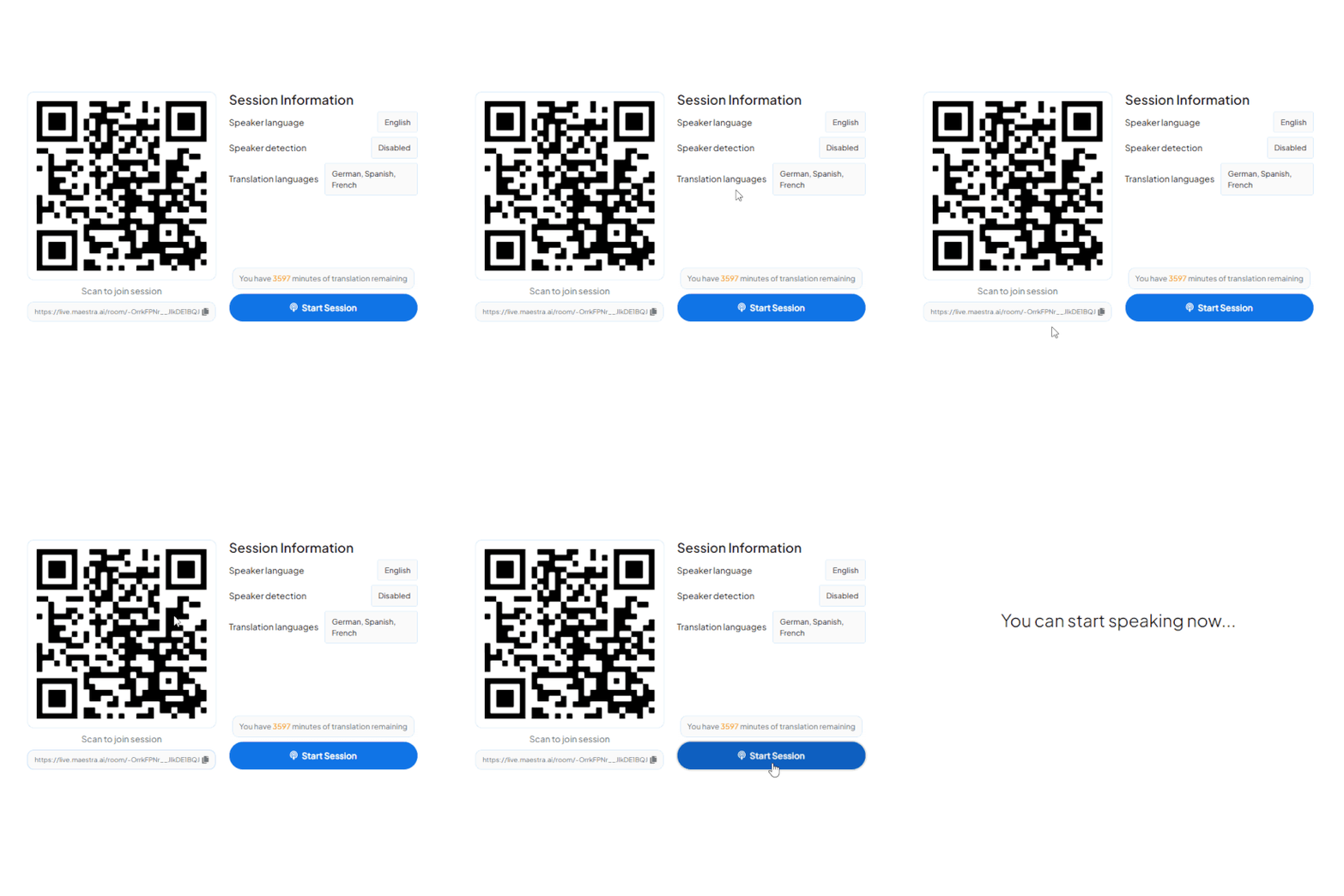
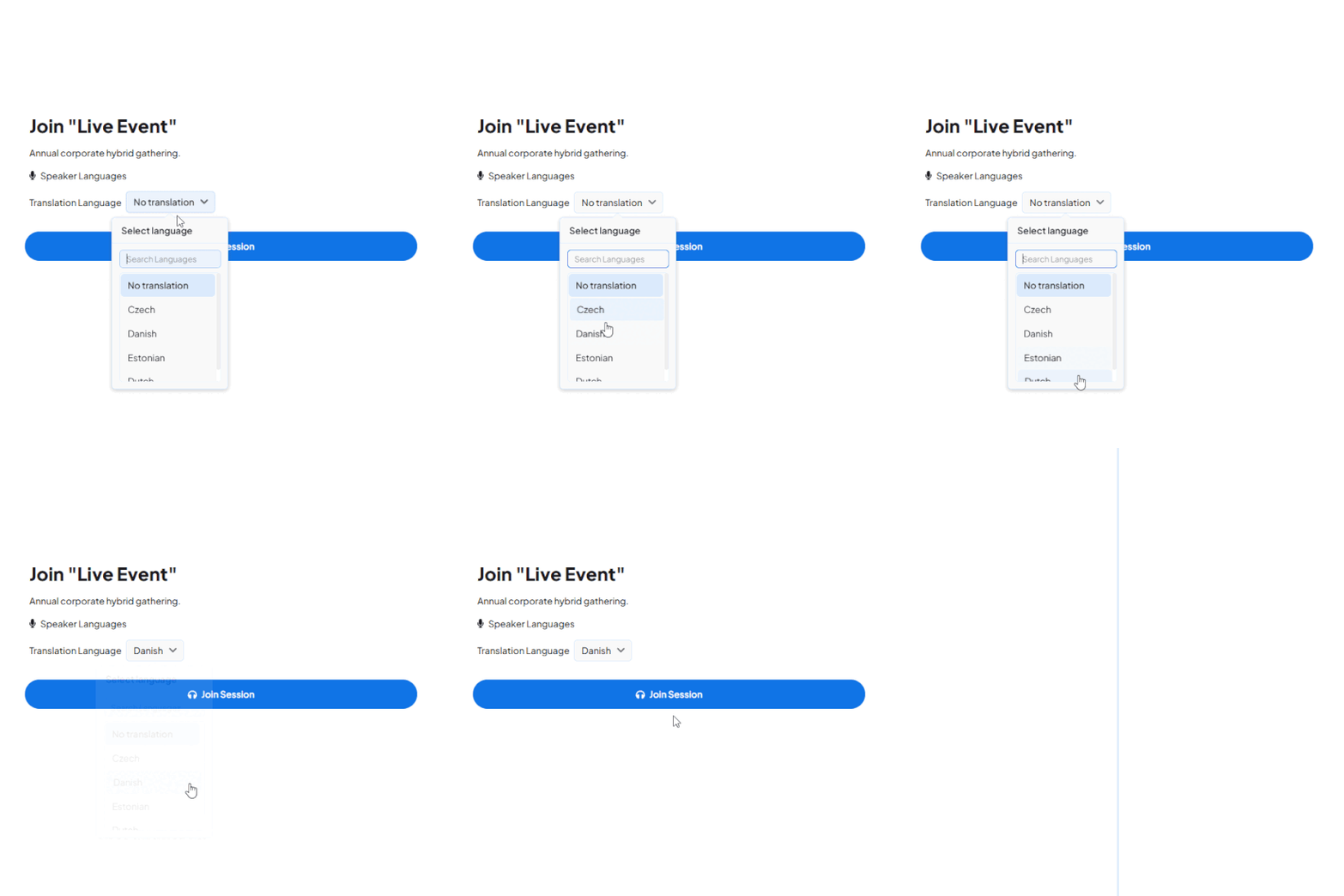
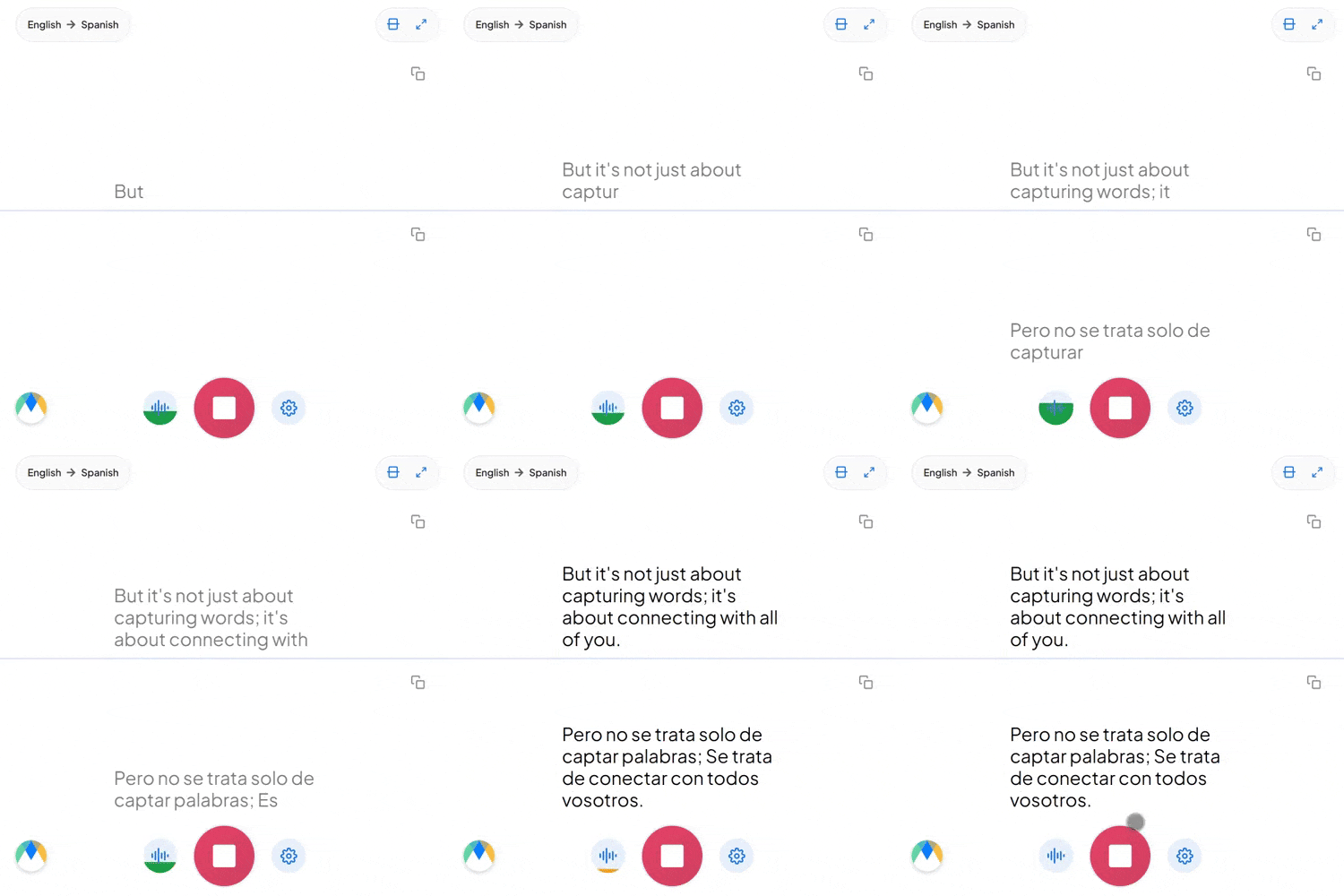
Start a live session in your browser and hear the translation, or book a walkthrough for your next webinar.
There are three common approaches. They differ most on effort, reach and what the attendee experiences.
| One webinar per language | Subtitles added after the event | Live AI translation | |
|---|---|---|---|
| Host effort | Present and promote every version separately | Low during the event, then a post-production job | Present once |
| Languages covered live | One per session | None — attendees wait for the recording | 100+ in a single session |
| Live Q&A | Possible, split across sessions | Not available | Questions translated in both directions |
| Audience | Split between sessions | Lower live attendance in other languages | Everyone in the same session |
| After the webinar | Several recordings to manage | Subtitle files | Saved session; transcripts as SRT, VTT or TXT |
| Best fit | Heavily localized programs with local hosts | Evergreen content | Product webinars, trainings, launches and thought-leadership sessions |
Recorded webinars can also be translated after the event using Maestra's file translation tools.
Live translation lets the size of your registration list, not the language of your host, set the reach of a webinar.
Run the webinar in your language and let multilingual attendees follow along in theirs with live AI interpretation, in 100+ languages at once.
People leave webinars they cannot follow. Giving each attendee spoken translation or captions in their own language keeps them engaged through the Q&A.
Save the multilingual session and share translated transcripts as SRT, VTT or TXT. The same webinar then serves the replay audience in every language.

Run live webinar translation alongside the platforms your team already uses to host and broadcast webinars.
Add live translation and captions to Zoom webinars and large virtual sessions.
Learn More
Translate Teams webinars and live events for multilingual audiences.
Learn More
Stream translated captions and audio inside your OBS webinar broadcast.
Learn More.webp)
Mix translated audio and captions into vMix webinar production.
Learn MoreRun webinars for audiences anywhere, in 100+ languages.
Attendees join in their preferred language with a QR code or link. No headsets, no accounts, no extra steps.
Add live translation to webinars on Zoom, Teams and other platforms your team already uses.
Attendees can listen to an AI voice or read live captions, and switch whenever they like.
Present in your language and let attendees follow in 100+ languages with live AI interpretation.
Product names, feature names and speaker names are loaded in advance for consistent translation.
Save the multilingual session and share translated transcripts as SRT, VTT or TXT for on-demand use.
Built for multilingual webinars
Trusted by teams and individuals at:







Connect Maestra to your webinar platform or audio source, choose the spoken language and the languages to translate into, then start the session. Attendees join with a QR code or link and choose their preferred language.
Maestra Live supports 100+ languages for live captions and spoken AI voice. Saved sessions can be translated into 125+ languages.
Yes. Attendees scan a QR code or open a link in any browser on a phone, tablet or desktop. No app install and no account are required.
Maestra detects speech and translates it in real time. Accuracy is highest with clear audio, and overlapping speech or audio disruptions can cause minor errors. A custom dictionary helps with product and speaker names.
Yes. Save the session and export translated transcripts as SRT, VTT or TXT to share with registrants who missed it.
Yes. A single webinar session can be translated into many languages at once. You choose the source and target languages, and attendees pick the one they want to read or listen in.
Yes. Maestra runs alongside Zoom, Microsoft Teams, OBS, vMix and other webinar platforms, adding live captions and voice translation to the session.
Yes. You can save live sessions and translate them into 125+ languages with Maestra's translation tools, or translate an existing recording.
Yes. You can start a live translation session in your browser before subscribing to a paid plan.
Book a walkthrough for your next webinar, or start a free session now and hear the live translation yourself.