
Immigration, legal, and community services
Intake appointments and casework run in English, followed live in Urdu by the client, with certified interpreters handling formal proceedings.
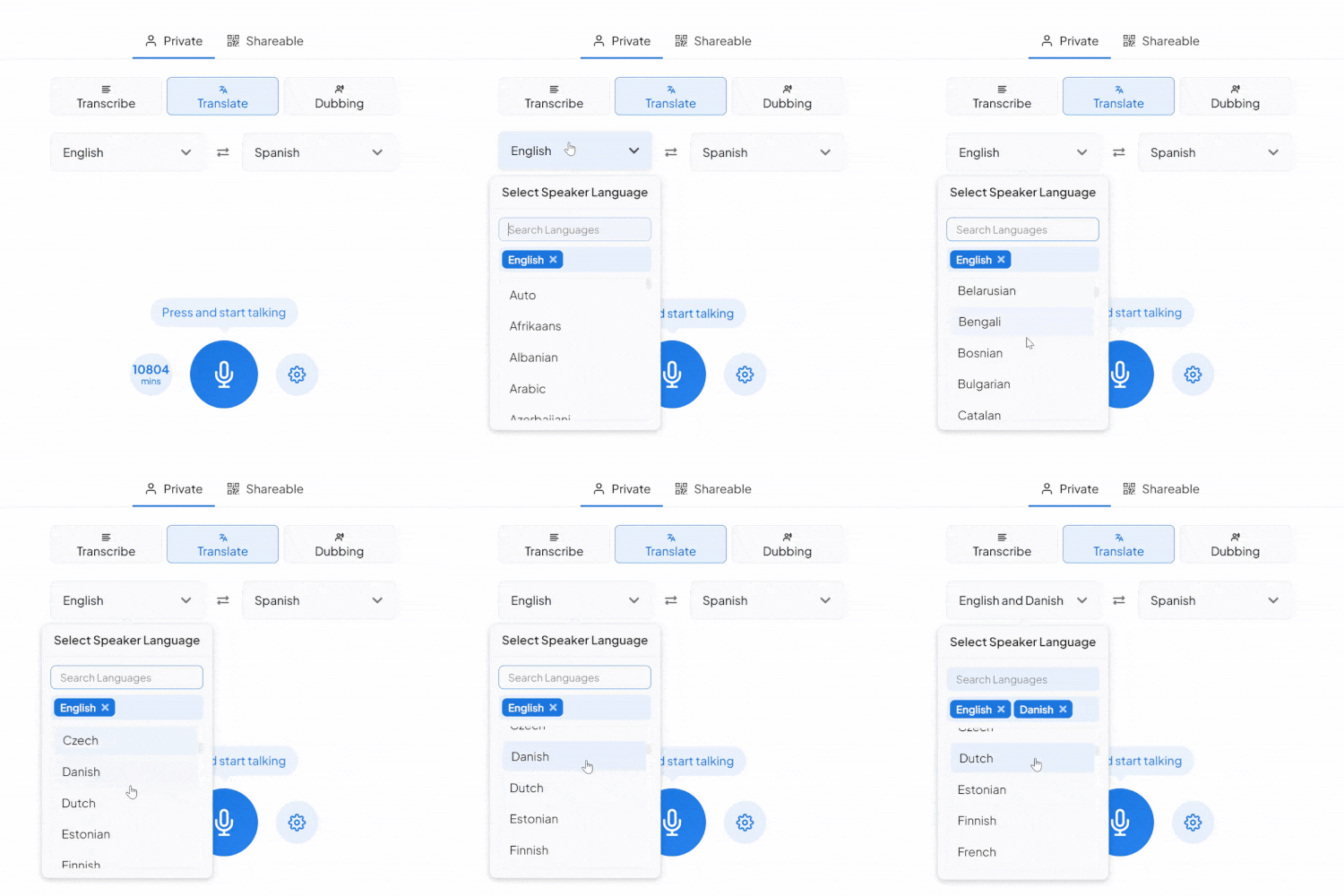
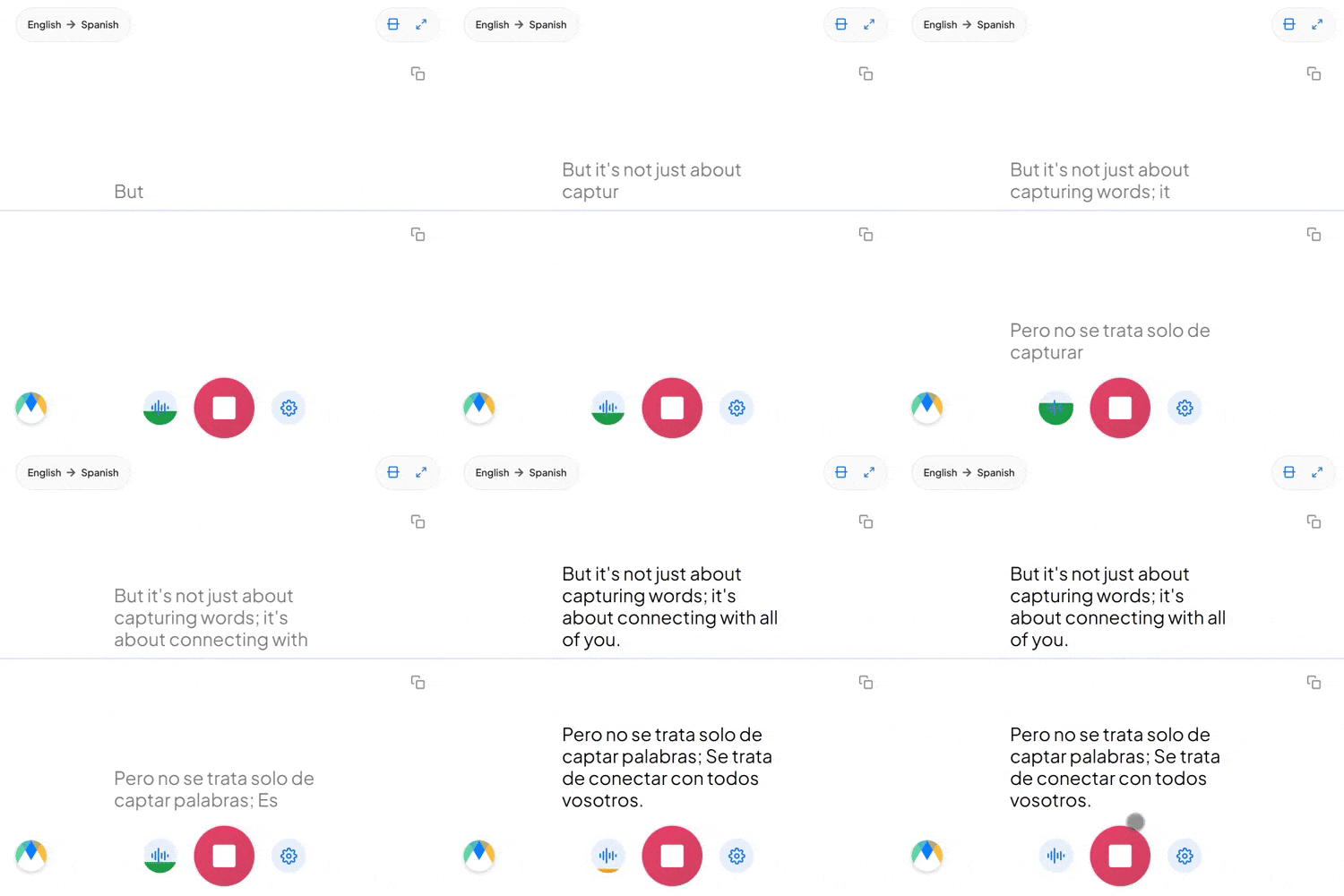
Translate English to Urdu as you speak, live captions in Nastaliq script or an Urdu voice out loud. Free to start.
What a live English to Urdu session is built on.
English offers one word for everyone. Urdu, like closely related Hindi, forces a choice: تُو (tu) for someone intimate, تم (tum) for someone familiar, آپ (aap) for someone you're addressing with real respect. A flat translation can't make that call for you.
Urdu is written right to left in the Nastaliq script, borrowed from Persian. It's not a font choice; it changes how a transcript needs to lay out, and getting it wrong is immediately obvious to a native reader.
"Mujhay ye report finalize karni hai" builds an Urdu sentence around an English verb, and that's how business Urdu is actually spoken, not an error to smooth over. Expect embedded English terms to survive the translation intact rather than getting converted.
Four settings that separate a rough session from a clean one.
Add names and terms in the exact Urdu form you want them spoken and written, and every session keeps your version.
A single link lets colleagues drop into your live session from their own browser and hear the Urdu translation as it happens, no login required.
If more than English alone might come up on the way to Urdu, auto-detect recognizes each language as it's spoken instead of locking you to one source.
Every line in the transcript stays tied to the moment it was spoken, so a doubtful sentence is one click of playback away.
Intake appointments and casework run in English, followed live in Urdu by the client, with certified interpreters handling formal proceedings.

Sourcing calls, vendor negotiations, and partnership meetings delivered in English, heard live in Urdu by the person deciding whether to move forward.
Reception, intake, and follow-up conversations in English, understood live by Urdu-speaking patients, with qualified interpreters kept for clinical care.

Parent-teacher meetings and community notices given in English, heard live in Urdu by families who are more comfortable that way.
English to Urdu translation where it matters, from legal aid desks to vendor calls.

Intake appointments and casework run in English, followed live in Urdu by the client, with certified interpreters handling formal proceedings.
Learn More
Sourcing calls and partnership meetings delivered in English for Pakistan-based business partners.
Learn More
Mosque and community-center announcements delivered in English for Urdu-speaking attendees at the same event.
Learn More
English and Urdu speakers on the same call, each hearing the conversation in their own language as it happens.
Learn MoreConnect the meeting or streaming tool you run Urdu sessions in, subscription required for live use.
Link your Zoom account to enable real-time English to Urdu captions in meetings.
Learn MoreBring live English to Urdu captions into Microsoft Teams meetings.
Learn MoreTurn Google Meet call audio into live English to Urdu captions.
Maestra Live is an AI voice translation tool that turns spoken English into live Urdu captions and audio in the browser. Attendees follow from their own phone or laptop through a link or QR code, with no app and no account, and organizers set it up themselves in minutes, no sales call needed.
Yes. Output uses the native right-to-left script, not a Latin transliteration.
Ordinary bilingual English and Urdu speech doesn't need anything special. For a conversation that could switch between more than English before it reaches Urdu, auto-detect recognizes each language as it comes up rather than requiring a manual reset.
Group sharing for English to Urdu sessions needs a paid plan. The free plan covers live translation for your own session, not a shared link for others to join.
Yes, switch to the Dubbing tab. Pick from Maestra's built-in Urdu voices, or use voice cloning so the dubbed track still sounds like the original English speaker.
It does. Maestra Live's recognition and voices cover standard Urdu as spoken across Pakistan and India, with no regional setting to choose.
There's no built-in confidence flagging. Instead, every word in the session is timestamped and highlights in sync as the audio plays, so you can review the Urdu recording against the translation at your own pace.
It defaults to the respectful aap; if a familiar tu or tum fits the relationship better, add that to your custom dictionary.
Yes. Your English to Urdu session opens in an editor afterward with the audio aligned to every segment, ready for review and correction.
Maestra Live separates speakers by color and line breaks during the session. Named labels, Speaker 1, Speaker 2, arrive in the editor afterward and can be renamed.
Spoken casually, Urdu and Hindi are largely mutually intelligible, but they're written in different scripts and diverge in formal vocabulary. This page translates English to Urdu in the Nastaliq script; Maestra covers English to Hindi as its own pair.
Yes. English to Urdu translation is free to start, with no card or account required.