
Business teams expanding into Japan
Product demos and partnership meetings delivered in English, heard live in Japanese by the people actually deciding whether to work with you.
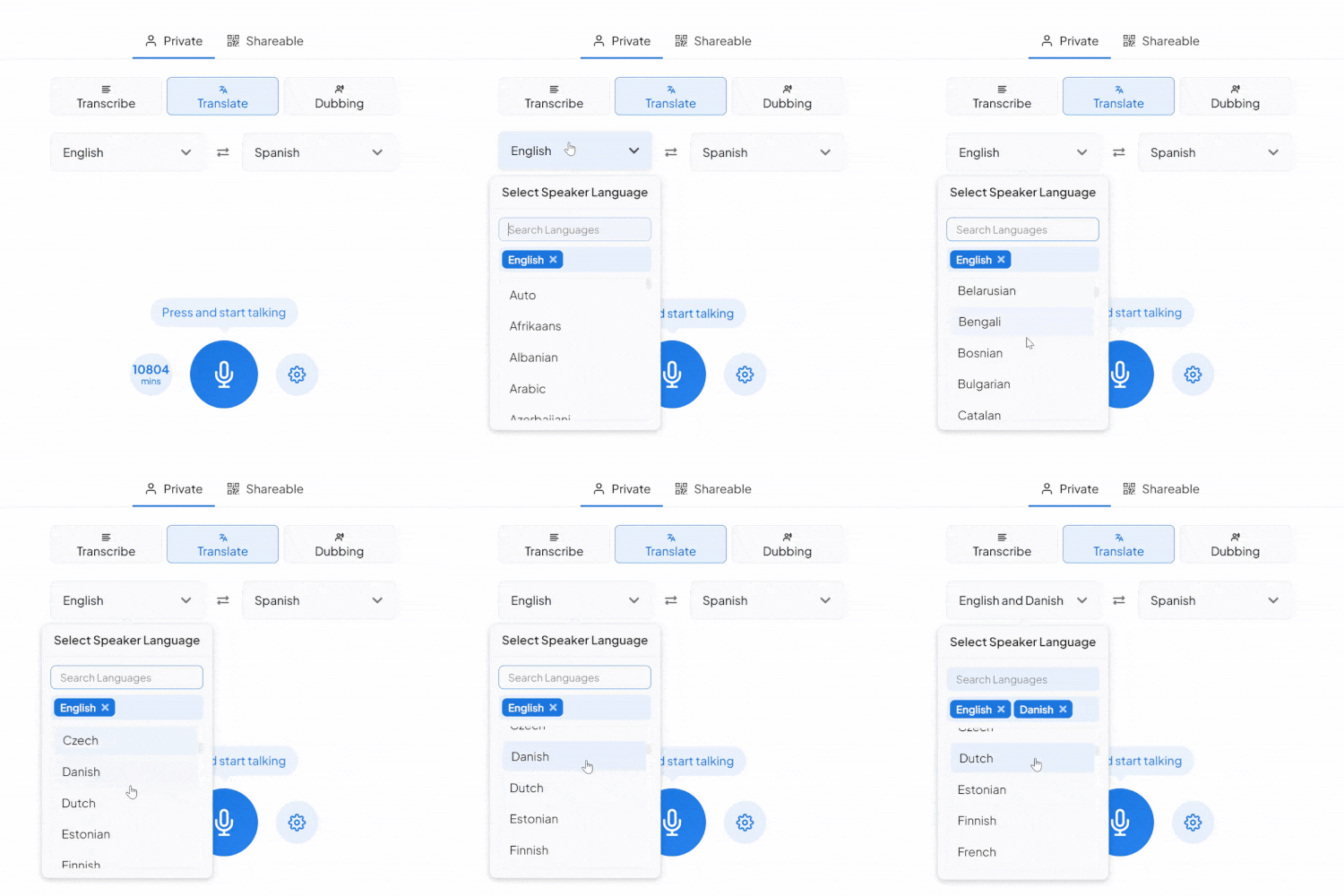
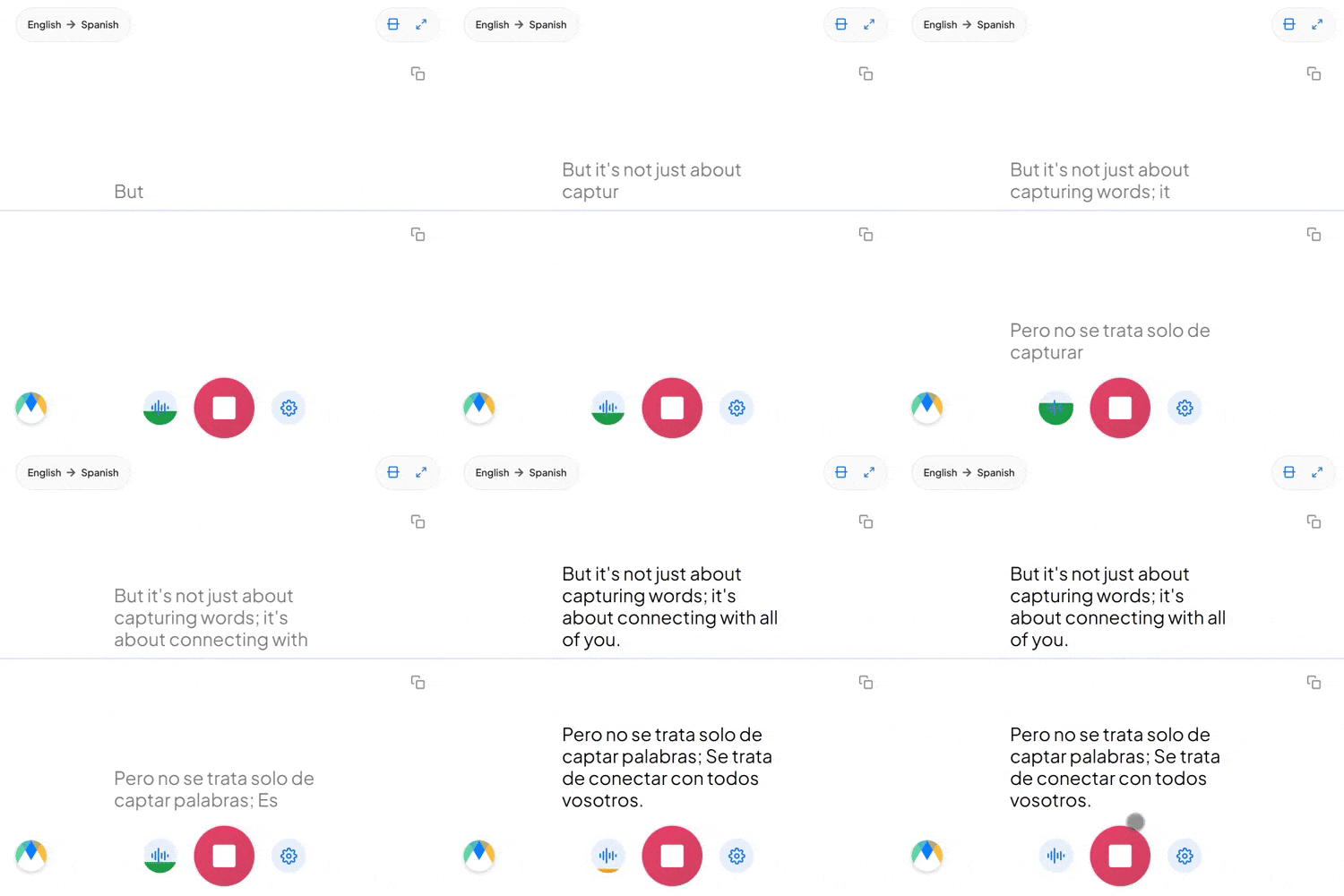
Pick your languages, tap the mic, and translate English to Japanese as you talk, live on screen in your browser.
What an English to Japanese session comes with.
English says "go" no matter who's listening. Japanese has to choose: 行く (iku) is plain, 行きます (ikimasu) is polite, いらっしゃいます (irasshaimasu) is honorific, and picking wrong doesn't just sound off. It can sound disrespectful.
"Did you eat?" names its subject; the natural Japanese equivalent, 食べた? (tabeta?), doesn't say "you" at all, it's simply understood. Translating well into Japanese sometimes means dropping words English insists on including.
"クライアントとfollow upしなきゃ" takes an English word and conjugates it with a Japanese verb ending, and that's completely ordinary business Japanese. Rather than translating every embedded English term, expect it to carry over recognizably.
Four settings that separate a rough session from a clean one.
Set names and terms in advance in the exact Japanese form you want, honorific included, so 田中様 never slips to 田中さん mid-session.
One link is enough for anyone to join your live session and hear the Japanese translation from their own browser, no account needed.
Auto-detect recognizes more than one spoken language in the same session, useful when English isn't the only language in the room before it's turned into Japanese.
Every segment links back to its timestamp, so a line worth double-checking is a few seconds of playback, not a full re-listen.
Product demos and partnership meetings delivered in English, heard live in Japanese by the people actually deciding whether to work with you.
Orientation and family communications for Japanese international students, where English is the default but not everyone's first language.

Press calls and production coordination between English-speaking teams and Japanese partners, talent, or fans.

Front desk and tour staff giving instructions in English that Japanese-speaking guests need to hear live, not read off a card.
How English to Japanese translation gets used live, from boardrooms to press calls.

Board conferences and investor calls delivered in English for Japanese-speaking stakeholders and partners.
Learn More
Press conferences and media Q&As run in English, translated live for Japanese outlets and audiences.
Learn More
Orientation sessions delivered in English for Japanese international students and their families.
Learn More
English and Japanese speakers on the same call, each hearing the conversation in their own language as it happens.
Learn MoreConnect the meeting or streaming tool you run Japanese sessions in, subscription required for live use.
Link your Zoom account to enable real-time English to Japanese captions in meetings.
Learn MoreBring live English to Japanese captions into Microsoft Teams meetings.
Learn MoreCapture the audio during Google Meet calls and turn it into live English to Japanese captions.
Set up real-time English to Japanese closed captioning in OBS Studio.
Learn MoreSend live English to Japanese captions to vMix for broadcast productions.
Learn MoreTranslate mode shows captions. For spoken Japanese, switch to the Dubbing tab in the same tool: it voices the translation as the conversation runs, with a stock Japanese voice or a clone of the original English speaker, captions included.
By default the output holds a steady polite tone. If a ceremonial or highly formal context calls for a specific honorific level, flag that in your custom dictionary ahead of time.
Sharing an English to Japanese session with more than the two people on the call is a paid-plan feature, not something the free tier includes.
Yes. Where a subject would be obvious from context, the translation follows natural Japanese and leaves it implied rather than forcing an awkward explicit pronoun.
Yes. English to Japanese translation is free to start, with no card or account required.
Nothing gets auto-flagged. Each word carries a timestamp and highlights as the audio plays past it, so you can follow along with the Japanese recording and the translation side by side to verify anything specific.
No special setup is needed for ordinary English and Japanese mixing. When a conversation isn't going to stay in English the whole way through to Japanese, auto-detect handles the switch instead of you resetting the source language mid-session.
Yes. Your English to Japanese session opens in an editor afterward with the audio aligned to every line, ready to correct and export.
During the live session, each speaker's lines are color-coded and start on a new line, so two voices never merge into one block. Send the session to the editor afterward and speaker detection adds proper labels, Speaker 1, Speaker 2, which you can rename.