
Manufacturing and sourcing teams
Factory floor briefings and supplier calls where a Thai-speaking partner needs to be understood in English without waiting for a callback.
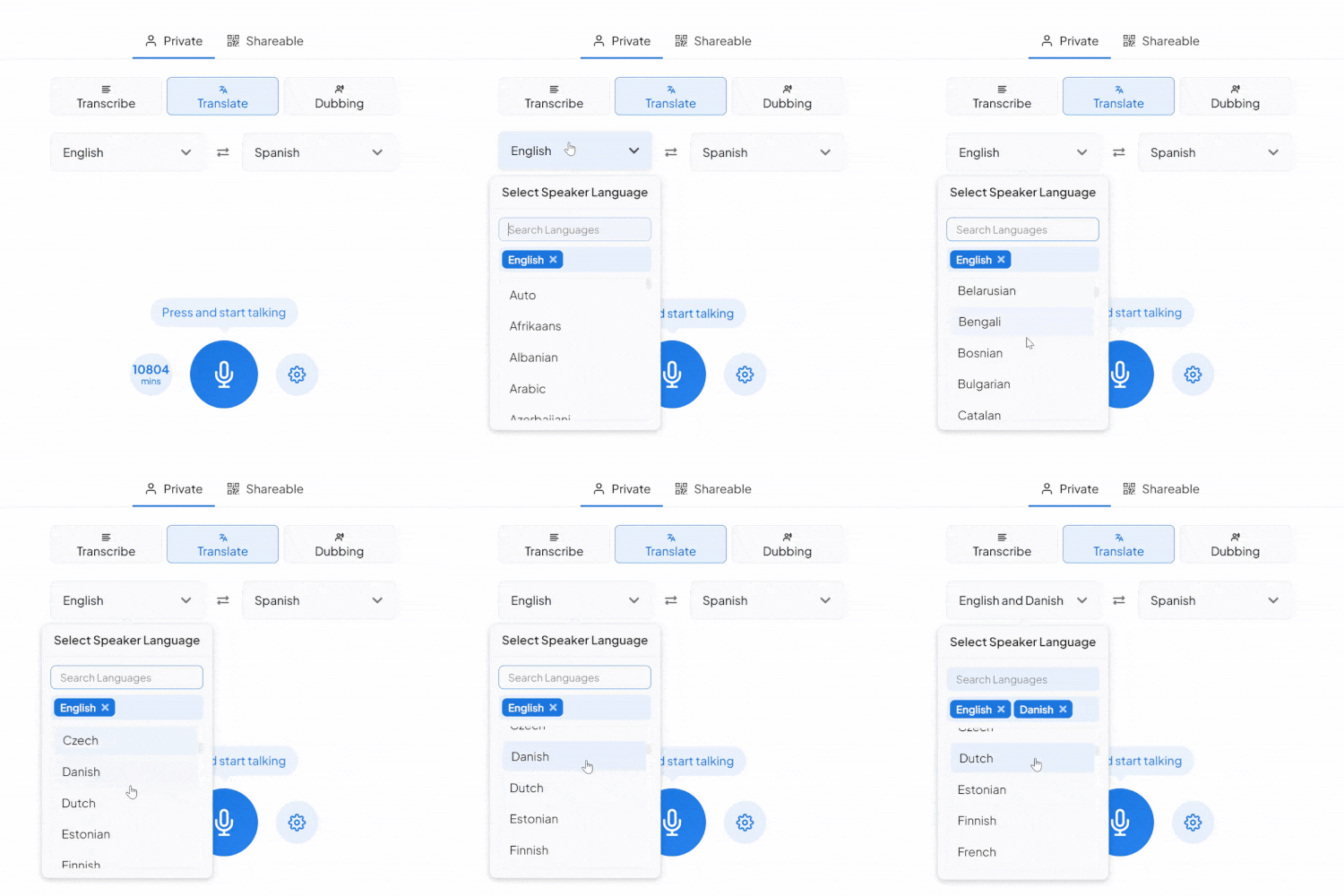
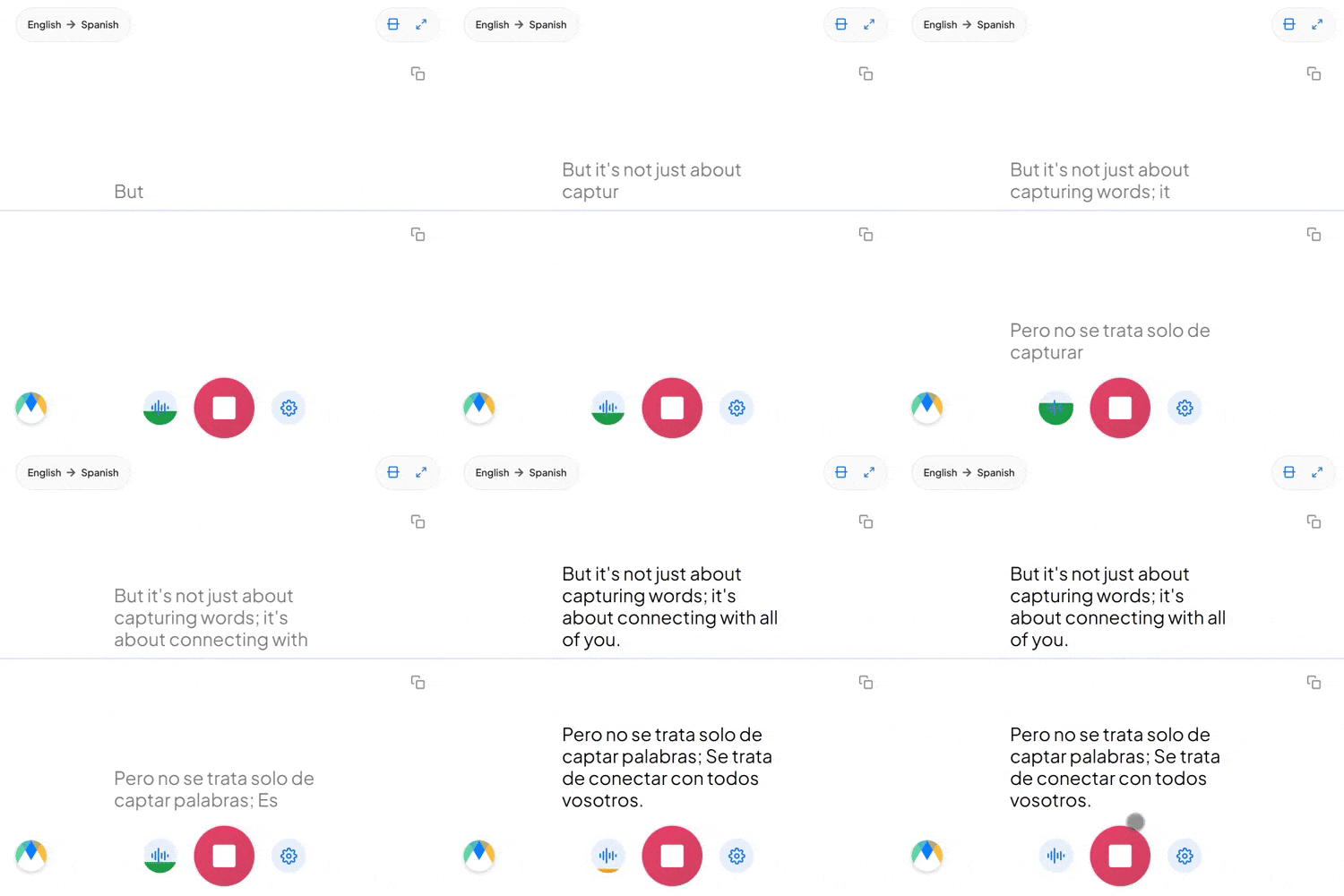
Pick Thai and English, tap the mic, and start talking. The translation appears live on screen, right in your browser.
Four things that are actually true of this language pair.
Thai sentences end in ครับ (khráp) if the speaker is male or ค่ะ (khâ) if the speaker is female: particles that mark politeness based on the speaker's own gender, not the listener's. English has no equivalent word, so the whole cue just vanishes in translation.
ไหม (măi, a question marker), ไม้ (mái, wood), and ไหม้ (mâi, to burn) are the same syllable at three different tones. Mishear the tone and the sentence isn't slightly off, it's a different word entirely.
"ผมต้อง follow up กับลูกค้า" drops an English verb straight into a Thai sentence, and that's ordinary speech in Thai business settings, not a mistake. Set the source to Thai manually, and embedded English terms come through recognizably instead of getting mistranslated.
Four settings that separate a rough session from a clean one.
Lock in names and jargon ahead of time, including English terms that already show up mid-sentence in the Thai, so they come through as-is, not translated a second time.
Pass along a single link and colleagues can join from their browser to hear the English translation live, without an account.
Auto-detect recognizes more than one spoken language in the same session, useful when Thai isn't the only language in the room before it's turned into English.
Every line of the transcript points back to its exact moment in your session, so checking a doubtful line takes seconds, not a full re-listen.
Factory floor briefings and supplier calls where a Thai-speaking partner needs to be understood in English without waiting for a callback.

Front-of-house staff and tour guides who need their Thai explained in English immediately, not relayed by a third person.

Journalists conducting live interviews in Thai hear the English translation as their source speaks, with every line traceable back to its original moment before a quote runs.
Send existing Thai audio or video through Maestra's Thai to English dubbing instead, if what you need is a finished English voice track rather than live captions.
The same tool, tuned for where Thai to English translation actually gets used.

Tour operators and hospitality staff giving briefings in Thai that English-speaking guests need to hear live.
Learn More
Factory floor briefings and sourcing calls where Thai manufacturing partners need to be understood in English without a delay.
Learn More
Sourcing calls and partnership meetings where a Thai-speaking business partner needs to be understood in English.
Learn More
Thai and English speakers on the same call, each hearing the conversation in their own language with nobody relaying in between.
Learn MoreConnect the meeting or streaming tool you run Thai sessions in, subscription required for live use.
Link your Zoom account to enable real-time Thai to English captions in meetings.
Learn MoreBring live Thai to English captions into Microsoft Teams meetings.
Learn MoreSend a bot into your Google Meet calls for real-time Thai to English captions and translation.
The tool doesn't flag uncertain moments automatically. What it does do is timestamp every word and highlight it during playback, so you can scrub through the Thai audio next to the translation and check any line yourself.
Yes. Thai final particles like khrap and kha signal politeness based on the speaker's own gender, and the translation reads that context rather than ignoring it.
Yes. Your Thai to English session opens in an editor afterward with the audio aligned to every line, ready to correct and export.
Yes, speaker detection keeps each person's Thai lines separate and labeled as they're translated into English, rather than merging everyone into one stream.
Yes. Thai to English translation is free to start, with no card or account required.
Yes. The recognition model is trained specifically on Thai's tone system, so a word like mai comes through as the tone actually meant, not averaged into one guess.
No special setup is needed for ordinary Thai-English mixing. When a conversation isn't going to stay in Thai the whole way through to English, auto-detect handles the switch instead of you resetting the source language mid-session.
Sharing a Thai to English session with more than the two people on the call is a paid-plan feature, not something the free tier includes.
Not in live Translate mode, that's captions only. Dubbing, the tab next to it, adds spoken English audio, either from a stock voice or a clone of the original Thai speaker's voice.