
Town halls and all-hands
One internal broadcast for a distributed workforce.
Translate all-hands meetings, briefings and client sessions as they happen. Maestra Live gives every participant AI voice and captions in 100+ languages, with company terminology and enterprise options for larger organizations.
A 30-minute walkthrough for corporate communications and IT. The free tool needs no form and no sales call.
Corporate translation delivers live meetings, briefings and presentations in other languages in real time, as captions, translated audio, or both. Employees, clients and partners follow in their preferred language without waiting for a translated recording.
All-hands meetings, quarterly reviews, investor days, client briefings and product launches all benefit from the same setup: one speaker, many languages, and no hardware.
Add internal product names and client terms before the session starts. Maestra transcribes and translates them consistently.
Content processed through Maestra is encrypted in transit and at rest, and sessions stay private unless you choose to share them.
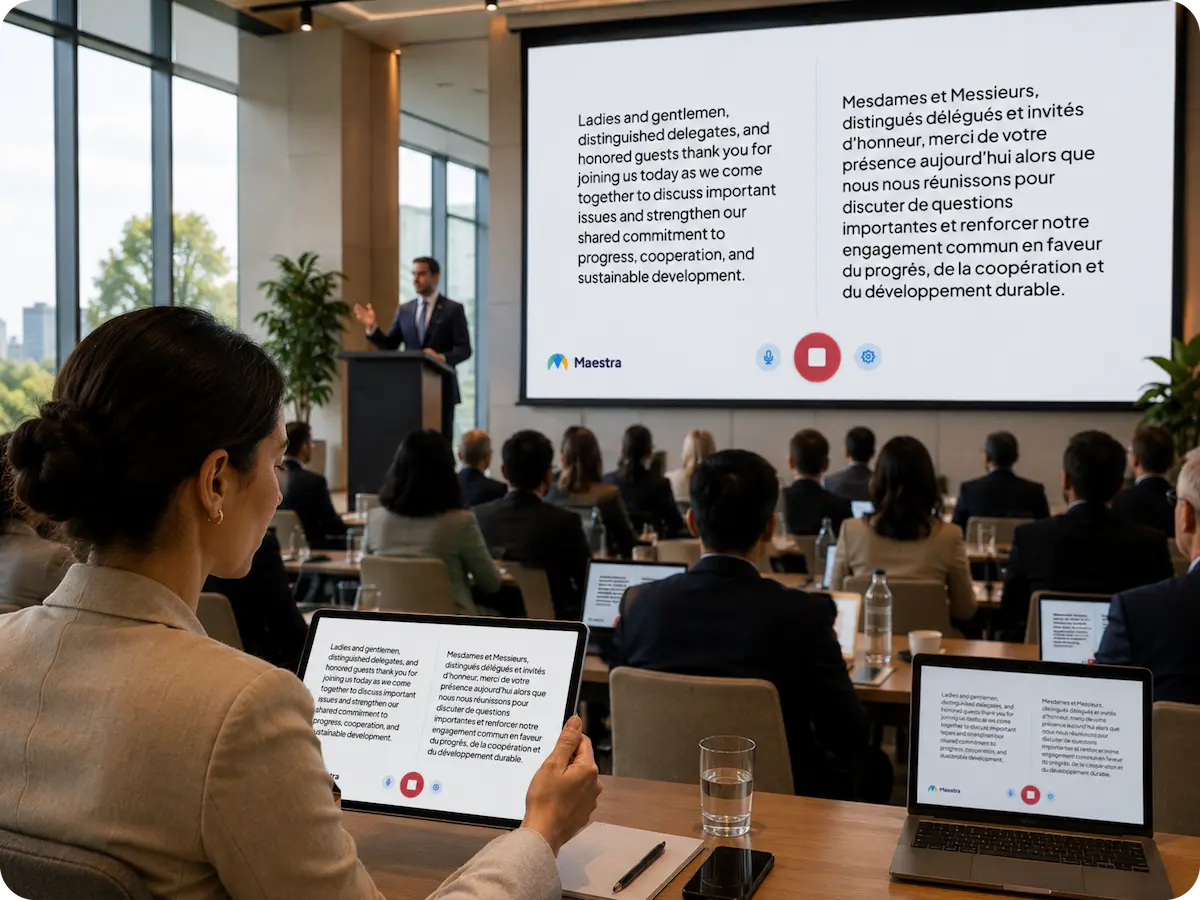
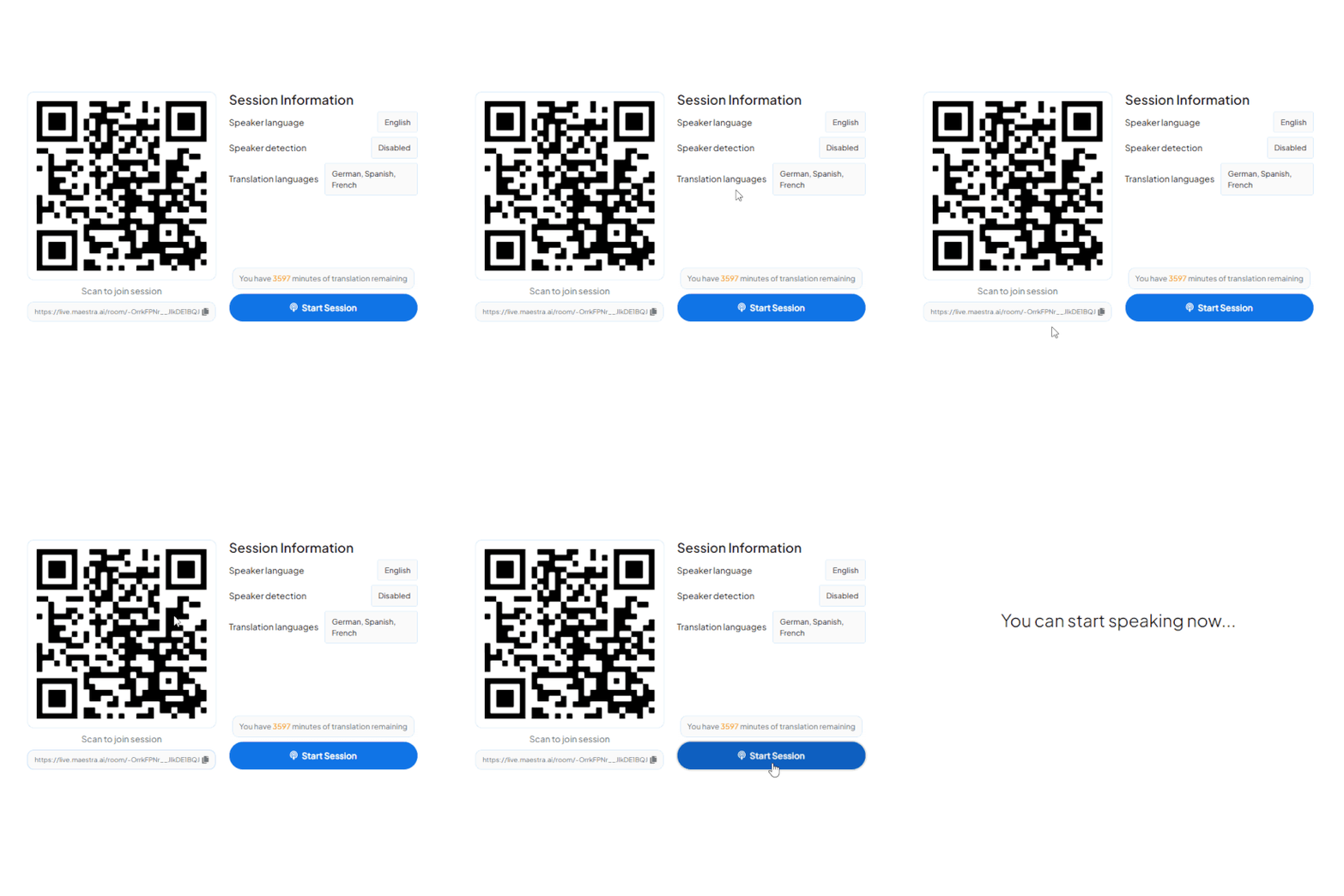
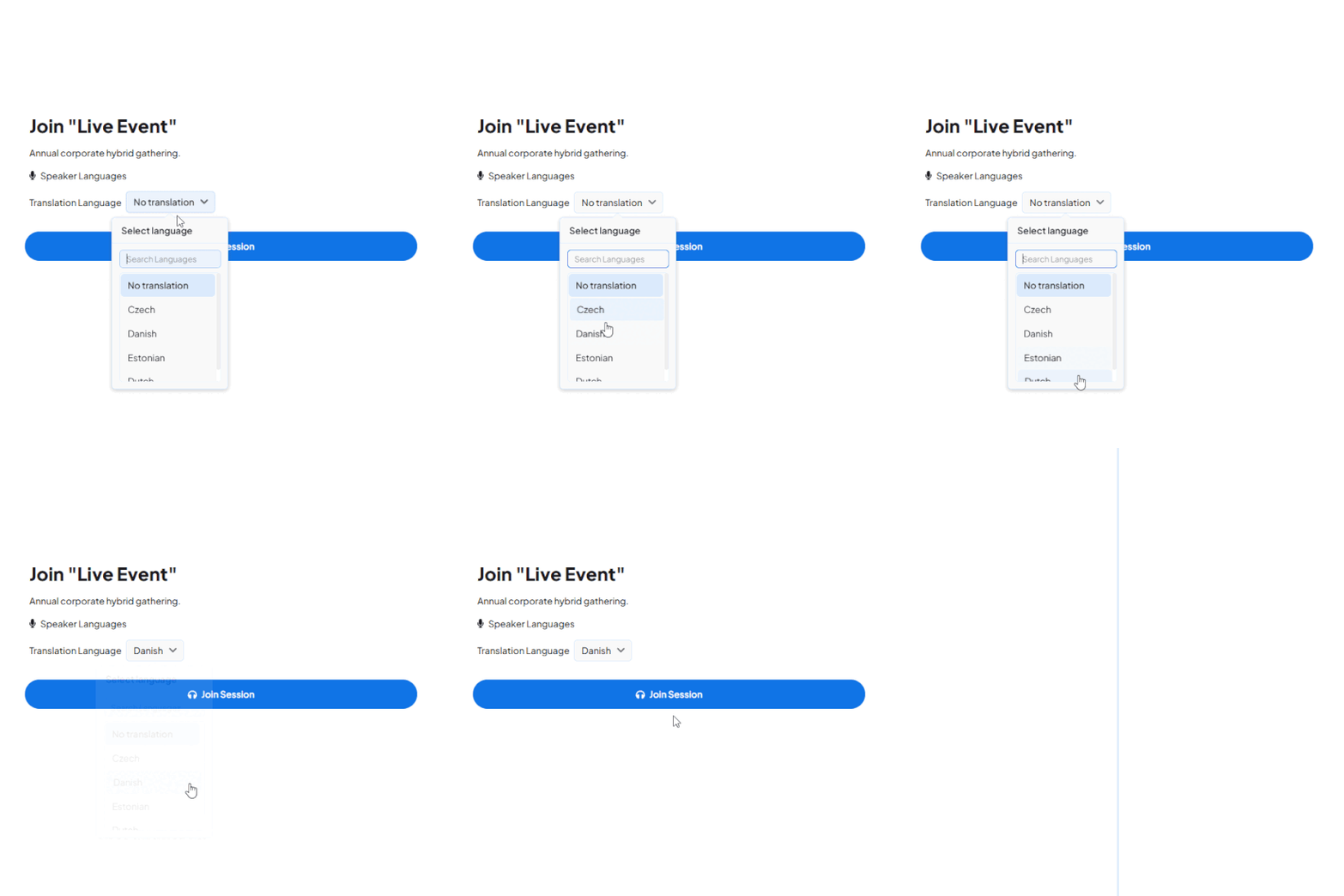
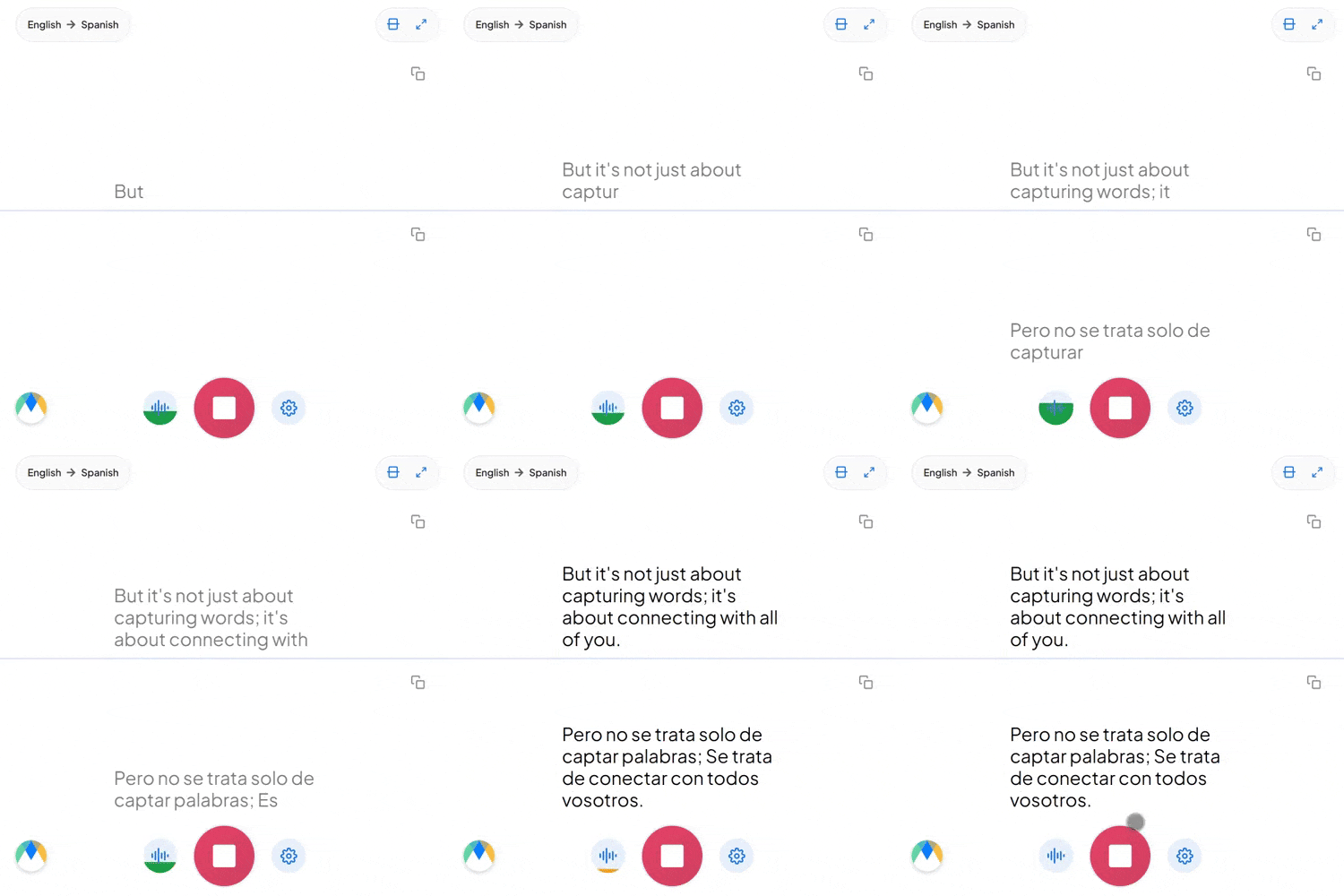
Start a live session in your browser and hear the translation, or book a walkthrough for your organization.
Companies usually choose between one working language, a staffed interpretation team, or AI translation.
| One working language | Interpreter team | AI corporate translation | |
|---|---|---|---|
| Setup | None | Interpreters, booths or platform channels | Share a QR code or link |
| Who has to adapt | Every non-native speaker | Nobody, once interpreters are booked | Nobody |
| Languages at once | One | Limited by interpreters booked | 100+ |
| Recurring meetings | Free but uneven | Costly to repeat | Practical every week |
| Record afterwards | Notes | Rarely transcribed | Saved, searchable and editable transcript |
| Best fit | Teams fluent in one language | Board, legal and regulated sessions | All-hands, briefings, launches and client meetings |
Whether your team sits in one room, works across regions, or both, everyone stays in the same conversation in their own language.
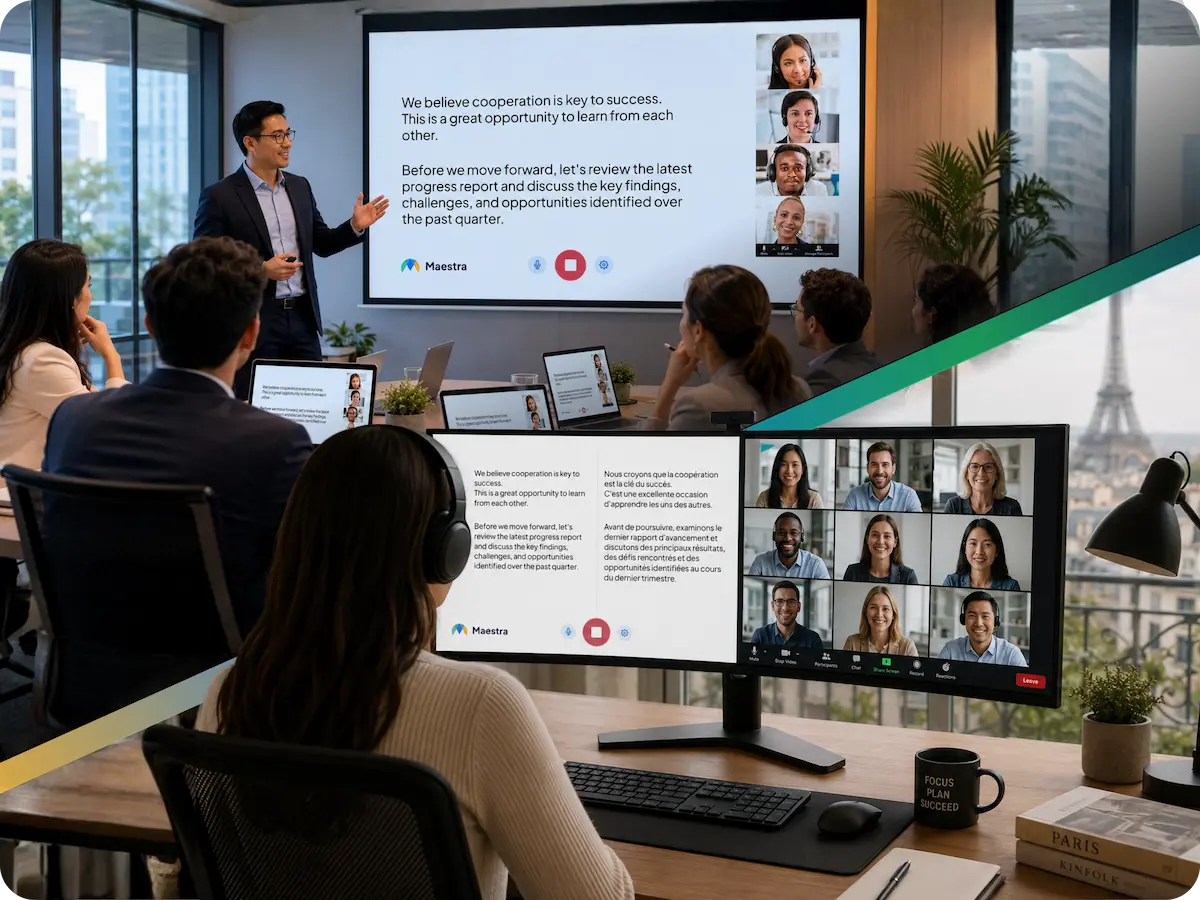
Leadership presents in the auditorium or boardroom. Participants listen to the translated speech or read live captions on their own phone, with no receivers to hand out and no interpreter booths.
Some people sit in the headquarters meeting room, others join from regional offices or home desks. Everyone joins the same session, picks a language, and listens or reads live.
Every session can be saved, searched and edited afterwards. Generate summaries or translate the transcript into more languages.
Add live corporate translation to the meeting and broadcast tools your company already uses.

Translate all-hands meetings, quarterly reviews and client briefings.
Learn More
Run live translation alongside onboarding, compliance training and project reviews.
Learn More
Stream town halls with translated captions built into the broadcast.
Learn More.webp)
Bring live translation into multi-camera productions for investor days and launches.
Learn MoreBuilt for companies that work in more than one language.
Participants ask in their own language and the speaker hears the answer in theirs.
Internal product names and client terms are rendered consistently.
Content is encrypted in transit and at rest, and sessions stay private unless you share them.
Each participant chooses to read or listen.
Participants join from their own device with no app and no account.
Save, search and edit sessions, or translate the transcript further.
Built for global companies
Trusted by teams and individuals at:







Content processed through Maestra, including real-time translation, captions, transcripts and dubbing, is encrypted in transit and at rest, and sessions stay private unless you share them. For specific security requirements, book a demo.
Yes. You can choose several languages, and the software can auto-detect the spoken language and translate into several languages at once.
No. You only need an internet connection, and participants join in a browser with a QR code or link.
Accuracy depends on audio quality and speaker clarity. Overlapping speech or audio disruptions can cause minor inaccuracies, and a custom dictionary improves company-specific terms.
Yes. Custom solutions, API access and dedicated support are available for larger organizations. Book a demo to discuss your requirements.
Connect Maestra to your meeting platform or audio source, choose the spoken language and the languages to translate into, then start the session. Participants join with a QR code or link and choose a language.
Yes. Use live translation for live communication, or save the session to your Maestra dashboard and translate or edit it further. You can also upload recorded audio or video.
Yes. Add internal product names and client terms to a custom dictionary before the session starts.
Yes. You can start a live session in your browser before subscribing.
Book a walkthrough for your organization, or start a free session now and hear the live translation yourself.