
Wedding ceremonies
Vows, readings and officiant remarks.
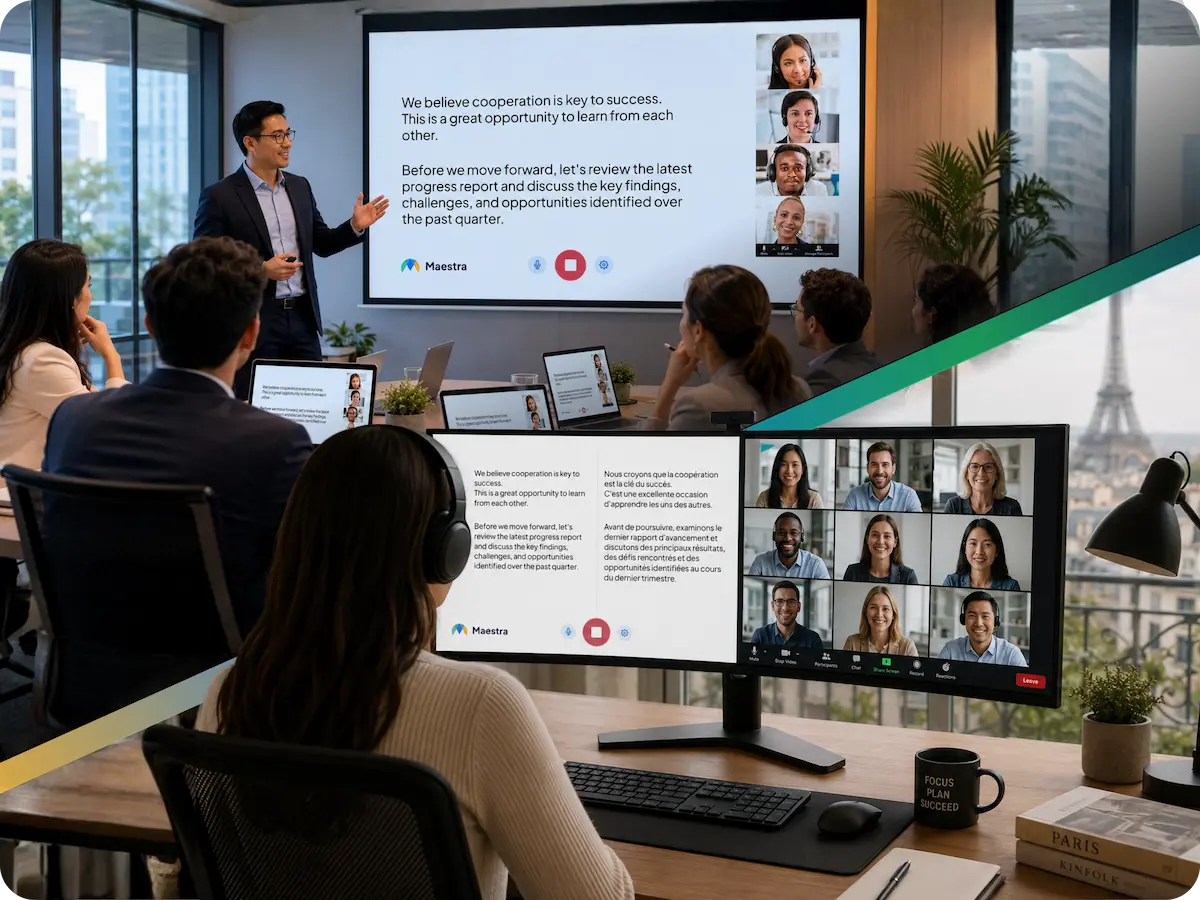
When two languages marry, keep both sides of the room in the moment. Maestra Live translates vows, speeches and toasts as they are spoken, on the venue screen or on each guest's phone, with nothing to install.
A 30-minute walkthrough for couples, planners and venues. The free tool needs no form and no sales call.
Live wedding translation converts the ceremony, vows, speeches and toasts into other languages as they are spoken. Guests follow in their own language by reading captions on a venue screen or on their own phone.
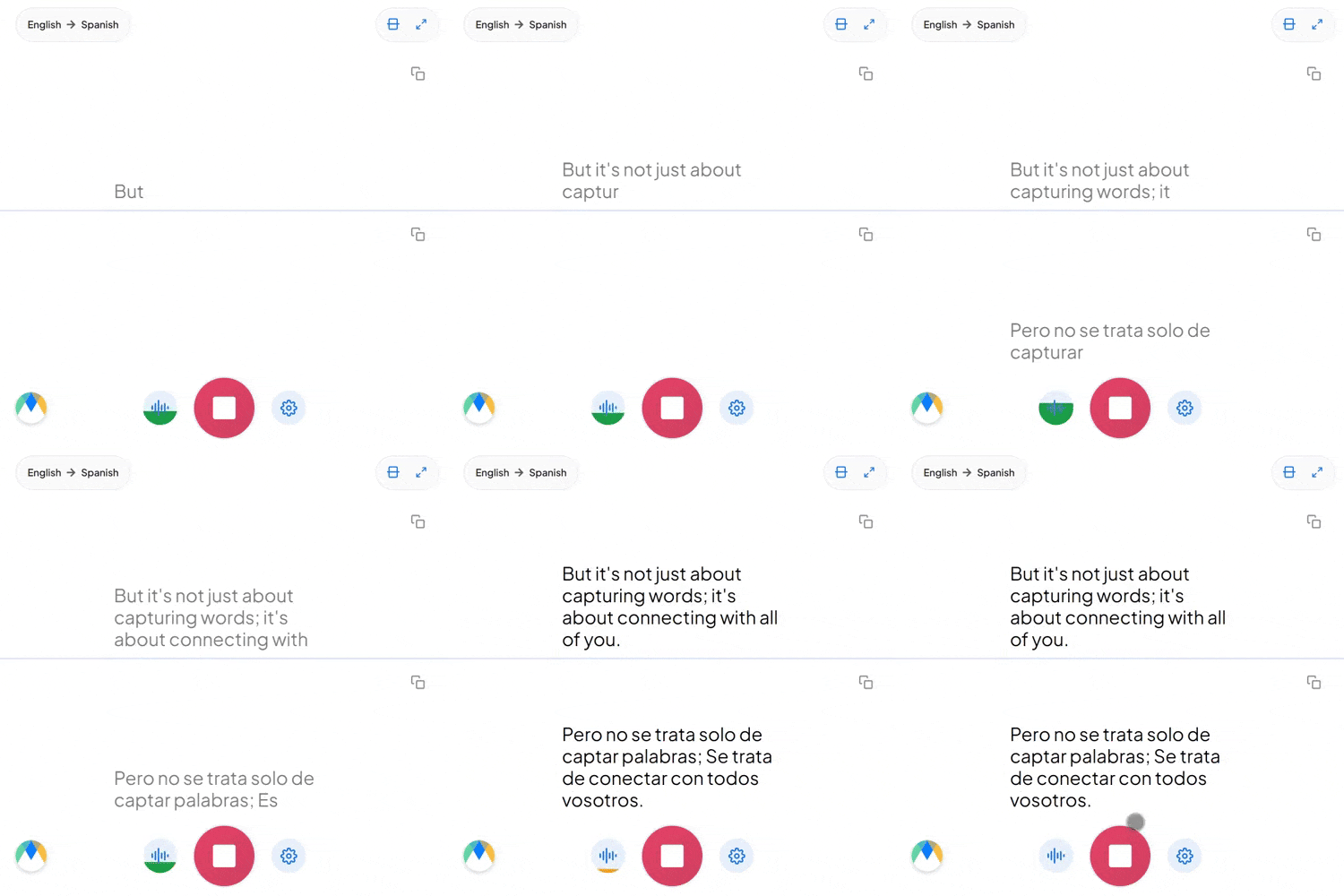
Translate between the couple's two languages, or add more for international guests. Nobody sits through the ceremony waiting for someone to explain it afterwards.
The translation runs quietly on a screen or on guests' phones, so the ceremony stays between the couple and the officiant, with no interpreter standing in your photos.
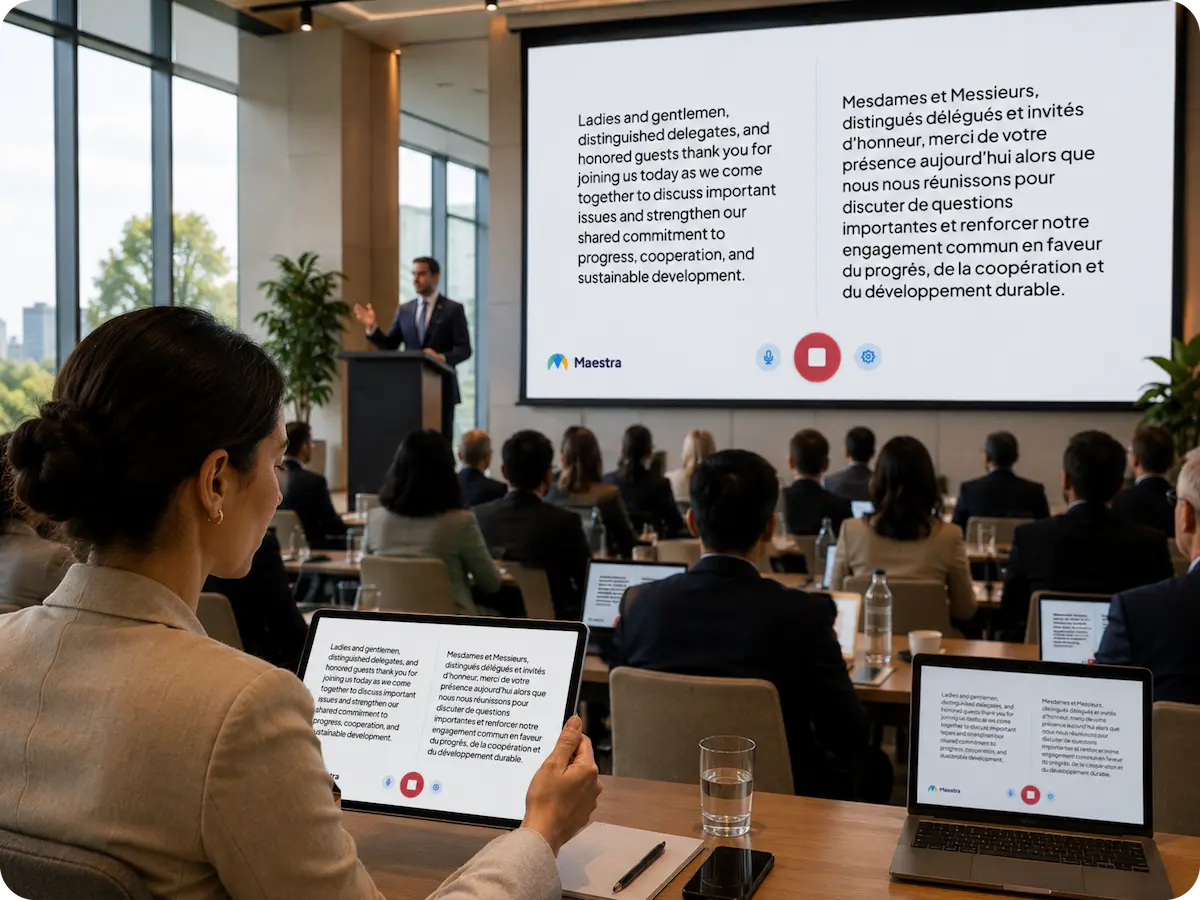
Any phone, laptop or tablet with a microphone and an internet connection will do. If the venue has a screen or projector, captions can be shown to the whole room.
Try a live session in your browser, or book a walkthrough for your ceremony.
Couples usually choose between a hired interpreter, printed translations, or live AI translation.
| Hired interpreter | Printed translated program | Live AI translation | |
|---|---|---|---|
| In the ceremony | A third person beside the officiant | Nothing live | Quiet captions on a screen or phones |
| Speeches and toasts | Interpreter must be present throughout | Not covered | Translated as spoken |
| Languages | Those the interpreter speaks | Those you prepared in advance | 100+ |
| Guests abroad | Not covered | Not covered | Same captions on a livestream |
| Keepsake | None | Printed program | Transcript and audio can be saved |
| Best fit | Formal ceremonies that require an interpreter | Fixed text such as readings | Vows, speeches, toasts and everything unscripted |
Some civil or religious ceremonies require an official interpreter. Check with your officiant.
Choose the display that suits your venue, or use both.
Project live translated captions on the venue screen so both families follow the vows and speeches as they are spoken. One clean display, with no headsets and no interpreter.
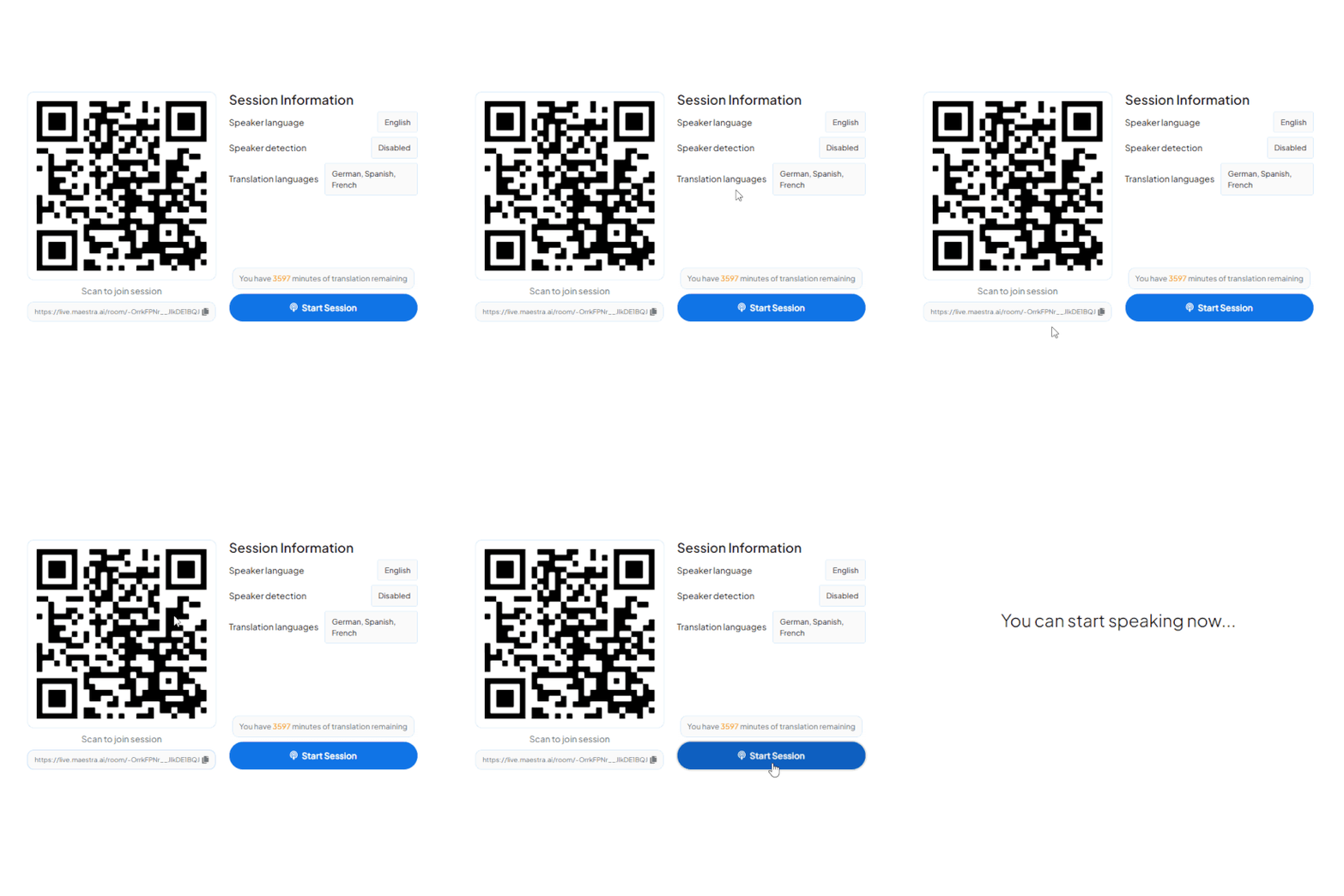
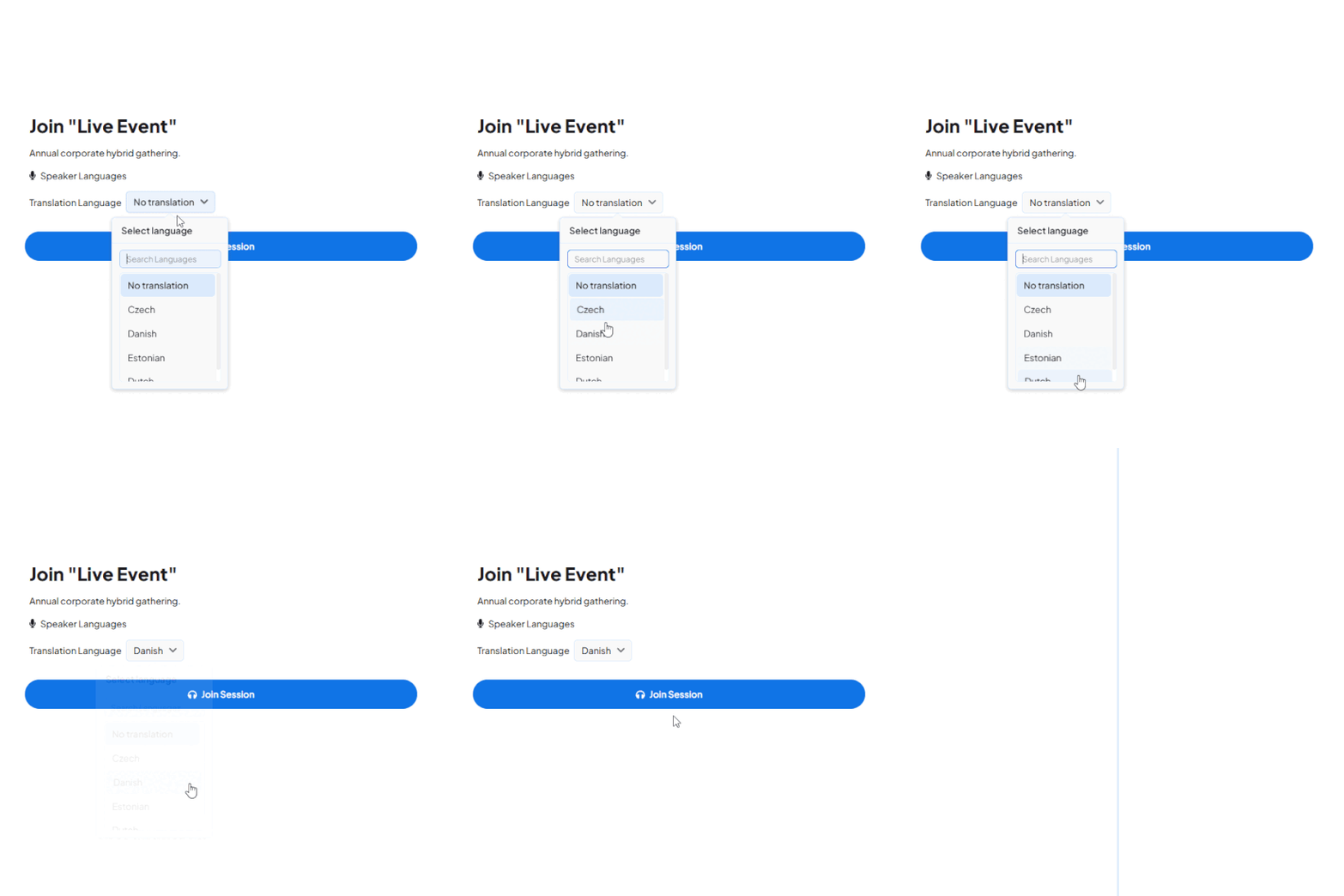
Guests scan a QR code and read along on their own phone in their preferred language, in 100+ languages.
Family joining from abroad sees the same live captions on the livestream. Translation also runs alongside OBS, vMix, Zoom and Teams if your videographer streams the day.
Run live translation alongside the streaming and production tools your videographer or venue already uses.

Add live translation and captions to Zoom meetings and webinars.
Learn More
Translate Teams meetings and live events for multilingual audiences.
Learn More
Send translated captions into your OBS livestream.
Learn More.webp)
Mix translated captions into vMix production.
Learn MoreWhat a bilingual wedding needs, set up in minutes.
An AI interpreter runs quietly on a screen, with no third person in your ceremony photos.
Every word can be saved as a transcript, with vows and speeches in both languages.
The same live captions work for guests in the room and on the livestream.
Names, places and personal terms are added in advance.
A QR code opens on any phone with no app and no account.
Any phone, laptop or tablet and an internet connection are enough.
Built for multilingual celebrations
Trusted by teams and individuals at:







A phone, tablet or laptop at the venue captures the ceremony audio and Maestra translates it in real time. Guests read the translation on the venue screen or on their own phones by scanning a QR code. No apps and no equipment to hand out.
Many couples use Maestra instead of an interpreter. The translation runs quietly on screen, so the ceremony stays between the couple and the officiant. Some ceremonies require an official interpreter, so check with your officiant.
Yes. Guests joining remotely see the same live translation as guests in the room, and it runs alongside OBS, vMix, Zoom and Teams if your videographer streams the day.
Any device with a microphone and an internet connection. A phone on a stand works. If the venue has a screen or projector, captions can be shown to the whole room.
Yes. Many planners and venues run translation across their events. Book a demo and we will set up an arrangement that fits how you work.
Yes, that is the most common setup for a bilingual wedding. You can add more languages for international guests at any time.
Live translation handles natural speech well, and you can add names and personal terms in advance so they come through correctly. Accuracy depends on clear audio.
Yes. The transcript and audio can be saved, so your vows, speeches and toasts are kept in both languages.
The system processes continuous speech from different speakers, as long as the audio is clear.
No. Guests join for free by scanning a QR code or opening a link.
Book a walkthrough for your wedding, or start a free session now and see the live translation yourself.