
Lectures and seminars
University lectures with international students.
Every student follows the lesson in their own language. Maestra Live translates lectures, classes and parent-teacher meetings as they happen, with AI voice and captions in 100+ languages on each student's own device.
A 30-minute walkthrough for schools and universities. The free tool needs no form and no sales call.
Education translation converts spoken lessons, lectures and meetings into other languages in real time, delivered as live captions, translated audio, or both. Students, teachers and families follow along in their preferred language without separate sessions or recordings.
A single lesson serves every student. Those who share the teacher's language listen as usual; others listen to the translation or read captions in their own language on their own device.
Students ask in their own language and teachers answer in theirs. Maestra detects the spoken language and switches translation automatically, so discussion keeps its pace.
Parent-teacher meetings, open days and school assemblies reach families who speak other languages, with the same QR code or link and no equipment.

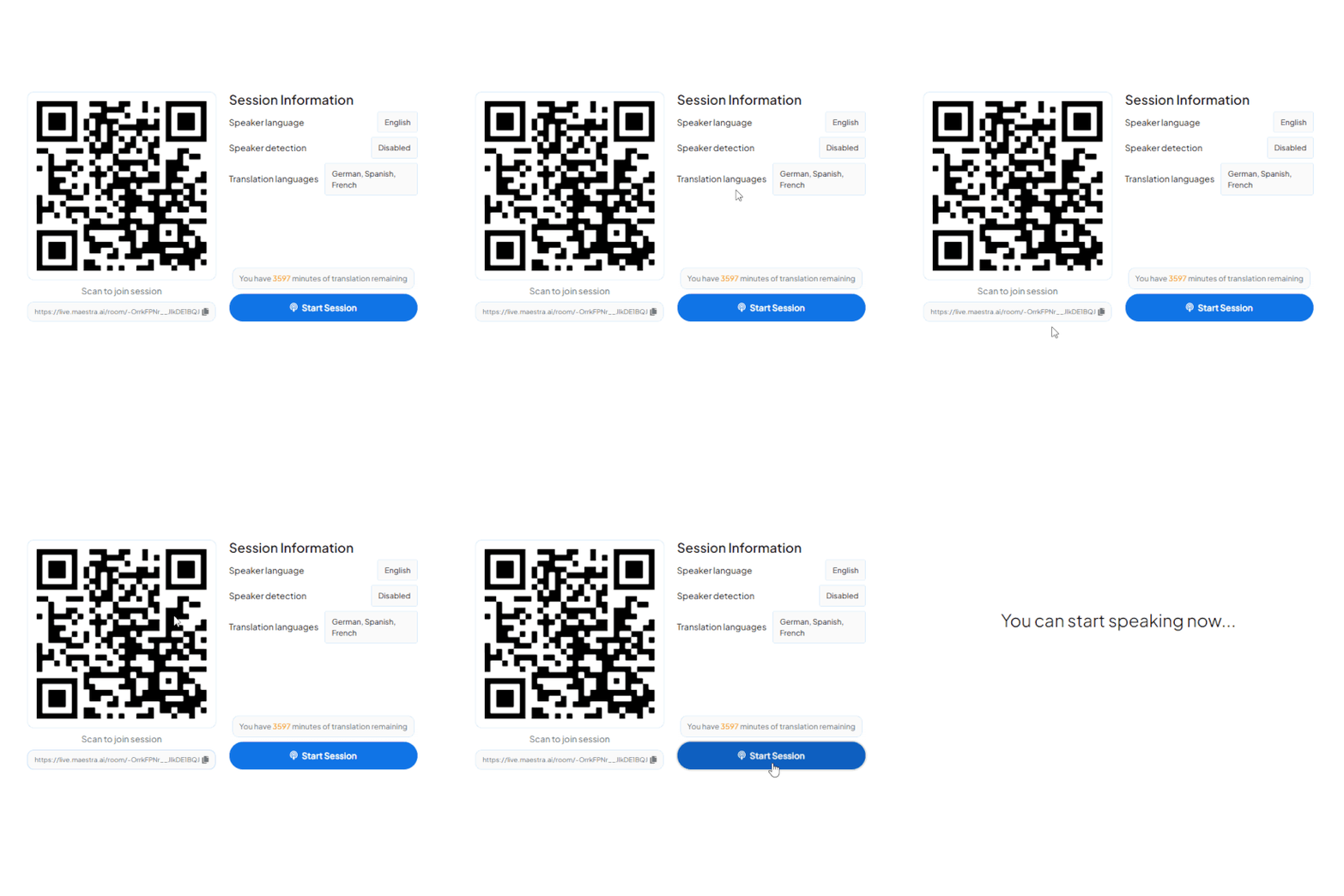
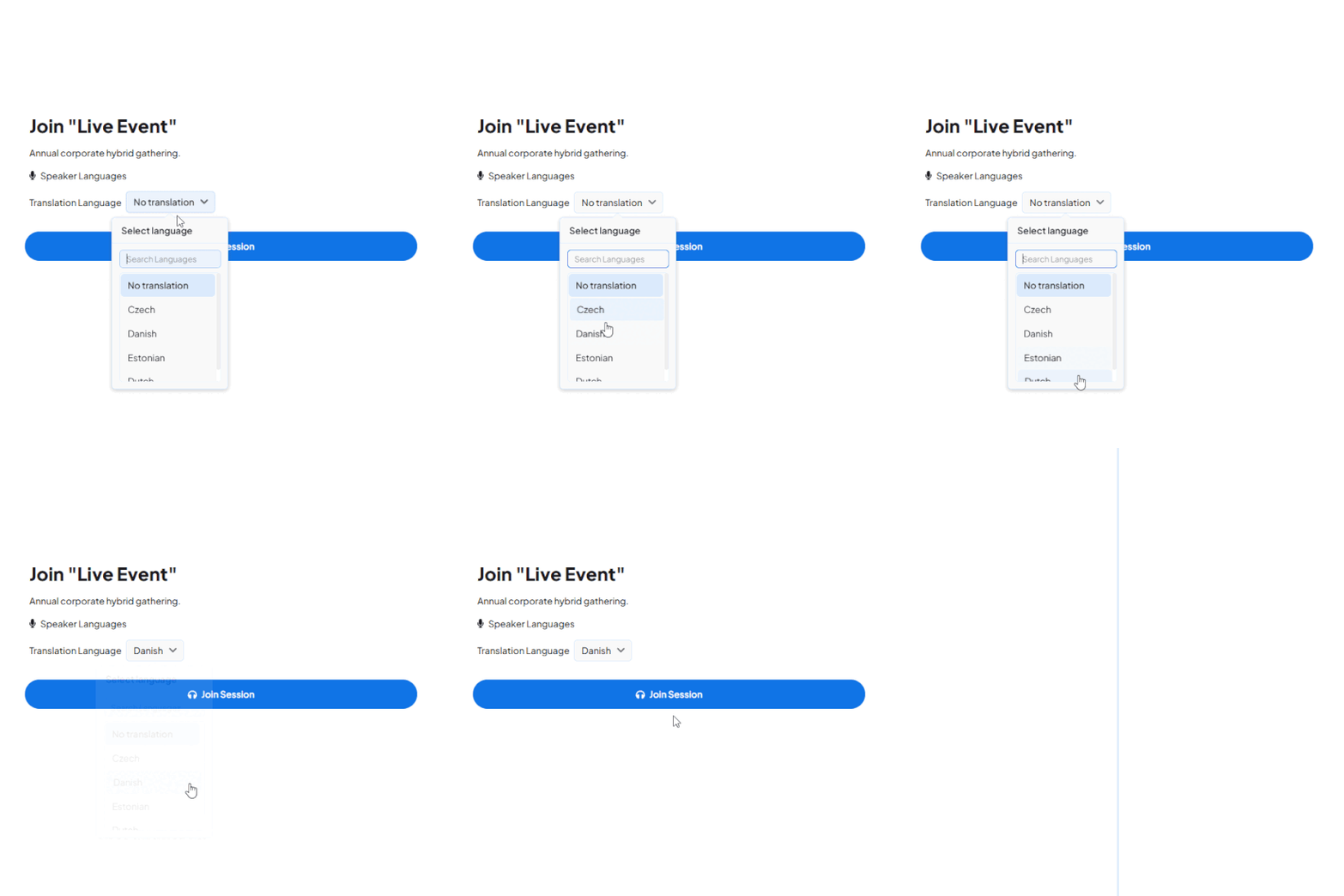
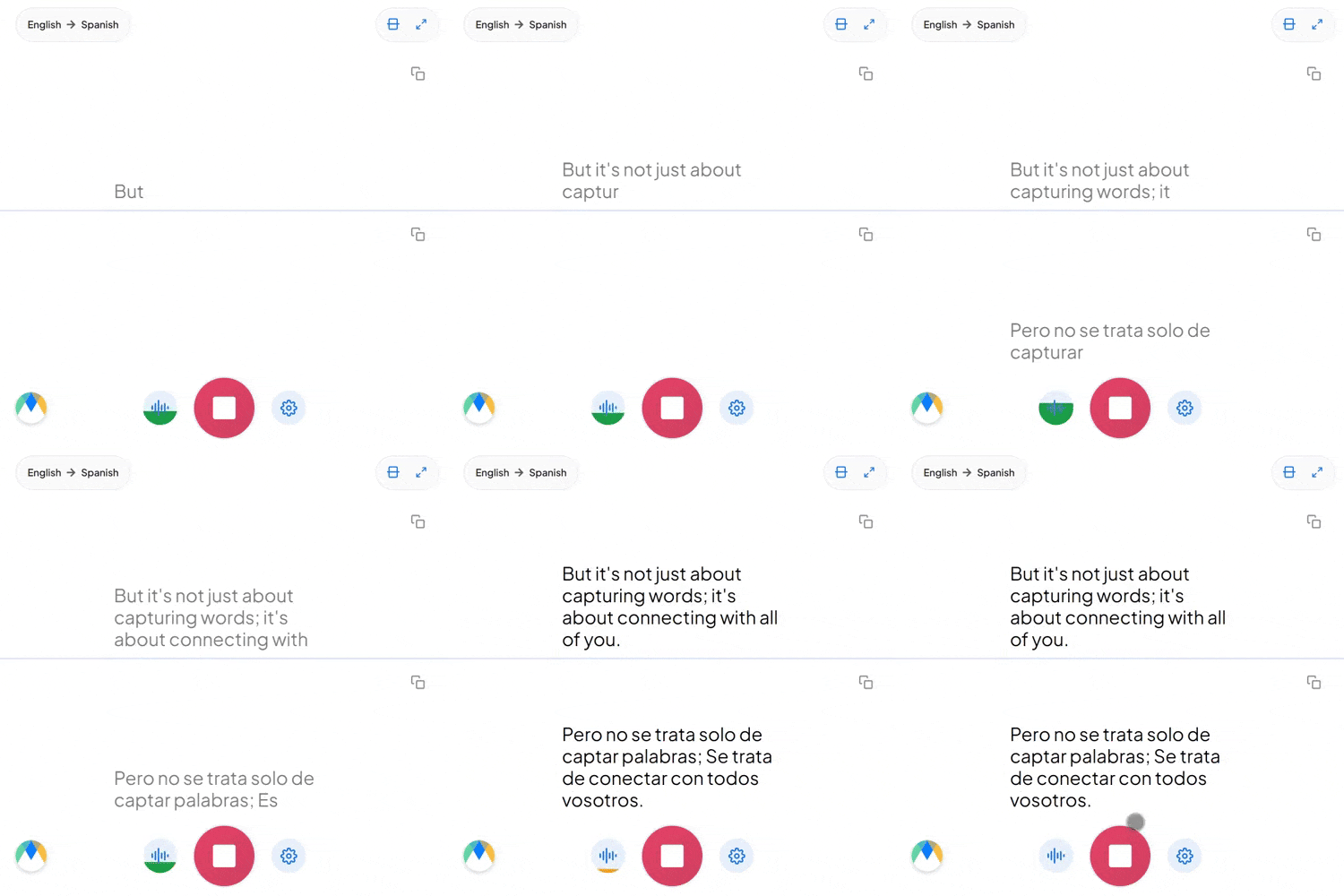
Start a live session in your browser and try the translation, or book a walkthrough for your school or university.
Schools usually choose between teaching in one language, hiring interpreters for specific sessions, or using AI translation.
| One language for everyone | Human interpreters | AI class translation | |
|---|---|---|---|
| Setup | None | Book an interpreter per language and session | Share a QR code or link |
| Languages at once | One | One or two per interpreter | 100+ |
| Questions from students | Only in the class language | Through the interpreter, with a delay | In their own language, translated live |
| Cost of adding a language | Not available | Another interpreter | No extra setup |
| Revision material | Teacher notes | Rarely recorded | Transcript and audio can be saved when enabled |
| Best fit | Fully shared-language classrooms | Formal meetings requiring certified interpreters | Lectures, classes, assemblies and parent-teacher meetings |
Some formal school processes require certified human interpreters. Check your institution's policy.
Whether students share one lecture hall, log in from another country, or both, the whole class stays in the same lesson, in their own language.
The teacher speaks at the front of the room. Students listen to the translated speech or read live captions on their own device. There is no equipment to set up.
The lecture runs on Zoom, Teams or your own platform. Students join the same translation session remotely, pick a language and listen or read live.
Save lesson transcripts and audio for students to review later. Saving options can be enabled in session settings before each class.
.webp)
Add live translation to the conferencing and broadcast tools your school or university already uses.

Add live translation and captions to Zoom meetings and webinars.
Learn More
Translate Teams meetings and live events for multilingual audiences.
Learn More
Send translated captions into your OBS livestream.
Learn More.webp)
Mix translated captions into vMix production.
Learn MoreEverything you need to make lessons, lectures and meetings accessible in 100+ languages.
Students ask in their own language and teachers respond in theirs, across 100+ languages.
Each student chooses to read or listen, and can switch at any time.
Maestra detects who is speaking and which language, and switches translation automatically.
Course terms, names and acronyms are loaded before the class so they are rendered consistently.
A QR code or link opens on any phone, tablet or laptop. No app and no account.
Save lessons for later review when enabled in session settings.
Built for multilingual classrooms
Trusted by teams and individuals at:







Education translation converts spoken lessons, lectures and meetings into other languages in real time, delivered as live captions, translated audio, or both. Students, teachers and families follow along in their preferred language without separate sessions or recordings.
Yes. Students scan a QR code or open a link in any browser on a phone, tablet or desktop. No app install and no account are required.
Yes. You can choose several languages, and the software can auto-detect the spoken language and translate into several languages at once.
Yes. Both can be saved when the relevant options are enabled in your session settings before the class starts.
Yes. You can start a live session in your browser before subscribing, so you can test it with your own class audio.
Connect Maestra to a classroom microphone, audio source or meeting platform, choose the spoken language and the languages to translate into, then start the session. Students join with a QR code or link and choose their language.
Yes. Maestra detects the spoken language and switches translation automatically, so teachers and students can each speak in their own language.
Yes. Use live translation for live lessons, or save the session and translate it further. You can also upload recorded audio or video to Maestra for translation.
Content processed through Maestra is encrypted in transit and at rest. For institutional requirements, book a demo to discuss your policies.
Accuracy depends on audio quality and speaker clarity. Speech overlap or noise can cause minor inaccuracies, and a custom dictionary improves subject terminology.
Book a walkthrough for your institution, or start a free session now and hear the live translation yourself.