Maestra
Live Dubbing
Real-time AI voice over with voice cloning — speak any language in your own voice!
Sesje na żywo są dostępne na Business Plan lub wyższym
-
Udostępnianie sesji:
Udostępniaj swoją sesję transkrypcji lub tłumaczenia na żywo innym, wysyłając im kod QR lub link.
-
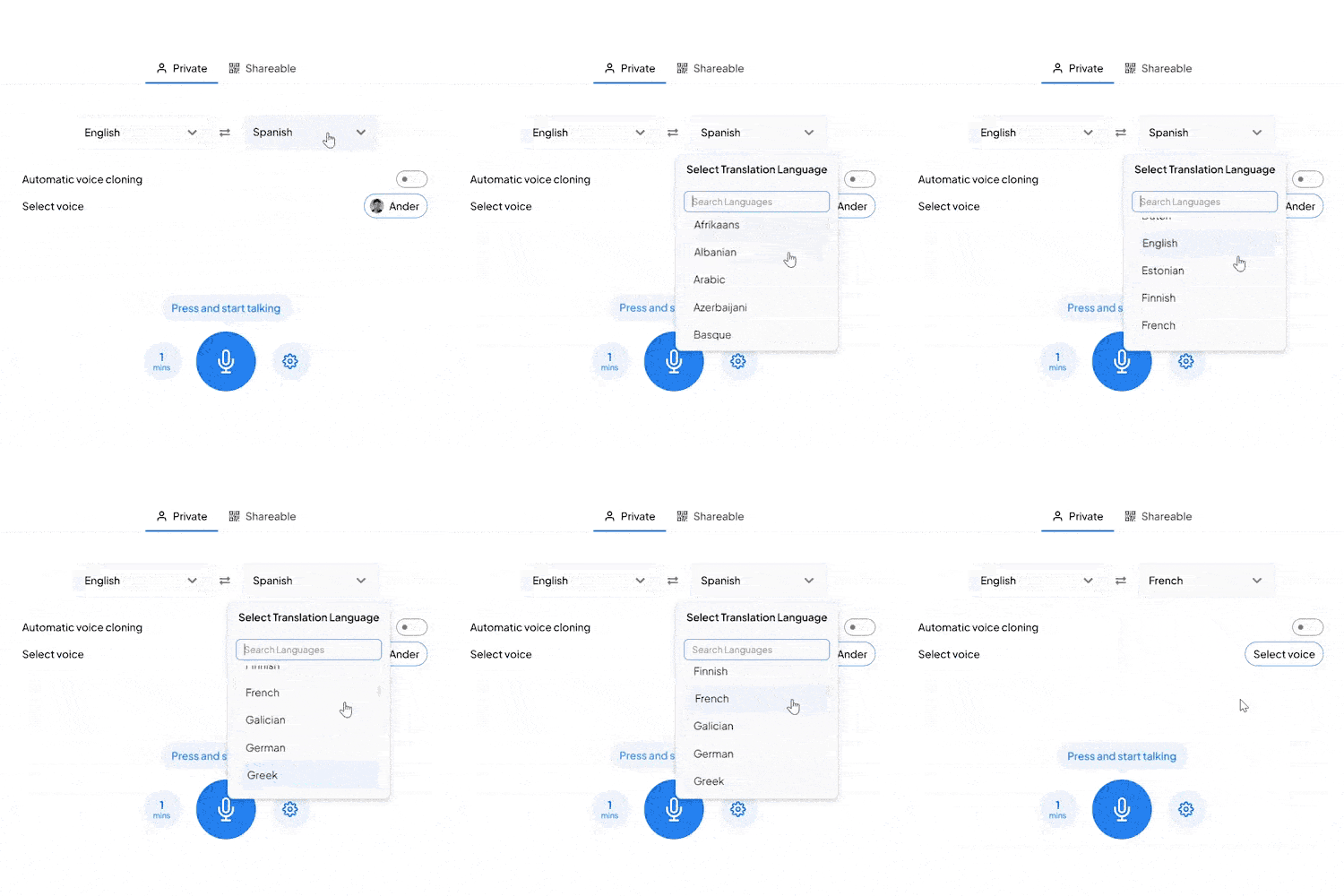
Tłumaczenie na żywo:
Tłumacz i dubluj treść w wielu językach.
-
Wsparcie dla wielu mówców:
Mówcy mogą mówić w różnych językach, a goście słuchają w swoim ulubionym języku.
Cennik Maestra Real-Time
- Co otrzymujesz:
- Napisy360 min/mies
- lub
- Tłumaczenie72 min/mies
- Integracja VMix, OBS, WebHooks, Zoom
- Rozszerzenie Google Chrome
- Podsumowanie AI
- Niestandardowy styl
- Zapisz i eksportuj transkrypcję
- Co otrzymujesz:
- Napisy900 min/mies
- lub
- Tłumaczenie180 min/mies
- Wszystko z Basic, plus:
- Dostęp do API
- Priorytetowe wsparcie
- Co otrzymujesz:
- Napisy1800 min/mies
- lub
- Tłumaczenie360 min/mies
- lub
- Dubbing180 min/mies
- Wszystko z Premium, plus:
- Udostępnianie sesji
- Glosariusz tłumaczenia
- Co otrzymujesz:
- Napisy4500 min/mies
- lub
- Tłumaczenie900 min/mies
- lub
- Dubbing450 min/mies
- Napisy na żywo dla wydarzeń
- Wsparcie na żywo
- Niestandardowe ceny
- Niestandardowy rozwój
- Niestandardowe MSA
- I więcej...
Przydatne odpowiedzi
Czy za tłumaczenia są dodatkowe opłaty?
Pierwsze tłumaczenie każdego pliku jest bezpłatne. Potem naliczamy opłatę w zależności od długości pliku w minutach za każde tłumaczenie.
Czy mogę korzystać z konta na różnych komputerach?
Tak. Maestra to oprogramowanie w chmurze – możesz się logować i edytować pliki na niemal dowolnym laptopie lub komputerze z internetem.
Jak działają kredyty Maestra?
Kredyty Maestra są pobierane za każdy pomyślnie przesłany i przetranskrybowany plik, według długości w minutach (np. 50 s = 1 min.). W abonamencie kredyty odnawiają się co miesiąc.
A jeśli mam więcej pytań?
Chętnie pomożemy! Napisz do nas przez przycisk znaku zapytania (?) w prawym dolnym rogu lub na support@maestra.ai.
Czy jest zniżka dla studentów/nauczycieli/organizacji non-profit?
Tak. Oferujemy 20% zniżki. Po opłaceniu daj nam znać – zwrócimy 20% pierwszej wpłaty, a kolejne będą naliczane w obniżonej cenie.
Jakie metody płatności są akceptowane?
Akceptujemy karty Visa, Mastercard, American Express, Discover, JCB, Diners Club i China UnionPay.
Czy płatność jest bezpieczna?
Tak. Płatności są realizowane przez Stripe, jednego z największych operatorów płatności. My nie widzimy danych Twojej karty.
Czy po rezygnacji nadal mogę korzystać z Maestry?
Tak. Zachowasz dostęp do transkrypcji, napisów i voiceoverów oraz funkcji takich jak publiczne linki i odtwarzacze do osadzenia.
How to Use Real Time Dubbing


What You Get With Maestra Live Dubbing
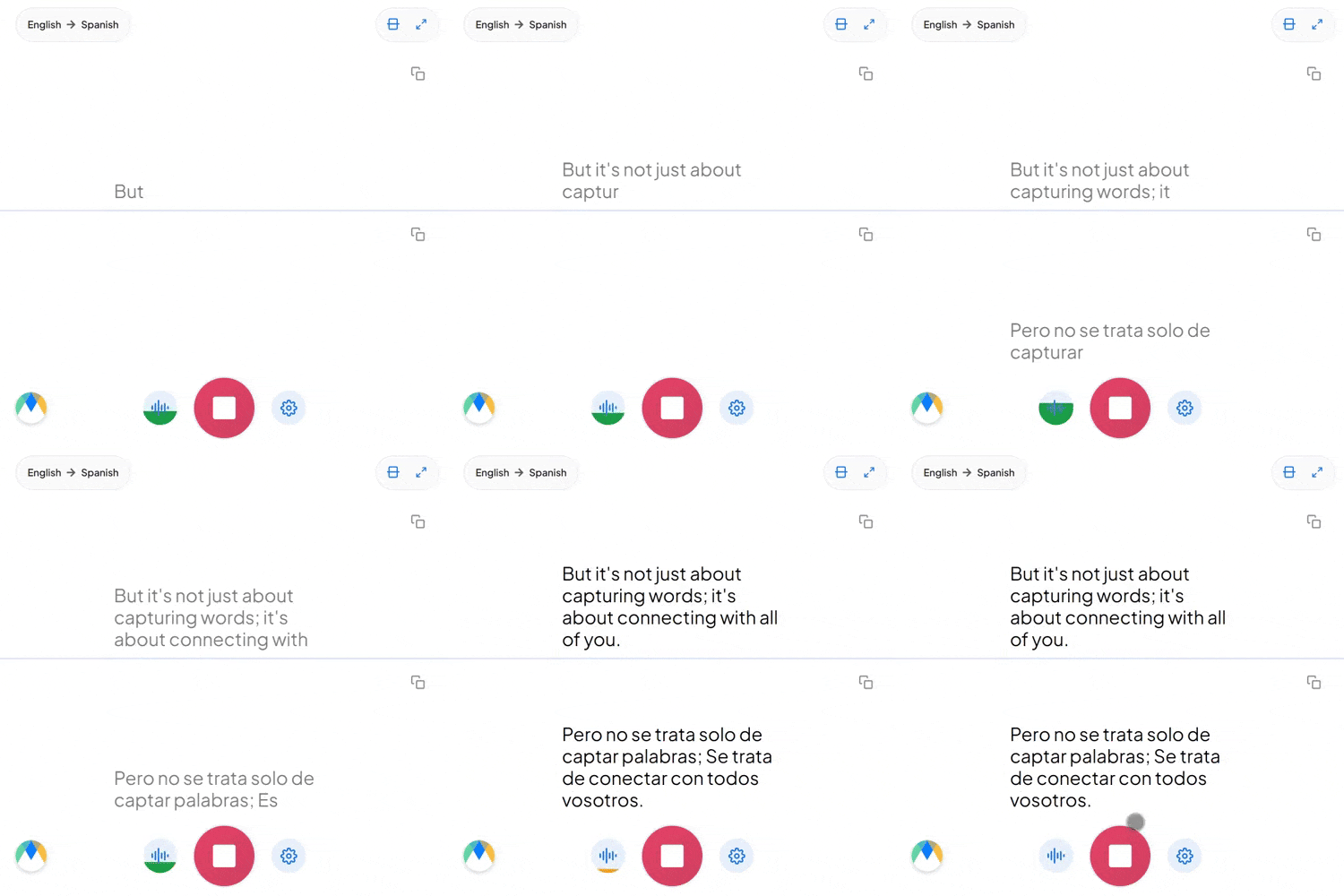
Maestra listens to your speech, translates it, and speaks it aloud in your target language — all in real time. Perfect for live events, meetings, and multilingual broadcasts.
Real-Time Voice Over
Hear translations spoken aloud instantly with natural AI voices.
125+ Languages Supported
Dub speech into virtually any language in real time.
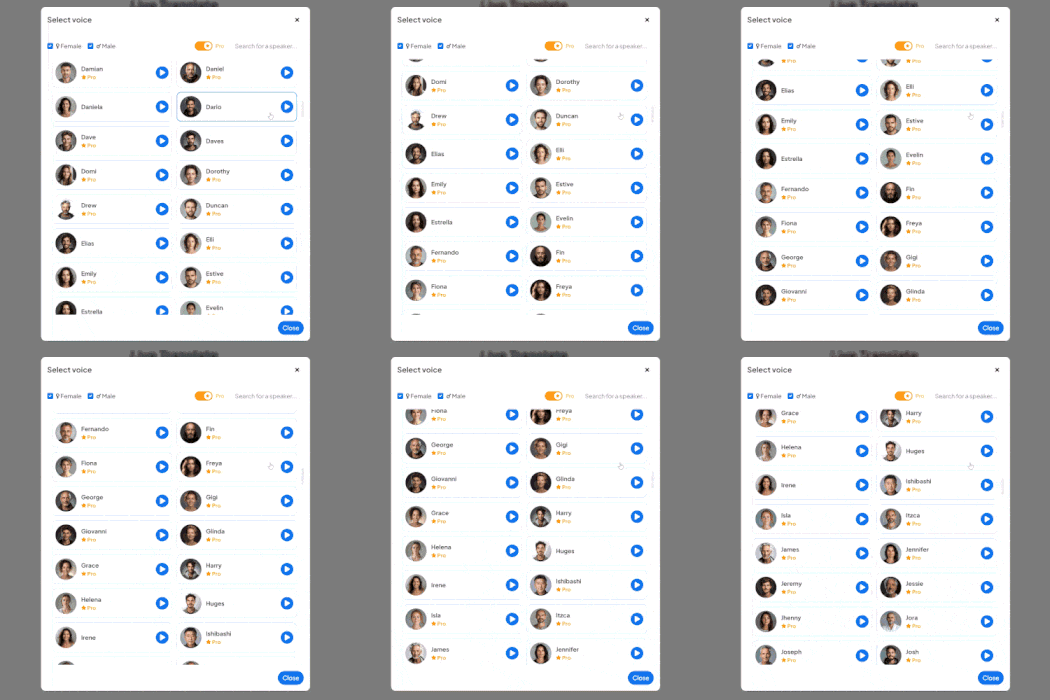
Voice Cloning
Clone your own voice to speak in different languages while keeping your unique tone.
Live Integrations
Integrate with OBS, Zoom, vMix, or Microsoft Teams for meetings and live streams.
Speaker Separation
Automatically identify and label different speakers in real time.
Save & Share Sessions
Create online sessions and share them via link or QR code to your audience.
Frequently Asked Questions
What is live dubbing?
Live dubbing translates your speech and plays it back as audio in another language in real time.
Can I use my own voice for dubbing?
Yes. Maestra offers voice cloning so you can speak in other languages using your own voice.
Does Maestra work with streaming software?
Yes. Maestra integrates with OBS, Zoom, vMix, and Microsoft Teams.
Is there a free trial?
Yes. You can try Maestra's live dubbing features with a free trial.
How accurate is the live dubbing?
Maestra uses advanced AI for high accuracy transcription and natural-sounding voice synthesis.
Is my data private and secure?
Yes. Your sessions remain private unless you choose to share them.
How many languages does Maestra support for dubbing?
Maestra supports over 125 languages for live dubbing and voice over.
Is live dubbing suitable for meetings?
Yes. Live dubbing is perfect for multilingual meetings, conferences, and webinars.
Can multiple people use live dubbing at once?
Yes. Maestra supports speaker separation and can handle multiple speakers.
Does Maestra work in the browser?
Yes. No downloads or installation required — everything runs in your browser.
Can I adjust the voice speed or pitch?
Yes. You can customize voice settings to match your preferences.
What's the latency for live dubbing?
Maestra delivers near-instant dubbing with minimal delay for real-time conversations.
Zespoły i osoby z tych firm nam ufają:
What People Say About Maestra's Live Dubbing
Excellent AI Translation at Expo Osaka
We used the AI translation app at Expo Osaka across roughly 30 conferences. It consistently delivered high-quality English–Japanese translation, came with excellent support, and saved us a significant amount of money on traditional translation services.
Excellent software for transcription, subtitle and voice over services.
The accuracy of the output from the tool is very satisfying.
Read full reviewA great tool that's fast, efficient and easy to use.
The speed and ease of uploading and transcribing captions in so many different languages is what I love most about this tool. I also love that I can download an immediate text file of my transcriptions.
Read full review© 2026 Katara Tech, Inc.