Maestra
Live Transcribe
Real-time audio transcription — free, fast, and no account required.
Live Sessions zijn beschikbaar op het Business Plan of hoger
-
Sessiedeling:
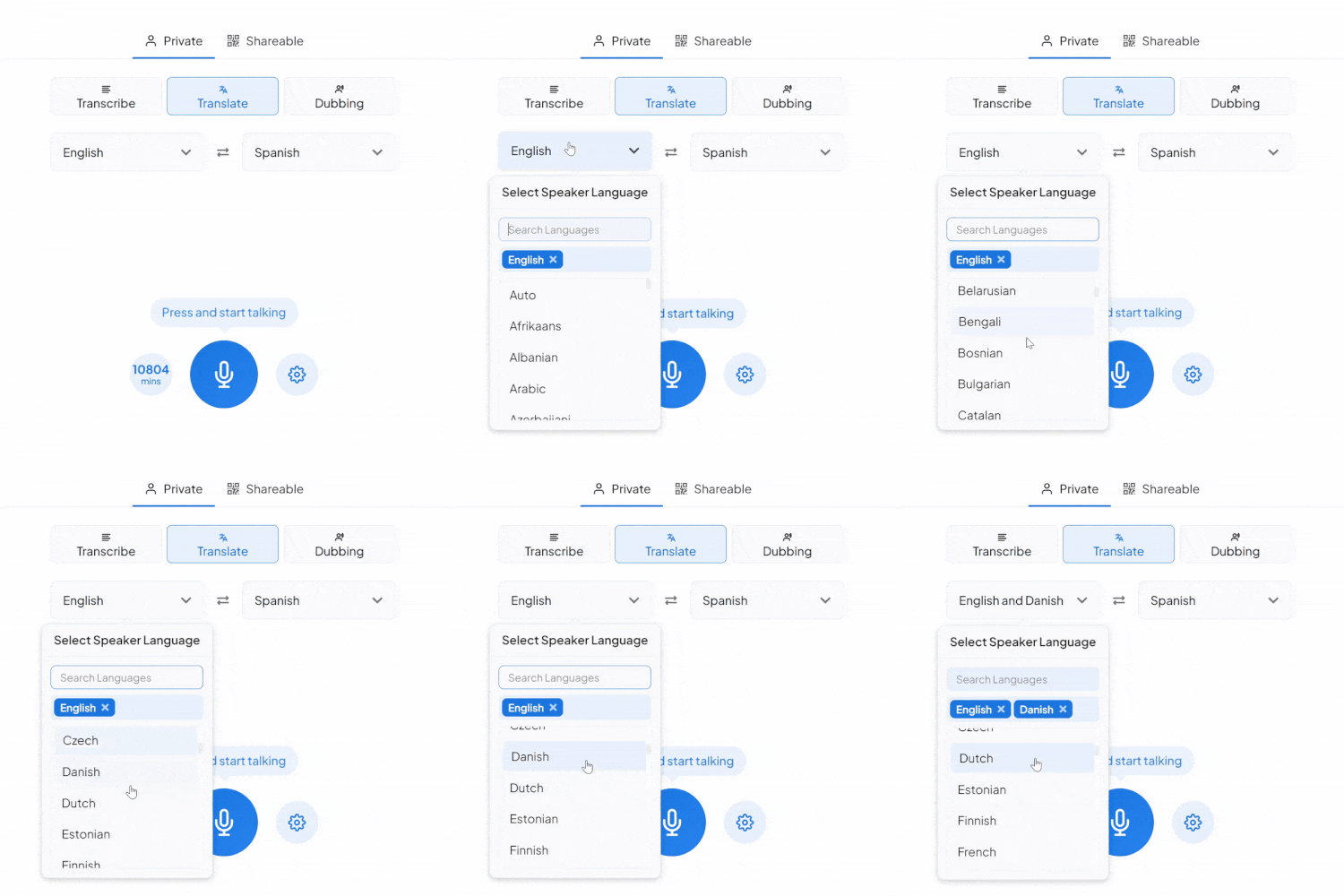
Deel je live transcriptie- of vertaalsessie eenvoudig met anderen door hen een QR-code of deelbare link te sturen.
-
Realtime vertaling:
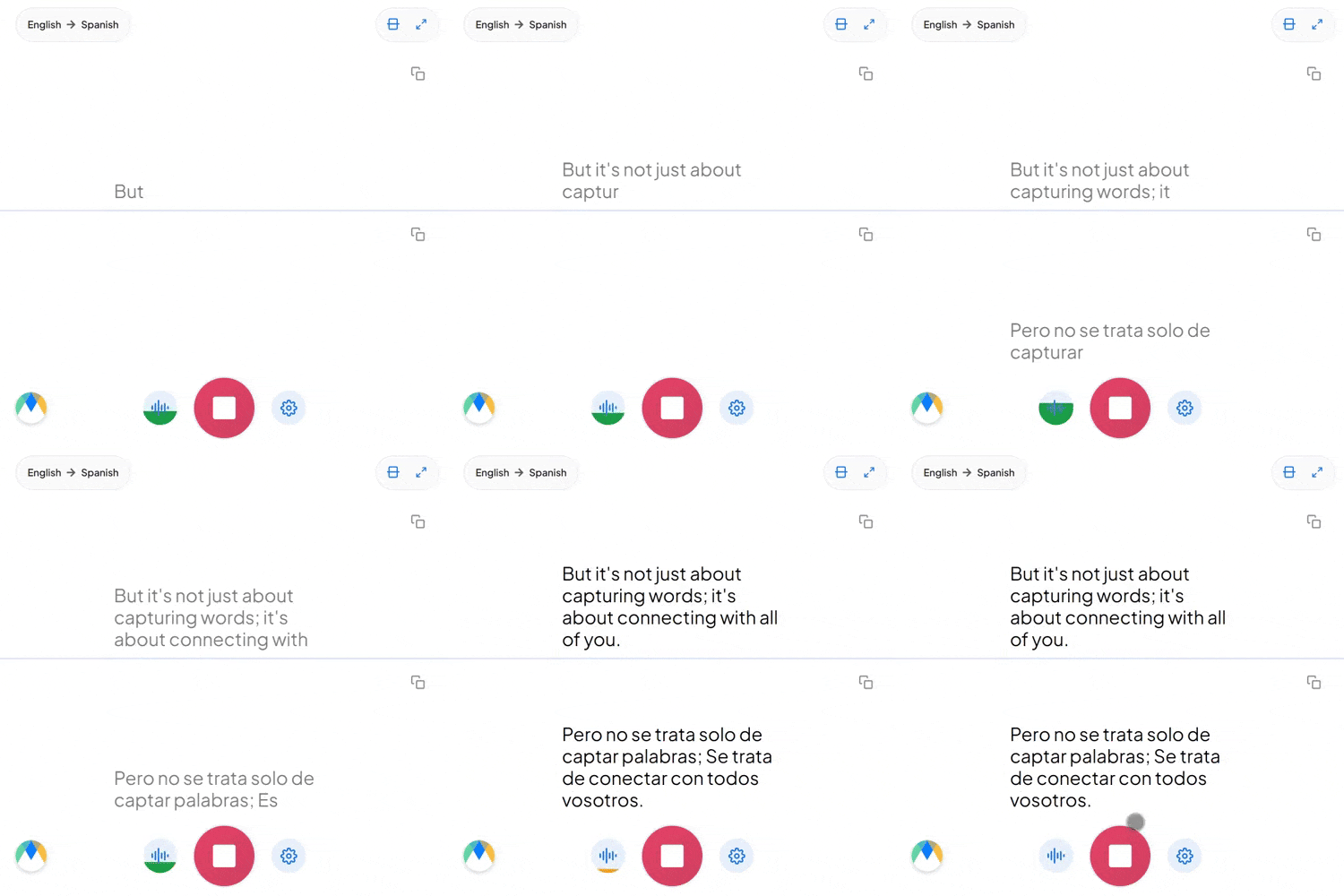
Vertaal en dubbel inhoud in meerdere talen.
-
Multi-Speaker ondersteuning:
Sprekers kunnen in verschillende talen praten, en gasten luisteren in hun favoriete taal.
Maestra Real-Time Prijzen
- Wat je krijgt:
- Ondertiteling360 min/maand
- of
- Vertaling72 min/maand
- VMix, OBS, WebHooks, Zoom-integratie
- Google Chrome-extensie
- AI-samenvatting
- Aangepaste styling
- Transcriptie opslaan en exporteren
- Wat je krijgt:
- Ondertiteling900 min/maand
- of
- Vertaling180 min/maand
- Alles wat is inbegrepen in Basic, plus:
- API-toegang
- Prioriteitsondersteuning
- Wat je krijgt:
- Ondertiteling1800 min/maand
- of
- Vertaling360 min/maand
- of
- Nasynchronisatie180 min/maand
- Alles wat is inbegrepen in Premium, plus:
- Sessiedeling
- Vertaalwoordenlijst
- Wat je krijgt:
- Ondertiteling4500 min/maand
- of
- Vertaling900 min/maand
- of
- Nasynchronisatie450 min/maand
- Live evenement ondertiteling
- Live ondersteuning
- Aangepaste prijzen
- Aangepaste ontwikkeling
- Aangepaste MSA's
- En meer...
Handige antwoorden
Word ik extra in rekening gebracht voor vertalingen?
De eerste vertaling per bestand is gratis. Daarna rekenen we een bedrag per vertaling op basis van de bestandsduur in minuten.
Kan ik vanaf verschillende computers bij mijn account?
Ja. Maestra is cloudsoftware, dus je kunt inloggen en bestanden bewerken vanaf vrijwel elke laptop of pc met internet.
Hoe werken Maestra-credits?
Je Maestra-credits worden afgetrokken voor elk bestand dat je uploadt en transcribeert, berekend naar duur in minuten (bijv. 50 sec. = 1 min.). Bij een abonnement worden de credits elke maand gereset.
Wat als ik meer vragen heb?
We horen het graag! Chat met ons via het vraagteken (?) rechtsonder, of mail naar support@maestra.ai.
Is er korting voor studenten/docenten/non-profits?
Ja. We bieden 20% korting. Na betaling laat het ons even weten; we storten 20% van het eerste bedrag terug en factureren daarna tegen het gereduceerde tarief.
Welke betaalmethoden accepteren jullie?
We accepteren Visa, Mastercard, American Express, Discover, JCB, Diners Club en China UnionPay.
Is betalen veilig?
Ja. Betalingen worden verwerkt via Stripe, een van de grootste betaalverwerkers. Wij zien je kaartgegevens niet.
Kan ik Maestra nog gebruiken na opzegging?
Ja. Je houdt toegang tot transcripties, ondertitels en voiceovers, en tot functies zoals openbare links en in te bedden spelers.
How to Transcribe Audio in Real Time


What You Get With Maestra Transcribe
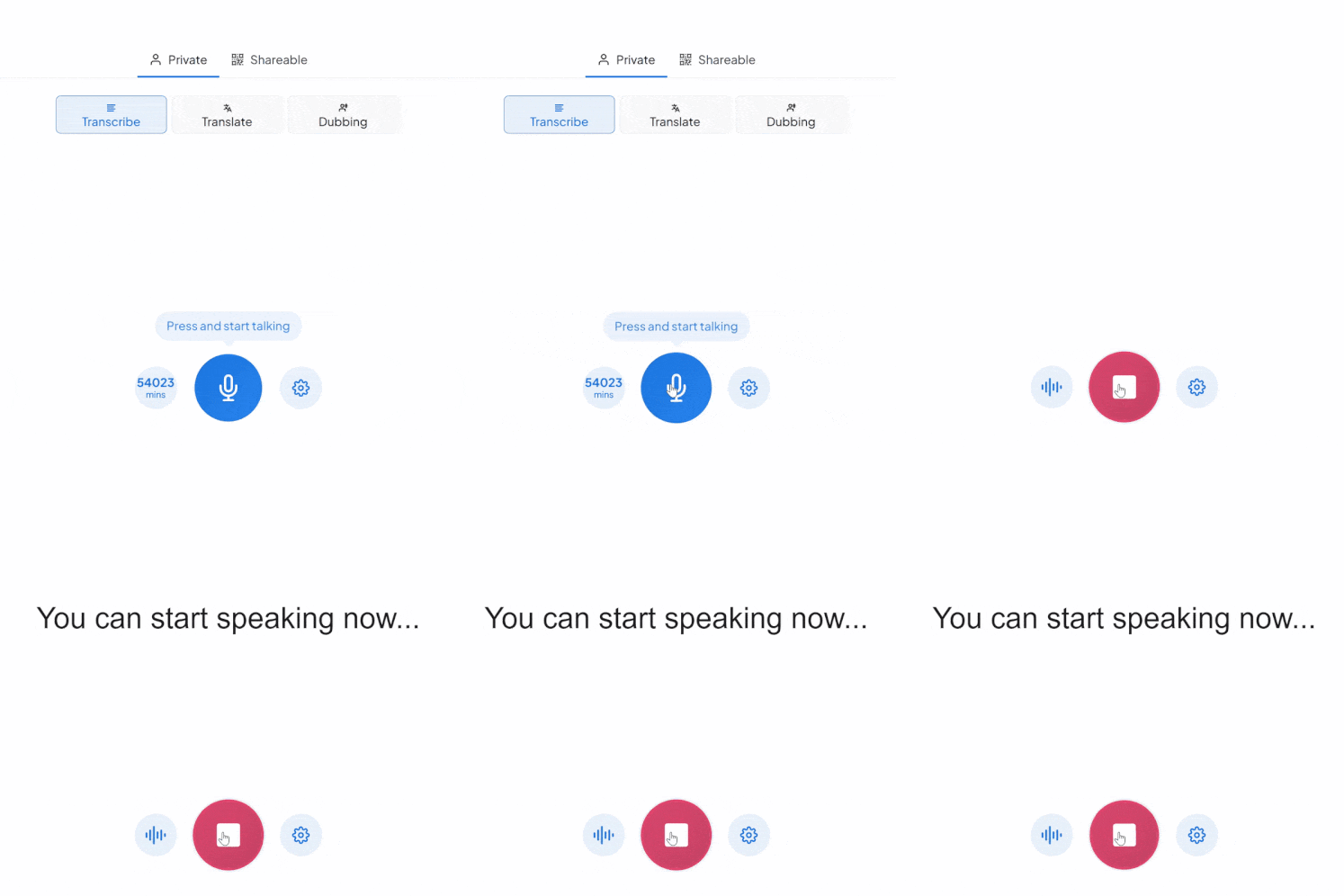
Maestra’s live transcribe app captures speech and instantly transcribes it with live captions. Whether you’re speaking one language or many, Maestra keeps up so no one misses the message.
Accurate Real-Time Captions
Transcribe live audio to text in 125+ languages with superb accuracy and ultra-low latency.
Free Mode With No Sign-Up
Use the basic live transcription model forever — completely free.
Auto-Detect & Speaker Separation
Automatically identify the spoken language and label different speakers in real time.
Live Integrations
Integrate with OBS, Zoom, vMix, or Microsoft Teams for meetings and live streams.
Custom Vocabulary for Better Accuracy
Add names, acronyms, and industry terms to improve transcription precision.
Save Recordings & Generate AI Summaries (Pro)
Send your session to your Maestra dashboard for editing, subtitles, summaries, or translation.
Frequently Asked Questions
Is Maestra’s live transcription tool free?
Yes. The basic live transcription model is completely free and works without an account.
How many languages does live transcription support?
Over 125 languages for real-time transcription.
Does live transcription support multiple speakers?
Yes. Maestra can automatically label different speakers.
Can I save or export my transcription?
Yes — turn on Pro mode to save recordings and process them in your dashboard.
Can I share my live transcription?
Yes. Share a link or QR code so others can follow the transcription in real time.
Is my data private and secure?
Yes. Your sessions remain private unless you choose to share them.
What’s the difference between Free and Pro modes?
Free mode offers real-time audio transcription in your browser. Pro mode adds translation, voice output, diarization, custom vocabulary, saving recordings, and AI summaries.
Can it transcribe long live audio sessions?
Yes. You can run extended real-time transcription sessions as long as you need.
Can Maestra detect the spoken language automatically?
Yes. Enable Auto-Detect to identify the language instantly.
Does Maestra work in the browser?
Yes. No downloads or installation are required.
Can I convert my transcription into subtitles?
Yes. You can send it to Maestra’s dashboard to create subtitles, summaries, translations, and more.
Does live transcription support specialized terms?
Yes. You can add custom words, names, and industry terms to improve accuracy.
Vertrouwd door teams en individuen bij:
What People Say About Maestra's Live Transcription Tool
Excellent AI Translation at Expo Osaka
We used the AI translation app at Expo Osaka across roughly 30 conferences. It consistently delivered high-quality English–Japanese translation, came with excellent support, and saved us a significant amount of money on traditional translation services.
Excellent software for transcription, subtitle and voice over services.
The accuracy of the output from the tool is very satisfying.
Read full reviewA great tool that's fast, efficient and easy to use.
The speed and ease of uploading and transcribing captions in so many different languages is what I love most about this tool. I also love that I can download an immediate text file of my transcriptions.
Read full review© 2026 Katara Tech, Inc.