Maestra
Live Dubbing
Real-time AI voice over with voice cloning — speak any language in your own voice!
ライブセッションはBusinessプラン以上で利用できます
-
セッション共有:
セッションをQRコードまたはリンクで共有します。
-
リアルタイム翻訳:
コンテンツを複数言語に翻訳します。
-
複数スピーカー対応:
スピーカーは複数言語で話すことができ、ゲストはそれぞれの好きな言語で聞くことができます。
Maestra Real-Time 料金
- 含まれる内容:
- 字幕360 分/月
- または
- 翻訳72 分/月
- VMix、OBS、WebHooks、Zoom統合
- Google Chrome拡張機能
- AI要約
- カスタムスタイリング
- 文字起こしの保存とエクスポート
- 含まれる内容:
- 字幕900 分/月
- または
- 翻訳180 分/月
- 以下のすべて Basic、プラス:
- APIアクセス
- 優先サポート
- 含まれる内容:
- 字幕1800 分/月
- または
- 翻訳360 分/月
- または
- 吹き替え180 分/月
- 以下のすべて Premium、プラス:
- セッション共有
- 翻訳用語集
- 含まれる内容:
- 字幕4500 分/月
- または
- 翻訳900 分/月
- または
- 吹き替え450 分/月
- ライブイベント字幕
- ライブサポート
- カスタム料金
- カスタム開発
- カスタムMSA
- その他...
よくある質問
翻訳には追加料金がかかりますか?
各ファイルの最初の1回の翻訳は無料です。それ以降は、翻訳1回あたりファイルの長さ(分)に応じた料金がかかります。
別のパソコンからアカウントにアクセスできますか?
はい。Maestraはクラウド型のため、インターネットに接続されたパソコンからログインしてファイルを編集できます。
Maestraのクレジットはどのように使われますか?
アップロードして文字起こししたファイルごとに、ファイルの長さ(分)に応じてクレジットが消費されます(例:50秒の動画=1分として計算)。サブスクリプションでは毎月クレジットがリセットされます。
他に質問がある場合は?
お気軽にご連絡ください。画面右下の(?)ボタンからチャットするか、support@maestra.ai までメールでお問い合わせいただけます。
学生・教員・非営利団体向けの割引はありますか?
はい。20%割引をご用意しています。お支払い後にお知らせいただければ、初回分の20%を返金し、今後の請求も割引価格で行います。
利用できる支払い方法は?
Visa、Mastercard、American Express、Discover、JCB、Diners Club、China UnionPayのクレジット/デビットカードをご利用いただけます。
支払いは安全ですか?
はい。決済は世界最大級の決済サービスStripeで処理しており、当社ではカード情報を確認できません。
解約後もMaestraは使えますか?
はい。文字起こし、キャプション、ボイスオーバーや、公開リンク・埋め込みプレイヤーなどの機能には引き続きアクセスできます。
How to Use Real Time Dubbing


What You Get With Maestra Live Dubbing
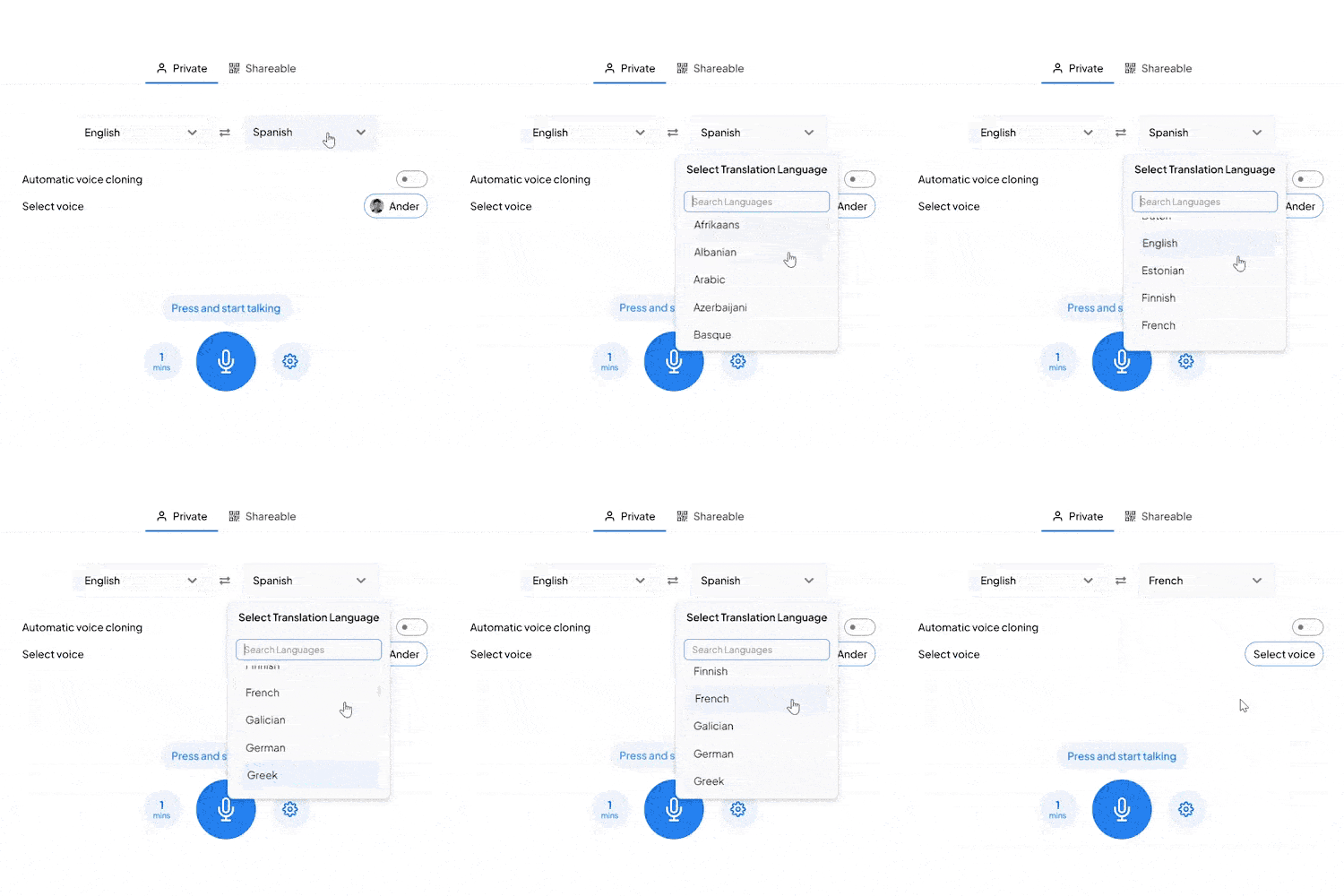
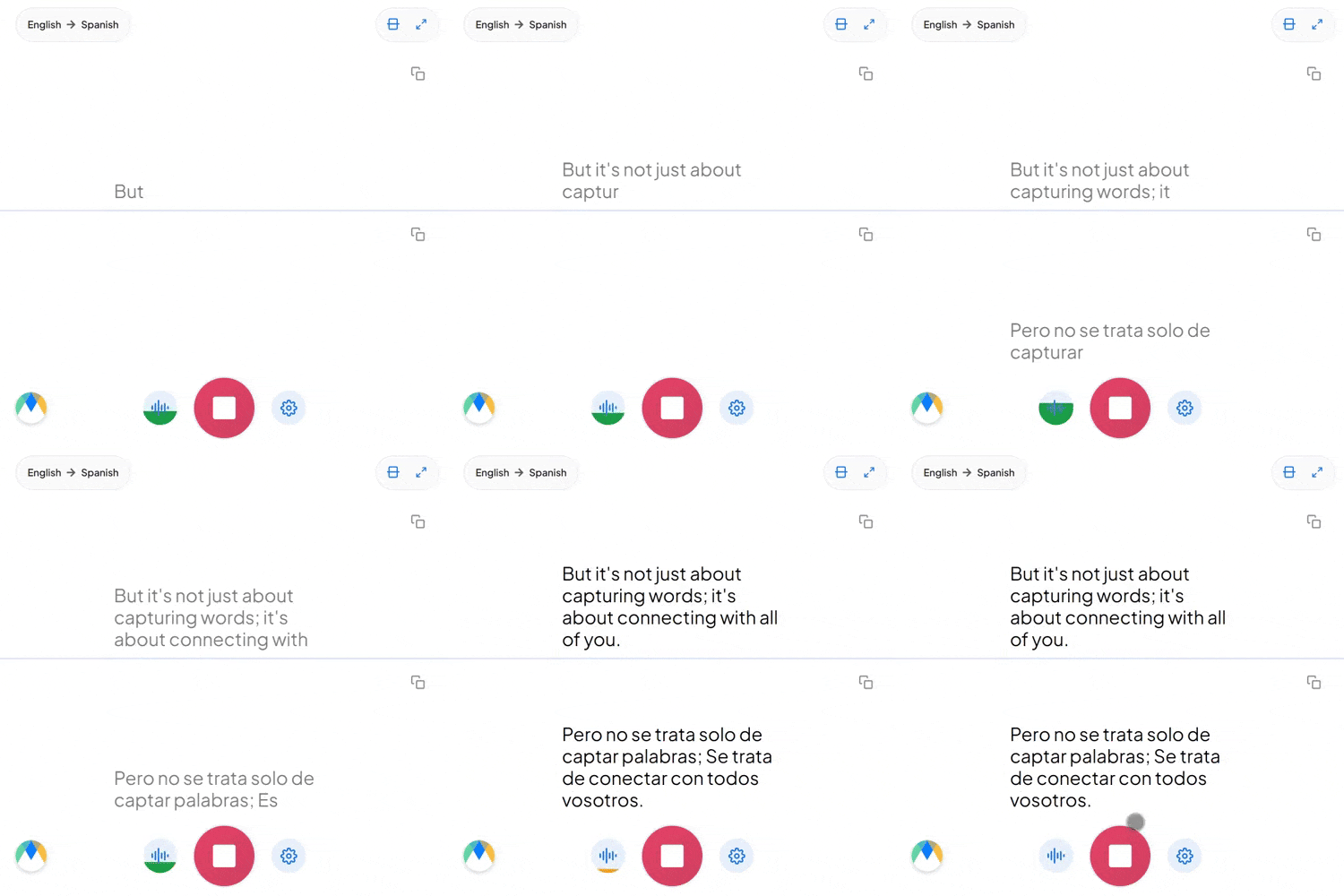
Maestra listens to your speech, translates it, and speaks it aloud in your target language — all in real time. Perfect for live events, meetings, and multilingual broadcasts.
Real-Time Voice Over
Hear translations spoken aloud instantly with natural AI voices.
125+ Languages Supported
Dub speech into virtually any language in real time.
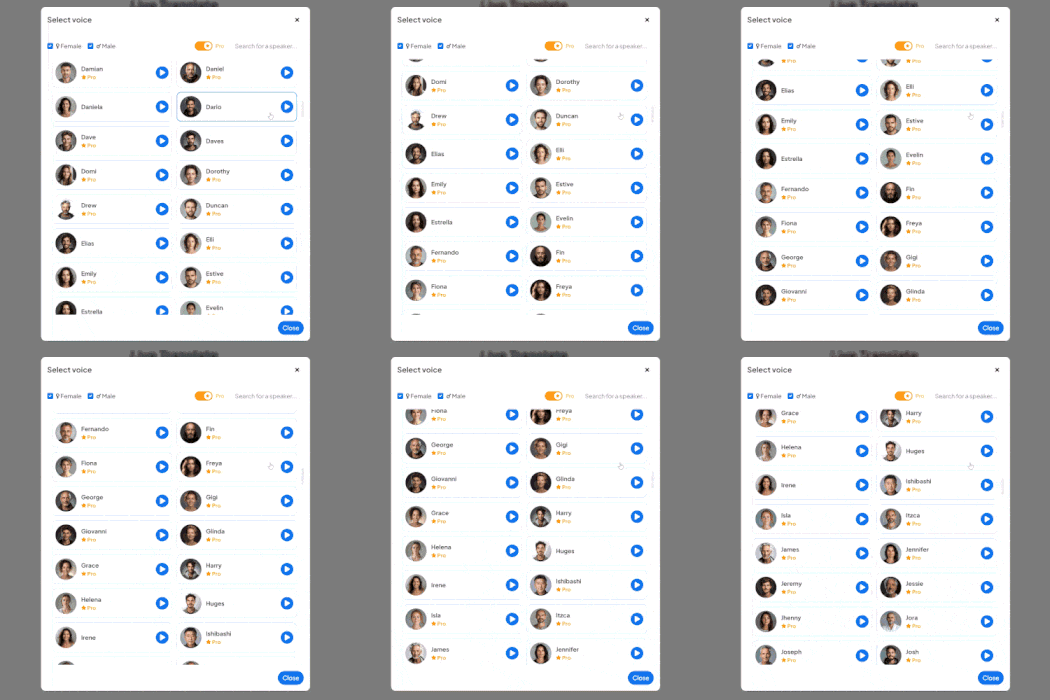
Voice Cloning
Clone your own voice to speak in different languages while keeping your unique tone.
Live Integrations
Integrate with OBS, Zoom, vMix, or Microsoft Teams for meetings and live streams.
Speaker Separation
Automatically identify and label different speakers in real time.
Save & Share Sessions
Create online sessions and share them via link or QR code to your audience.
Frequently Asked Questions
What is live dubbing?
Live dubbing translates your speech and plays it back as audio in another language in real time.
Can I use my own voice for dubbing?
Yes. Maestra offers voice cloning so you can speak in other languages using your own voice.
Does Maestra work with streaming software?
Yes. Maestra integrates with OBS, Zoom, vMix, and Microsoft Teams.
Is there a free trial?
Yes. You can try Maestra's live dubbing features with a free trial.
How accurate is the live dubbing?
Maestra uses advanced AI for high accuracy transcription and natural-sounding voice synthesis.
Is my data private and secure?
Yes. Your sessions remain private unless you choose to share them.
How many languages does Maestra support for dubbing?
Maestra supports over 125 languages for live dubbing and voice over.
Is live dubbing suitable for meetings?
Yes. Live dubbing is perfect for multilingual meetings, conferences, and webinars.
Can multiple people use live dubbing at once?
Yes. Maestra supports speaker separation and can handle multiple speakers.
Does Maestra work in the browser?
Yes. No downloads or installation required — everything runs in your browser.
Can I adjust the voice speed or pitch?
Yes. You can customize voice settings to match your preferences.
What's the latency for live dubbing?
Maestra delivers near-instant dubbing with minimal delay for real-time conversations.
これらの企業のチームや個人が私たちを信頼しています:
What People Say About Maestra's Live Dubbing
Excellent AI Translation at Expo Osaka
We used the AI translation app at Expo Osaka across roughly 30 conferences. It consistently delivered high-quality English–Japanese translation, came with excellent support, and saved us a significant amount of money on traditional translation services.
Excellent software for transcription, subtitle and voice over services.
The accuracy of the output from the tool is very satisfying.
Read full reviewA great tool that's fast, efficient and easy to use.
The speed and ease of uploading and transcribing captions in so many different languages is what I love most about this tool. I also love that I can download an immediate text file of my transcriptions.
Read full review© 2026 Katara Tech, Inc.